From Manual to Automated
Practical AI and Workflow Automation Strategies Small Businesses Can Implement This Year
Maira Koin
CEO, F Koin Tech
Published
24 July, 2026
Many small businesses are hearing about Artificial Intelligence (AI) and workflow automation, but are unsure where to start. The good news is you don’t need a huge budget or a team of data scientists to benefit from AI for business, business automation, and smarter digital transformation.
This guide focuses on practical, low-risk ways to move from manual work to automated workflows using modern software solutions, simple AI automation, and connected tools. The goal is to improve business productivity, reduce repetitive tasks, and create a better customer experience—this year, not someday in the future.
Why AI and workflow automation matter for small businesses
Every growing business eventually hits the same problems: too many spreadsheets, overflowing inboxes, and staff spending more time on admin than on customers. Workflow automation and AI for business tackle exactly these issues.
Done well, they help you:
- Free up hours each week from repetitive tasks
- Reduce errors caused by manual data entry
- Respond faster to leads and customers
- Make better decisions using data analytics instead of guesswork
- Scale your operations without immediately adding headcount
In other words, automation and AI are not about replacing people; they’re about giving your team better tools so they can focus on higher-value work.
From manual to automated: how to think about the shift
Before choosing tools or starting a custom software development project, it helps to understand the stages of moving from manual to automated work.
Stage 1: Manual and ad-hoc
In this stage, most processes live in people’s heads, email threads, or spreadsheets. Typical signs include:
- Important tasks tracked in personal to-do lists or notebooks
- Customer information scattered across email, spreadsheets, and messaging apps
- Frequent follow-up emails like “Just checking in on this…”
- Key-person risk—if one person is away, work stalls
Stage 2: Standardized but still manual
Here, you’ve created standard steps, but people still execute them manually. For example:
- Checklists for onboarding new clients
- Templates for proposals and quotes
- Fixed steps for handling support requests
This is already a big improvement, but the process still depends heavily on humans remembering and following steps every time.
Stage 3: Automated workflows
At this level, tasks and data move automatically between systems based on clear rules. For example:
- When a lead fills out a web form, they automatically enter your CRM and receive a welcome email
- When an invoice is paid, your finance dashboard updates and the customer receives a receipt
- When a support ticket is created, it is automatically assigned and tracked until resolved
This is where workflow automation, cloud solutions, and well-planned software development start to transform your operations.
Stage 4: Intelligent, AI-assisted processes
Once workflows are automated, you can add Artificial Intelligence to handle more complex tasks, such as:
- Automatically classifying and prioritizing support requests
- Summarizing long emails, documents, or meeting notes
- Predicting which leads are most likely to convert
- Suggesting next best actions for sales or support teams
This is not science fiction. Many of these capabilities are already available in everyday tools and can be extended with custom software development or enterprise software tailored to your business.
Where to start: high-impact automation opportunities
Instead of trying to “automate everything,” focus on a few high-impact areas that influence revenue, costs, and customer experience.
1. Lead capture and follow-up
For many businesses, the fastest win in business automation is ensuring every lead is captured, responded to, and followed up consistently.
Practical ideas:
- Connect your website forms to a simple CRM or contact database using cloud computing tools
- Send automated “thank you” and follow-up emails when someone inquires
- Use AI-assisted tools to generate draft responses that your team can personalize
- Set reminders for your sales team if a lead has been inactive for a set number of days
2. Client onboarding and service delivery
Every new client should experience a professional, predictable journey. Automation ensures nothing important slips through the cracks.
Practical ideas:
- Automate welcome emails and onboarding checklists when a new client signs
- Use simple web development or web apps to create client portals for documents and updates
- Trigger task lists for your team when a project starts
- Schedule automatic reminders for key milestones or approvals
3. Invoicing, payments, and financial workflows
Manual invoicing and payment tracking are error-prone and time-consuming. Automation here directly impacts cash flow and business efficiency.
Practical ideas:
- Use cloud solutions for accounting that integrate with your CRM or project tools
- Automate invoice creation when a project stage is completed
- Send automatic payment reminders before and after due dates
- Provide online payment options and connect them to your accounting system
4. Customer support and communication
Customers expect fast, clear communication. AI automation and smart workflows can help small teams deliver big-company support.
Practical ideas:
- Use a shared inbox or helpdesk tool instead of individual email accounts
- Set auto-responses with realistic response-time expectations
- Use AI-powered suggestions for replies, especially for common questions
- Route support tickets automatically based on topic, language, or priority
5. Reporting and decision-making
Leaders often spend hours manually assembling reports from different systems. Automation and data analytics can turn this into a single, reliable view.
Practical ideas:
- Connect your sales, marketing, and financial tools into a simple dashboard
- Automate weekly or monthly performance reports
- Use basic AI to highlight anomalies or trends (sudden drops, spikes, or patterns)
- Align your digital strategy decisions with real, up-to-date data
Practical AI use cases small businesses can deploy this year
AI is no longer just for large enterprises. Many SaaS solutions, mobile app development platforms, and cloud computing services include AI features that are useful for non-technical business teams.
AI for content and communication
AI can assist with everyday written communication, while your team retains control and final approval.
- Drafting emails and proposals based on bullet points or templates
- Summarizing long email threads or documents into key points
- Creating first drafts of blog posts, FAQs, or help articles that your team refines
- Translating or adjusting tone for different audiences
AI for customer support and self-service
AI-powered assistants can answer common questions and route more complex ones to humans.
- Guiding visitors through product or service choices on your website
- Answering basic questions (hours, pricing ranges, policies)
- Helping customers find the right article or resource in your knowledge base
- Collecting initial details before handing off to a human representative
AI for sales and marketing insights
Modern analytics tools use AI to surface patterns that are hard to spot manually.
- Identifying which marketing channels produce the highest-value customers
- Highlighting which customer segments are most likely to buy again
- Spotting churn risks based on behavior or reduced activity
- Recommending the best time or message to contact specific segments
AI for internal efficiency
AI can streamline back-office workflows, especially when paired with enterprise software or custom software development.
- Extracting key data from documents, forms, or invoices
- Auto-categorizing expenses or transactions
- Summarizing meetings and turning them into action items
- Helping staff search documents, policies, and historical records quickly
Build vs. buy: choosing the right technology approach
When planning business process optimization and automation, you’ll typically choose between three paths: using existing tools, customizing them, or building something new.
Option 1: Off-the-shelf SaaS tools
Many small businesses start with ready-made SaaS solutions for CRM, invoicing, project management, and support.
Advantages:
- Fast to implement
- Low upfront cost
- Regular updates and built-in security
Limitations:
- May not match your workflows perfectly
- Can lead to tool sprawl if each department picks different systems
- Data may be fragmented across multiple platforms
Option 2: Integrating and extending existing tools
An increasingly popular strategy is to connect the tools you already use, filling gaps with lightweight software solutions or small web development projects.
Advantages:
- Improves efficiency without rebuilding everything
- Keeps your team in familiar tools
- Lets you automate cross-tool workflows (e.g., leads → CRM → email → reporting)
Limitations:
- Still constrained by each tool’s capabilities
- May require expert support to design stable, future-proof integrations
Option 3: Custom software development
For core processes that truly differentiate your business—your unique way of delivering value—custom software development can build exactly what you need.
Advantages:
- Supports your specific workflows instead of forcing you to adapt
- Can combine web development, mobile app development, and cloud solutions into one platform
- You own the logic, data, and long-term roadmap
Limitations:
- Higher initial investment
- Requires a clear digital strategy and ongoing maintenance plan
Common automation and AI mistakes (and how to avoid them)
Many companies rush into automation projects and end up with complex systems that don’t deliver value. Avoid these common pitfalls.
Mistake 1: Automating a broken process
If your process is inconsistent or unclear, automation will only help you do the wrong things faster.
Instead: First, map and simplify your process. Clarify who does what, in which order, and why. Then automate the improved version.
Mistake 2: Chasing tools instead of outcomes
It’s tempting to adopt the latest technology trends or future technology trends without linking them to business results.
Instead: Start with a business goal: faster response times, fewer errors, higher conversion, or lower costs. Then choose the minimum set of tools needed to reach that goal.
Mistake 3: Ignoring the human side
Automation and AI can create anxiety if teams feel technology is being done “to them” instead of “for them.”
Instead: Involve your team early. Ask which tasks they find repetitive, frustrating, or error-prone. Start by automating these areas and show how automation supports their work.
Mistake 4: Not planning for data quality
AI and data analytics rely on clean, consistent data. If your data is messy, insights will be unreliable.
Instead: Take time to define simple data standards: how you name fields, track leads, record deals, and categorize activities. Small improvements here dramatically increase the value of your analytics and AI.
Mistake 5: Treating automation as a one-time project
Business needs, tools, and business technology evolve quickly. A “set it and forget it” mindset leads to outdated workflows.
Instead: Treat automation and AI as part of your ongoing digital transformation. Review key workflows and dashboards regularly, adjust based on feedback, and refine over time.
Practical roadmap: implementing AI and automation this year
You don’t need to transform everything at once. A simple, staged plan will help you see real results within months.
Step 1: Clarify your top 3 business outcomes
Before looking at tools, define what success looks like. Examples:
- Respond to all new leads within 1 business hour
- Cut manual reporting time by 50%
- Reduce average onboarding time from 10 days to 5 days
- Increase repeat purchases by 15%
Step 2: Map 3–5 key workflows
Choose the workflows that most affect those outcomes, such as:
- Lead generation and qualification
- New customer onboarding
- Order processing and fulfillment
- Support and complaint handling
Sketch the steps on a single page: who is involved, what tools they use, and where hand-offs happen. This reveals bottlenecks and opportunities for business process optimization.
Step 3: Identify “quick win” automations
Look for tasks that meet three criteria: repetitive, rule-based, and time-consuming. These are ideal for early automation.
Examples:
- Sending confirmation and follow-up emails
- Filing documents or updating status fields
- Assigning tasks or tickets based on simple rules
- Generating recurring reports from the same sources
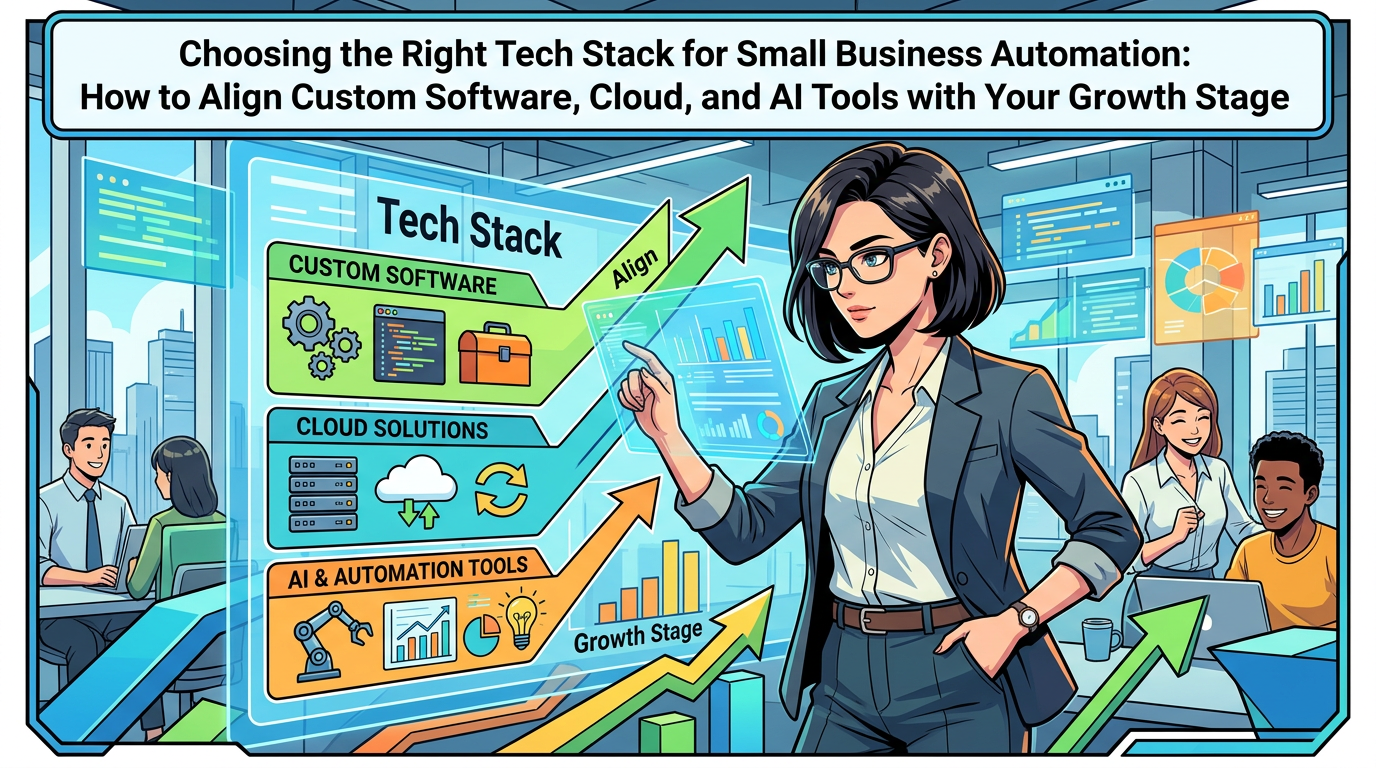
Step 4: Select your core technology stack
Choose a small set of tools that will become your automation foundation—for example:
- A CRM or central customer database
- A project or task management system
- An email and communication platform
- Accounting and invoicing software
- Your website, web app, or e-commerce solutions
Where off-the-shelf tools don’t fit, consider technology consulting or custom software development to fill the gaps.
Step 5: Pilot 1–2 AI-assisted workflows
Once basic automation is in place, test AI in low-risk areas to build confidence.
Examples:
- AI-assisted drafting of responses for common customer questions
- Automatic summaries of long internal documents
- Lead scoring based on simple behavioral indicators
Track the impact: time saved, quality of responses, and satisfaction from both staff and customers.
Step 6: Review, refine, and expand
Schedule regular reviews (for example, quarterly) to evaluate what’s working and where to go next.
- Retire tools that are underused or redundant
- Strengthen workflows that deliver measurable value
- Explore new business innovation ideas enabled by your improved systems
- Plan the next phase of software development, mobile app development, or digital innovation
Future technology trends shaping small business automation
While your focus should be on practical steps this year, it helps to understand where small business technology is heading.
More accessible AI for business
AI capabilities are increasingly embedded into everyday tools—email, CRM, accounting, and productivity apps—making AI for business easier to adopt without massive projects.
Deeper integration across cloud solutions
Expect tighter connections between cloud solutions, SaaS solutions, and enterprise software. This reduces data silos and makes end-to-end workflow automation more achievable for small teams.
Rise of no-code and low-code platforms
Visual tools are making it easier for non-developers to design simple workflows and apps. Combined with expert technology consulting and targeted software development, they can speed up startup growth and experimentation.
Greater focus on customer experience
Automation will increasingly be judged by its impact on customer experience, not just internal efficiency. Businesses that blend automation with human support thoughtfully will build stronger relationships and loyalty.
Summary: make AI and automation a practical advantage this year
Artificial Intelligence and workflow automation are no longer optional extras for small and medium businesses. They are becoming core parts of how modern companies operate, compete, and grow.
By starting with clear business goals, mapping key workflows, and choosing the right mix of software solutions, cloud computing, and custom software development, you can:
- Cut repetitive manual work and focus on higher-value activities
- Deliver faster, more consistent customer experiences
- Make better decisions with reliable, automated data
- Lay the foundation for ongoing digital transformation and business innovation
You don’t need to automate everything at once. Start small, prove value, and build from there.
Need help planning your AI and automation roadmap?
If you’re exploring how to use AI automation, workflow automation, or tailored software solutions to improve your operations, it can help to have an experienced technology partner at your side.
A consulting-led approach can clarify which processes to automate first, how to connect your existing tools, and where custom software development, web development, mobile app development, or e-commerce solutions will deliver the most impact.
When you’re ready, consider scheduling a conversation to discuss your goals, review your current systems, and outline a practical roadmap for bringing AI and automation into your business over the next 6–12 months.