A Founder’s Guide to AI-Ready MVPs
How to Plan, Build, and Iterate a Custom Software or SaaS Product Without Wasting Development Budget
Maira Koin
CEO, F Koin Tech
Published
28 August, 2026
Many founders burn a painful amount of their early development budget on the wrong MVP. The result is familiar: delays, technical debt, a product that is expensive to change, and, worst of all, weak customer validation.
It does not have to go that way.
This guide explains how to plan and build an AI‑ready MVP for a custom software or SaaS solution in a way that fits real Startup Growth. The focus is on business outcomes, not code. You will see how to choose what to build first, how to bake Artificial Intelligence and Business Automation into the roadmap (without blowing up scope), and how to iterate in cycles that keep you close to users and in control of costs.
What “AI‑ready MVP” actually means for founders
AI‑ready does not mean you must launch with advanced AI Automation or complex models on day one. For most early products, AI‑ready means your MVP is designed so that:
- Data that AI features will need later is already captured in useful, structured ways.
- Workflow Automation and AI for Business can be layered in as you learn, not bolted on as an afterthought.
- The architecture and product decisions do not lock you out of using Cloud Computing, Data Analytics, or modern SaaS Solutions later.
An AI‑ready MVP is still an MVP. It is the smallest useful version of your product that solves a real problem and proves people are willing to use or pay for it. The “AI‑ready” part is about smart planning, not building a science project.
Step 1: Start with the business model, not the feature list
Before you design screens, talk to agencies, or think about Web Development or Mobile App Development, you need a sharp view of the business model. Otherwise the MVP grows in every direction and your development budget disappears into edge cases.
Clarify the core of your product in five questions
Grab a page and answer, in plain language:
- Who is the primary user or buyer? Be specific, for example “operations manager in a 20 to 100 person logistics company”, not “any SME”.
- What painful problem are you solving? Frame it in their words, like “we lose track of field jobs once they leave the office”.
- How do they solve it today? Email, spreadsheets, generic Enterprise Software, a mix of tools. This shapes your competition, not just other startups.
- What is the smallest outcome that would delight them? Faster quotes, fewer errors, a shared view of status, easier reporting.
- How will you make money? Subscription SaaS Solutions, per‑transaction fees, usage tiers, or a higher‑touch Enterprise Software model.
These answers give your product partner clear constraints. They guide what goes into version 1.0 and, just as important, what stays out.
Translate the business model into one core user journey
Every good MVP has a single “happy path” it must nail. For example:
- Prospect signs up online, connects a data source, and produces their first analytics report within 24 hours.
- Retail store manager logs in, creates staff shifts, and publishes a weekly schedule in under 15 minutes.
- Property manager records an inspection on mobile, shares a branded report, and sends repair tasks in one flow.
Everything in your MVP should support that journey. Features that do not help the user complete this path are usually better suited for later phases.
Step 2: Decide where AI and automation actually belong
Artificial Intelligence and Business Automation can add huge value, but they also tempt founders to overbuild. The question is not “Where can we use AI?” but “Where would AI for Business clearly move the needle on our key metrics?”
Identify 2 or 3 high‑impact AI and automation opportunities
Look at your core journey and ask three questions:
- Where are people currently doing repetitive, rule‑based work? For example, classifying documents, copying data between tools, reviewing similar messages.
- Where does the experience feel slow or confusing? For example, onboarding, configuration, or long forms.
- Where do better decisions lead directly to revenue or retention? For example, prioritising leads, flagging risky transactions, or suggesting next actions.
For an MVP, you rarely want to tackle all of these at once. Pick one or two spots where AI Automation or Workflow Automation would provide a clear business benefit such as:
- Reducing time to first value for new users.
- Cutting manual admin for your team.
- Improving accuracy in a process that users already find stressful.
Everything else can wait until you have evidence that customers want what you are building.
AI in the MVP vs AI on the roadmap
A simple rule that protects development budget:
- MVP AI: Use existing AI services and simple patterns, such as email drafting, document summarisation, basic recommendations, or classification. These are quick to test and low risk.
- Post‑MVP AI: Custom models, predictive scoring, advanced Data Analytics, or deep personalisation. Schedule these into the roadmap after you have active users and real data.
This keeps your first release focused while still designing for future AI features.
Step 3: Scope your MVP using “must, should, later”
Most founders add too much to the first version of a SaaS Solution or custom app because every idea feels critical. A structured scoping method keeps scope and cost grounded.
Define your MVP as a simple checklist
For your core user journey, list the steps a typical user takes. Then classify each capability as:
- Must‑have: Without this, the product fails at its main job. For example, sign‑up, core workflow, basic billing, essential dashboard.
- Should‑have: Highly desirable, but users can still succeed without it for a while. For example, team roles, basic integrations, quality‑of‑life features.
- Later: Nice to have, or only needed for some segments or larger clients.
Examples for a simple AI‑ready reporting SaaS:
- Must: Connect one data source, generate a default dashboard, export to PDF, invite 1 or 2 colleagues.
- Should: AI‑generated summary of the dashboard, email report scheduling, simple tag filters.
- Later: Advanced custom reports, complex Data Analytics, multi‑tenant Enterprise Software features, deep Mobile App Development.
Keep the MVP list brutally short. A good test is whether your development partner believes they can deliver it in 8 to 12 focused weeks of Software Development, given reasonable complexity.
Step 4: Design your data foundation to be AI‑ready
AI needs data. An MVP that ignores data structure forces expensive rework later, even if the app looks polished on the surface. You do not need a full data warehouse, but you should make a few conscious choices early.
Decide which events and entities matter most
For most AI‑ready SaaS and Custom Software Development projects, these elements are key:
- Accounts and users: Who is using the product, on which plan, and with what role.
- Key actions: Events that signal value or friction, for example, project created, order completed, workflow approved, support request filed.
- Context: Basic attributes that affect behaviour, for example, company size, industry, location, product category.
If these items are logged consistently and stored in your Cloud Solutions in a structured way, AI for Business becomes far easier to add later.
Capture outcomes, not just clicks
AI Automation and serious Data Analytics need to understand success and failure. That means recording:
- Did the user complete the core journey (for example, published schedule, sent invoice, launched campaign)?
- How long did it take from sign‑up to first success?
- Did they return and repeat that action?
This outcome data is gold for future AI features like smart recommendations, churn prediction, or Business Process Optimization.
Step 5: Choose the right technical shape for the MVP
You do not need to pick every detail of the tech stack, but you do need a point of view on the product shape. That decision has big implications for budget, timelines, and your Digital Strategy.
Common MVP patterns and when they fit
- MVP as a web app
Good for: B2B SaaS Solutions, internal Business Technology, dashboards, admin tools.
Benefits: Faster to iterate than native mobile, easier to test Data Analytics and AI Automation. - MVP as a mobile app
Good for: On‑the‑go workflows, inspections, delivery, on‑site services, customer loyalty use cases.
Benefits: Direct access on phones, better for photos, signatures, location data. Often paired with a simple web admin. - Hybrid: thin custom layer plus existing tools
Good for: Products that orchestrate existing SaaS Solutions or E-commerce Solutions, or rely on third‑party ecosystems.
Benefits: Reduces build cost by reusing Cloud Solutions and focusing Custom Software Development on your differentiator.
A good Technology Consulting partner will help you pick the minimal technical path that still supports your strategy and AI‑readiness.
Step 6: Plan a realistic budget and timeline
Resource planning for an AI‑ready MVP is part art, part discipline. Founders often under‑estimate two things: the time cost of rework and the distraction of unclear requirements.
Budget in business terms, not just build cost
When you estimate the total cost of your MVP, include:
- Discovery and UX: Product strategy, user flows, basic interface design.
- Build: Software Development, Web Development or Mobile App Development, testing.
- Data and analytics setup: Minimal Data Analytics, tracking, and reporting.
- Launch prep: Support processes, basic documentation, internal training.
Then look at the runway: how many iterations of that size can you actually afford before you need clear traction or revenue. This keeps expectations grounded for everyone involved.
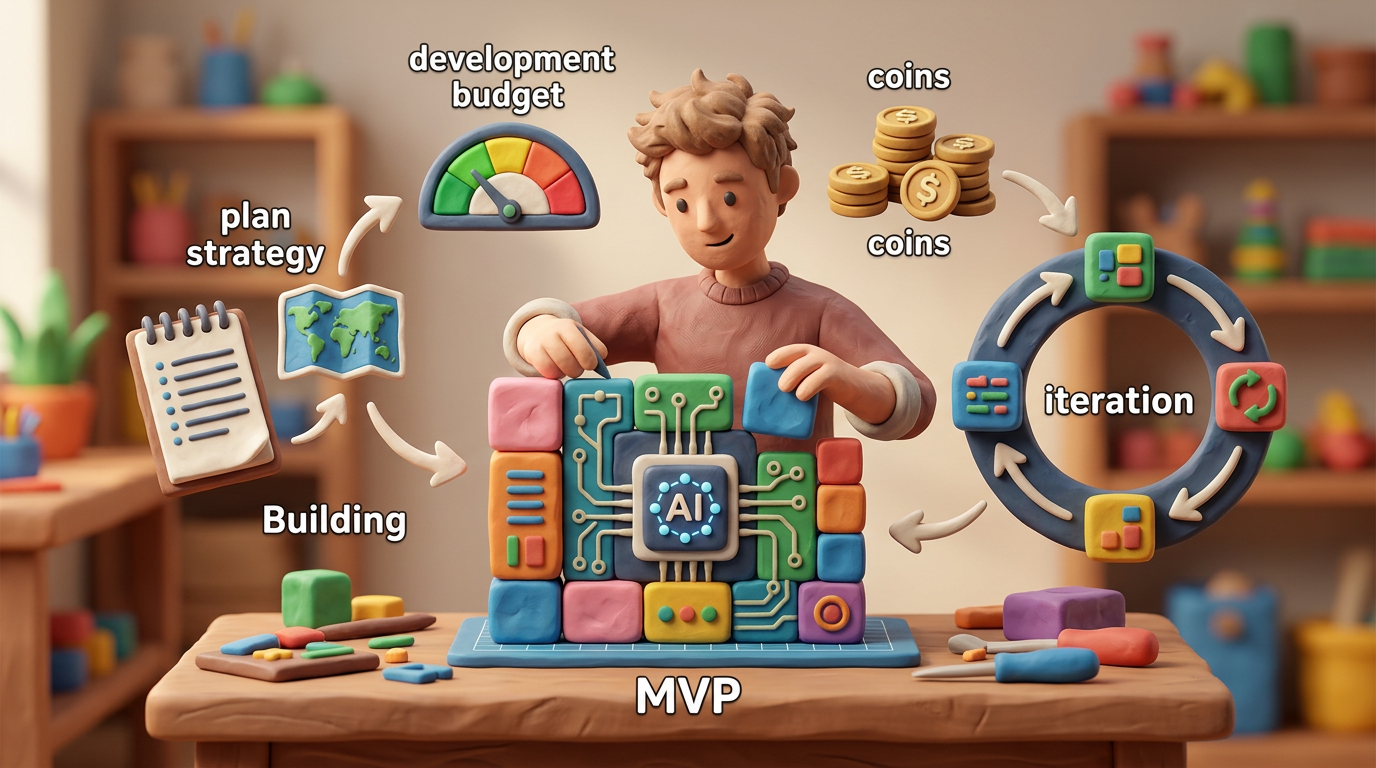
Think in 4 to 8 week cycles
Rather than aiming for a single “big launch”, plan short build cycles that each deliver something testable. A simple pattern:
- Cycle 1: Prototype and clickable design. Validate workflows with 5 to 10 target users. Adjust scope.
- Cycle 2: Build core MVP features along the main user journey. No advanced AI, only basic Workflow Automation.
- Cycle 3: Add one AI‑assisted feature and basic Business Automation where you saw friction. Improve Data Analytics.
This approach protects cash and gives you real evidence about product‑market fit before you commit to deeper investments.
Step 7: Test the MVP like a business experiment
An MVP is not just software, it is an experiment in your business model. AI‑readiness is useless if you do not learn quickly from real use.
Define success metrics before launch
Keep them simple. For example:
- Number of qualified users who complete the core journey within 14 days.
- Average time from sign‑up to first success.
- Percentage who come back in week 2.
- Manual hours your team spends per user, for example onboarding calls, configuration, custom reports.
You can then see where AI Automation and Digital Transformation efforts would have the most impact.
Collect both numbers and narrative
Metrics show what is happening. Stories explain why. Talk to early users and ask:
- Where did you get stuck or confused?
- What felt surprisingly easy?
- Which parts would you happily pay for?
- Where are you still using spreadsheets or other tools on the side?
This mix of Data Analytics and qualitative feedback is the best input for your next iteration.
Step 8: Decide your iteration strategy: horizontal vs vertical
As the MVP gains traction, you face a choice. Do you expand by adding more features across the product or go deeper for one segment and workflow first?
Horizontal expansion: more features across segments
Pros:
- Appeals to a broader market quickly.
- Can feel exciting to investors who want a large TAM story.
Cons:
- Higher risk of scattered product, difficult to maintain quality.
- Harder to design focused AI for Business or Business Automation features if workflows vary a lot.
Vertical expansion: depth within a narrow segment
Pros:
- Stronger product‑market fit in a clear niche.
- Easier to design targeted AI Automation and Digital Innovation because data patterns are consistent.
- Better word‑of‑mouth inside that niche.
Cons:
- Market may feel smaller in the short term.
- Temptation to build very specific features that do not generalise.
For AI‑heavy products, vertical depth often wins early on. Focus on one process, one industry, or one role and do it extremely well. Future Technology Trends in AI and Cloud Solutions will then work in your favour as you expand.
Common mistakes founders make with AI‑ready MVPs
Mistake 1: Confusing AI features with AI foundations
Fancy AI features in marketing do not help if your core product is unreliable or your data is messy. Users care first about whether the software works, not whether it is “powered by Artificial Intelligence”.
Better approach: make stability, clear flows, and basic Business Automation non‑negotiable. Treat visible AI as an add‑on that enhances a solid base.
Mistake 2: Over‑promising automation to early customers
Promising full automation of complex workflows in version 1 sets expectations you cannot meet. Early customers may forgive missing features, but they rarely forgive broken promises around Business Efficiency or compliance.
Better approach: position AI as an assistant. For example, “Our product drafts the report, your team approves and sends.” This leaves room for human review and incremental improvement.
Mistake 3: Ignoring manual and low‑code options in the MVP
Founders sometimes insist every workflow be fully automated in the product itself. That approach is expensive and slow at the MVP stage.
Better approach: combine Custom Software Development with simple SaaS Solutions or internal tools for back‑office work. For example, a manual review queue to start, upgraded to Workflow Automation once you prove demand.
Mistake 4: Treating development as a black box
If you only see the product at major milestones, you will discover misalignment late, when changes are expensive.
Better approach: ask your partner for regular demos, short release notes, and clear conversations in business language. A good Technology Consulting and Software Development team should translate technical trade‑offs into commercial options.
Mistake 5: Forgetting about support and operations
An MVP without a plan for support often leaves founders answering every email personally. This slows down Product and Business Innovation.
Better approach: include basic support flows in the MVP: a central inbox, simple help content, maybe an internal dashboard that shows who is stuck. Over time, AI Automation and smarter Web Development or in‑app guidance can reduce this load.
Using AI‑ready thinking beyond SaaS: internal tools and e‑commerce
These ideas are not just for public SaaS platforms. The same principles apply if you are building internal Software Solutions, E‑commerce Solutions, or hybrid setups.
Internal tools for operational efficiency
For a growing company, an AI‑ready MVP for an internal platform might focus on:
- One core workflow that causes delays, such as approvals or job routing.
- Capturing structured data to support later AI Automation, such as risk scores or utilisation.
- Simple Web Development that staff can access across departments.
This can drastically improve Business Productivity and set the stage for more advanced Digital Transformation later.
E‑commerce and customer‑facing portals
If your MVP sits on top of E‑commerce Solutions, an AI‑ready plan might include:
- Basic product or content recommendations based on behaviour.
- Capturing events like browsing, carts, and purchases clearly in your Data Analytics.
- Simple Workflow Automation around orders, returns, or subscriptions.
Again, the aim is not to do everything. It is to prove a clear improvement in Customer Experience and revenue with a controlled scope.
Practical checklist for an AI‑ready MVP
Before you sign a development contract or green‑light internal work, run through this short checklist.
Strategy and scope
- We have a clear primary user and problem.
- We defined a single core user journey that the MVP must support.
- We listed features as must, should, later, and cut aggressively.
AI and data
- We picked at most 1 or 2 AI or Business Automation features for the MVP.
- We know which events and outcomes we will capture for future AI for Business.
- We have a basic Data Analytics plan, even if it is a simple dashboard.
Budget and delivery
- We have a realistic budget that includes discovery, build, and launch support.
- We agreed on 4 to 8 week delivery cycles with demos and feedback built in.
- We have defined what success looks like for the first 3 to 6 months.
Operations and next steps
- We know who will handle support and operations at launch.
- We have ideas for the next 2 or 3 iterations, but they are not in MVP scope.
- We understand how this MVP fits our broader Digital Strategy.
Summary: Build an MVP that can grow into an AI‑driven product
An AI‑ready MVP is not about cramming Artificial Intelligence into every corner of your product. It is about designing a focused, testable first version that collects the right data, supports targeted Business Automation, and leaves you room to evolve.
Start with the business model and one core journey, then pick a narrow set of features that make that journey work. Add only the AI features that clearly improve Business Productivity or Customer Experience, and design your data so smarter capabilities are realistic later.
If you would like support clarifying your MVP scope, choosing between Web Development and Mobile App Development, or planning AI‑ready Custom Software Development within a fixed budget, consider speaking with a technology partner experienced in Business Technology, Cloud Solutions, and Digital Transformation. A short, practical conversation can help you avoid costly missteps and move toward a launch that is both realistic and ambitious.