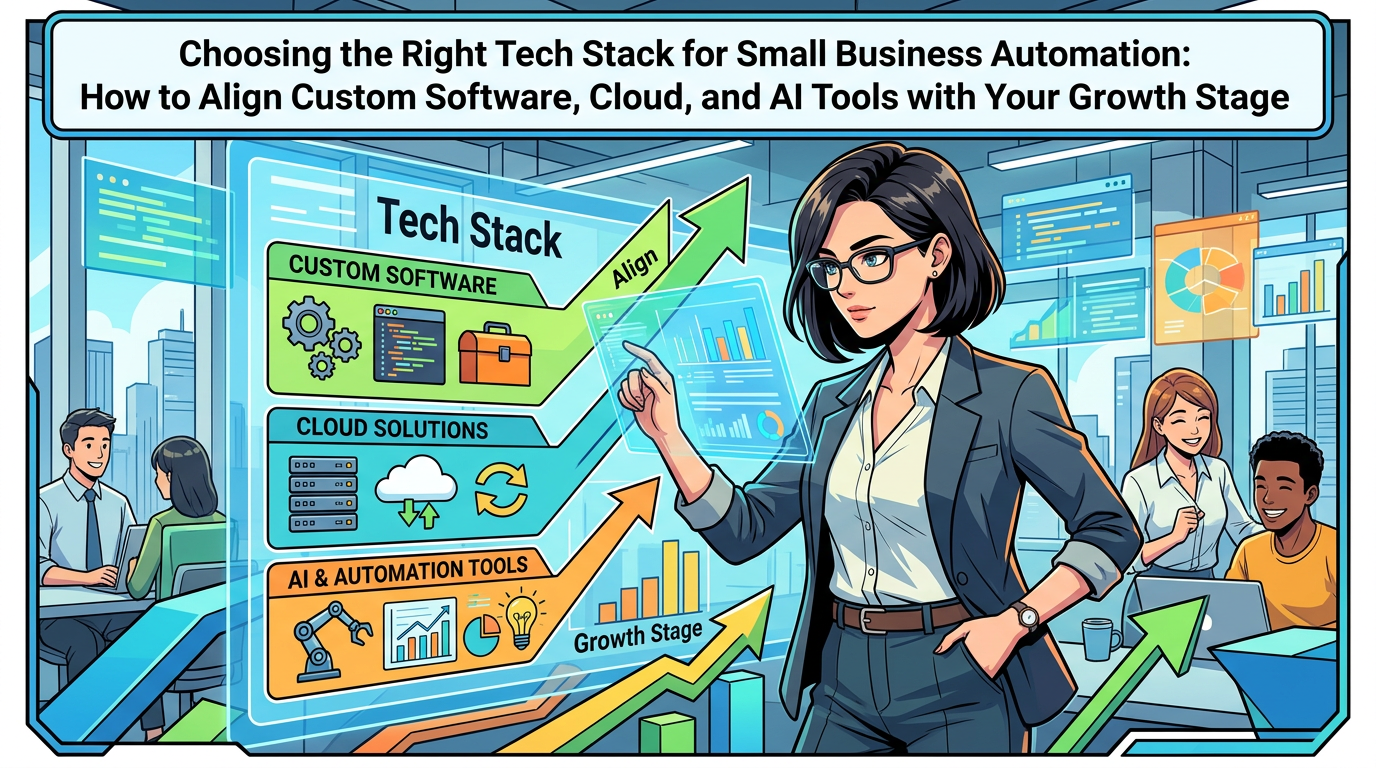
Choosing the Right Tech Stack for Small Business Automation
How to Align Custom Software, Cloud, and AI Tools with Your Growth Stage
Maira Koin
CEO, F Koin Tech
Published
03 September, 2026
Choosing a tech stack as a small business can feel like picking pieces for a puzzle without the picture on the box. There is Artificial Intelligence everywhere, hundreds of SaaS solutions, new cloud solutions every month, and constant talk about Digital Transformation.
The real question is simpler: which mix of software solutions, cloud computing, and AI for Business makes sense for your size and growth stage, right now, without wasting money or slowing your team?
This guide walks through a practical, business-focused way to choose a tech stack for Business Automation. It explains how Custom Software Development, off-the-shelf tools, Web Development, Mobile App Development, and AI Automation fit together at different stages of growth, so you can make clear decisions instead of chasing every new trend in business technology.
Why your growth stage should drive your tech stack
Many small businesses pick tools based on recommendations, ads, or whatever a previous employee used. That usually leads to overlapping subscriptions, scattered data, and a lot of manual work that automation could handle.
A better starting point is your growth stage. Your tech stack for a 3-person service business should look very different from what a 50-person company with multiple locations needs.
Across stages, your stack should help you:
- Increase business productivity instead of adding headcount for every new client
- Improve customer experience by making it easier to buy, get support, and stay informed
- Collect usable data for simple Data Analytics so decisions are not based on guesswork
- Prepare gradually for more advanced AI Automation and Digital Innovation
Four typical small business growth stages
No two companies grow in exactly the same way, but most fit loosely into four stages. Use these as reference points rather than rigid boxes.
Stage 1: Early validation (solo to small team)
Characteristics:
- 1–5 people, often founder-led
- Revenue still volatile or project based
- Spreadsheets and email doing most of the work
- Limited time and budget to experiment with tech
Primary goal: prove the business model, generate consistent revenue, and avoid drowning in admin.
Stage 2: Growing and hiring
Characteristics:
- 5–25 people
- New roles for operations, sales, or marketing
- More customers than the founder can track personally
- Multiple tools in use, some already overlapping
Primary goal: standardize how work happens, reduce chaos, and keep quality consistent as the team grows.
Stage 3: Scaling operations
Characteristics:
- 20–75 people, sometimes multiple locations
- Several departments with their own tools
- Leaders need real-time numbers to steer the business
- Manual work and rework starting to eat margins
Primary goal: build a connected, efficient operating system for the business so growth does not break the back office.
Stage 4: Established and optimizing
Characteristics:
- 50+ people or complex operations
- Existing Enterprise Software or legacy systems in place
- Leadership looking at new digital revenue lines
- Interest in more advanced Artificial Intelligence and predictive capabilities
Primary goal: optimize and innovate, not just keep up, and use AI for Business and deeper Business Automation for competitive advantage.
Core building blocks of a small business tech stack
Regardless of stage, most stacks use the same categories of software solutions. The difference is how advanced each layer needs to be and when to consider Custom Software Development.
1. Customer and sales systems
These tools store leads and customers, manage deals, and support outreach.
- Basic stage: simple CRM, basic email sequences
- Scaling stage: integrated CRM with pipeline views, quoting, and activity history
- Advanced stage: sales analytics, AI-supported lead scoring, and renewal tracking
2. Delivery and operations systems
These support how you deliver work, manage projects, or run daily operations.
- Basic stage: shared task lists or project boards
- Scaling stage: project management or job tracking with templates and automation
- Advanced stage: custom workflow tools, field Mobile App Development, or industry-specific Enterprise Software
3. Finance and billing systems
These handle invoices, expenses, payments, and financial reporting.
- Basic stage: cloud accounting and simple online payments
- Scaling stage: invoicing integrated with delivery and CRM
- Advanced stage: more advanced Business Process Optimization around revenue recognition, recurring billing, or multi-entity reporting
4. Digital presence and customer-facing touchpoints
Here you shape how customers find you, interact, and buy.
- Website and Web Development for lead capture and information
- E-commerce Solutions for products, services, or subscriptions
- Customer portals or simple web apps for self-service
- Optional Mobile App Development for businesses with frequent repeat use or field operations
5. Data, analytics, and AI layer
This includes your basic reporting and any AI Automation you add on top.
- Dashboards for sales, operations, and finance
- Data flowing from key systems into a shared view
- AI features in your tools to summarize, prioritize, or predict
Stage-by-stage tech stack: what to prioritize
Below is a practical view of how cloud solutions, off-the-shelf apps, and custom development typically fit at each growth stage.
Stage 1: Early validation – keep it light and flexible
At this point, you are still refining your offer and ideal customer profile. Overbuilding your tech stack too early can slow you down.
Recommended focus:
- A clear website with strong copy and simple forms
- Cloud-based accounting with online invoicing
- A simple CRM to track leads and follow-ups
- Basic automations for confirmations, reminders, and simple reports
Role of custom software: Usually minimal. You rarely need heavy Custom Software Development here, unless your value proposition itself is custom software or a unique SaaS solution. Use existing SaaS solutions to validate your model before investing in something tailor-made.
How AI fits:
- Use built-in AI in email or document tools to draft messages and proposals
- Experiment with AI chat on your site to handle FAQs and capture leads
- Keep it simple, focusing on time-saving rather than big predictive models
Stage 2: Growing and hiring – standardize and automate the basics
As you hire, you quickly feel where manual work is slowing things down. This is the right time to introduce more structured Workflow Automation.
Recommended focus:
- Upgrade your CRM and connect it to your website and email
- Use a shared project or job management tool for delivery
- Introduce standardized onboarding workflows for customers and staff
- Automate key steps like lead capture, quote requests, and invoice triggers
Role of custom software:
- Still limited, but you may start to see recurring gaps between tools
- Small, focused Web Development or lightweight custom apps can fill these gaps, for example, a simple portal, a specialized calculator, or custom forms
How AI fits:
- AI assistants for support teams to suggest replies and summarize cases
- AI-based lead scoring if you have enough leads and consistent tracking
- Summaries of meetings and calls to keep the team aligned
Stage 3: Scaling operations – build your business operating system
Here, the main risk is that every new employee or customer adds a lot of friction. Your tech stack needs to behave like an operating system: connected, predictable, and measurable.
Recommended focus:
- Connect sales, delivery, and finance so data flows with minimal manual input
- Standardize processes across departments and embed them in tools
- Introduce dashboards with shared KPIs for leadership and managers
- Use Cloud Computing platforms as a stable base for new apps and integrations
Role of custom software: This is often where tailored Custom Software Development comes into its own:
- Custom workflow tools for your specific way of delivering projects or services
- Industry-specific features that general-purpose tools cannot handle well
- Mobile tools for field teams, inspections, or on-site data capture
- A unified portal that ties together several SaaS solutions for staff or customers
Good Technology Consulting is critical at this point, so you can decide which systems should be replaced, which should be integrated, and where custom development will genuinely improve business efficiency.
How AI fits:
- AI models that prioritize work, highlight exceptions, or suggest next actions for teams
- Automated document processing for contracts, forms, and invoices
- AI-driven forecasting for demand, staffing, or revenue, based on your historical data
Stage 4: Established and optimizing – innovate with data and AI
Here, your tech stack should already support daily operations reliably. The question shifts from "How do we keep up" to "How do we grow smarter".
Recommended focus:
- Rationalize older systems and retire redundant tools
- Invest in data infrastructure that supports deeper Data Analytics
- Explore new digital revenue models, like subscription-based SaaS solutions or specialized E-commerce Solutions
- Improve Business Process Optimization within and across departments
Role of custom software:
- Core systems that reflect your unique operating model and value proposition
- Modular platforms that new apps and services can plug into
- Bespoke Mobile App Development for customers or partners where experience matters
How AI fits:
- Embedding AI throughout the stack, for example intelligent search, recommendations, and smart routing
- Using AI for Business to test pricing, offers, and content variants faster
- Exploring predictive maintenance, risk scoring, or other advanced use cases where you have enough clean data
Cloud, custom software, and SaaS: which should you choose when?
Most stacks are a mix of existing SaaS solutions, cloud-hosted systems, and some custom components. The art is picking the right blend rather than defaulting to only one approach.
Off-the-shelf SaaS: quick wins and standard processes
Good for:
- Common needs like CRM, accounting, scheduling, and basic helpdesk
- Early and mid-stage companies that need to move fast
- Situations where your process is not a core differentiator
Risks:
- Tool sprawl, with different departments choosing different platforms
- Data scattered in many places, which makes reporting hard
- Workarounds that grow more complex over time
Custom software: where your value is unique
Good for:
- Processes and experiences that set you apart from competitors
- Complex workflows or pricing rules standard tools cannot handle
- Central platforms that other tools need to connect into
Risks:
- Higher upfront investment and need for ongoing maintenance
- Projects that try to do everything at once instead of phasing delivery
Well planned Custom Software Development usually focuses on your differentiating workflows, while still integrating with well-known SaaS building blocks for CRM, email, or finance.
Cloud computing: the foundation for flexibility
Cloud Computing is the infrastructure layer that runs both SaaS and custom software. For small and medium businesses, it matters because it:
- Reduces upfront hardware spend and office-bound servers
- Makes remote and hybrid work easier and more secure
- Supports growth without regular infrastructure overhauls
The key decision is not "cloud or not". It is how you design your Digital Strategy so your cloud stack stays manageable over time instead of turning into a maze of services no one fully understands.
Matching automation and AI to your growth stage
Trying to implement advanced AI Automation on top of scattered, manual processes usually leads to disappointment. A staged approach works better.
Phase 1: Rule-based workflow automation
Start with clear, repeatable tasks where simple rules apply. Examples:
- Send a follow-up email when a proposal is viewed but not signed in 3 days
- Create a task when a support ticket stays open beyond a certain time
- Notify finance automatically when a project hits a billing milestone
These can usually be set up inside your SaaS tools or through light integrations.
Phase 2: Data-driven optimization
Once workflows are consistent, you can use data to improve them.
- Track how long each step takes and where delays occur
- Measure response times to leads and correlate with conversion
- Use dashboards to spot recurring bottlenecks
Simple Data Analytics at this stage will show you where further Business Process Optimization will pay off.
Phase 3: Intelligent assistance with AI
After you have structured data and stable workflows, you can bring in AI to assist people rather than replace them.
- AI-supported email drafting, so staff review and personalize messages instead of writing from scratch
- Automatic summarization of long tickets, documents, and meeting notes
- AI-based prioritization, for example highlighting high-value leads or at-risk accounts
Phase 4: Predictive and prescriptive AI
With enough historic data and clean systems, more advanced AI for Business becomes realistic.
- Forecasting demand or workload to plan hiring and inventory
- Churn prediction to guide retention campaigns
- Pricing or discount recommendations based on behavior and history
These projects are usually part of a broader Digital Transformation or Digital Innovation roadmap, not quick experiments.
Common tech stack mistakes small businesses make
Mistake 1: Buying tools before defining processes
Many teams jump into new subscriptions hoping they will "fix" messy workflows. In practice, tools amplify what already exists. If the process is unclear, technology just adds another layer of confusion.
Better approach: map your core workflows on a page first. Clarify who does what, in which order, and using which information. Then select tools or consider Software Development that supports that design.
Mistake 2: Overbuilding too early
Investing in complex systems or large custom projects while the business model is still changing often leads to wasted effort.
Better approach: in the early stages, favor flexible SaaS solutions and light Web Development. Look for patterns in how you really work over 6–12 months, then invest in more tailored systems.
Mistake 3: Letting every department pick their own stack
Sales wants one CRM, marketing another, operations a separate project tool, and finance a standalone invoicing platform. Individually these choices can make sense, but together they fragment the business.
Better approach: agree on a small set of core systems that should act as your "source of truth" for customers, work, and money. New tools should connect to those cores, not create new islands.
Mistake 4: Ignoring data quality
Poor data is one of the quickest ways to undermine Business Automation and AI efforts. Duplicate contacts, inconsistent fields, and missing values make reports unreliable and AI behavior harder to trust.
Better approach: put simple data standards in place. Decide how leads are named, how stages are updated, and who owns data quality for each system. This gives any future AI or analytics project a fighting chance.
Mistake 5: Treating tech decisions as purely IT problems
Technology choices often get pushed to whoever is "good with computers" or to an external IT provider focused mainly on infrastructure.
Better approach: treat stack decisions as business design. Involve leadership, operations, finance, and customer-facing teams. If needed, bring in Technology Consulting that can translate between business outcomes and technical options.
Practical selection criteria for your next tool or project
Before you sign up for another subscription or commit to a new Software Development project, use a short checklist.
1. Business fit
- Does this support a core workflow, or is it a "nice to have"?
- Can your team learn it quickly, without weeks of training?
- Is it flexible enough to adapt as you refine your processes?
2. Integration and data
- Can it connect to your CRM, accounting, and main operational tools?
- Will data from this tool be accessible for reporting and Data Analytics?
- Is there a clear plan for how it fits into your wider Digital Strategy?
3. Automation and AI potential
- Does it support triggers and automations to reduce manual steps?
- Are there meaningful AI features that help real people do real work faster?
- Will data from this system be useful for future AI for Business projects?
4. Cost and scalability
- What happens to cost as your user count or data grows?
- Can you start small on a lower tier and upgrade later?
- Is it affordable to run alongside other tools at your next growth stage?
Future technology trends small businesses should watch
Short-term decisions should focus on practical needs, but it helps to be aware of how Small Business Technology is shifting.
Embedded AI in everyday tools
Most major platforms are gradually adding AI copilots into email, CRM, support, and finance. Choosing modern, cloud-first tools now means you can benefit from these features without separate AI projects later.
No-code and low-code for quicker change
Visual tools that let non-developers configure automations and simple apps are maturing. Combined with professional Software Development for the complex parts, they can lower the time and cost of experimentation.
Closer links between customer experience and operations
Customers increasingly expect accurate, real-time information about orders, projects, and services. That requires tighter integration between your customer-facing Web Development or E-commerce Solutions and your internal systems, not marketing sites that sit alone.
Stronger focus on security and trust
As more processes shift into the cloud, expectations around security, privacy, and responsible use of AI will keep rising. Choosing reputable Cloud Solutions and having basic governance in place will be part of normal Business Innovation, not a separate compliance project.
Summary: aligning your tech stack with your growth story
A well chosen tech stack is not about chasing every new tool. It is about matching Business Automation, AI for Business, and Cloud Computing to where your company is today and where you realistically want it to be in the next 12 to 24 months.
By viewing decisions through the lens of growth stage, you can:
- Avoid over-investing in complex systems too early
- Identify where SaaS solutions are enough and where Custom Software Development is justified
- Introduce AI Automation gradually so teams trust and adopt it
- Create a connected foundation for ongoing Digital Transformation and Startup Growth
You do not have to fix everything at once. Start by clarifying your growth stage, mapping your critical workflows, and reviewing which tools already support them well. From there, decide which gaps to fill with better configuration, new cloud tools, targeted custom development, or a mix.
If you would like support assessing your current stack or planning the next phase of your Digital Strategy, it can help to speak with a technology partner experienced in Software Development, AI Automation, Web Development, Mobile App Development, and integrated E-commerce Solutions. A short consultation is often enough to clarify priorities and sketch a practical roadmap that fits your growth stage and budget.