Building an AI‑Augmented Tech Team
How Small Businesses Can Blend In‑House Talent, Outsourced Developers, and No‑Code Tools for Faster Digital Innovation
Maira Koin
CEO, F Koin Tech
Published
26 August, 2026
Small businesses keep hearing that they need Artificial Intelligence, Web Development, Mobile App Development, E-commerce Solutions, and all kinds of Software Solutions to stay competitive. The hard part is building the team that can actually deliver those projects without burning everyone out or blowing the budget.
Hiring a full internal software department is expensive. Relying only on agencies or freelancers can leave you dependent on outside schedules. Handing everything to non-technical staff with no-code tools creates hidden risk if things grow.
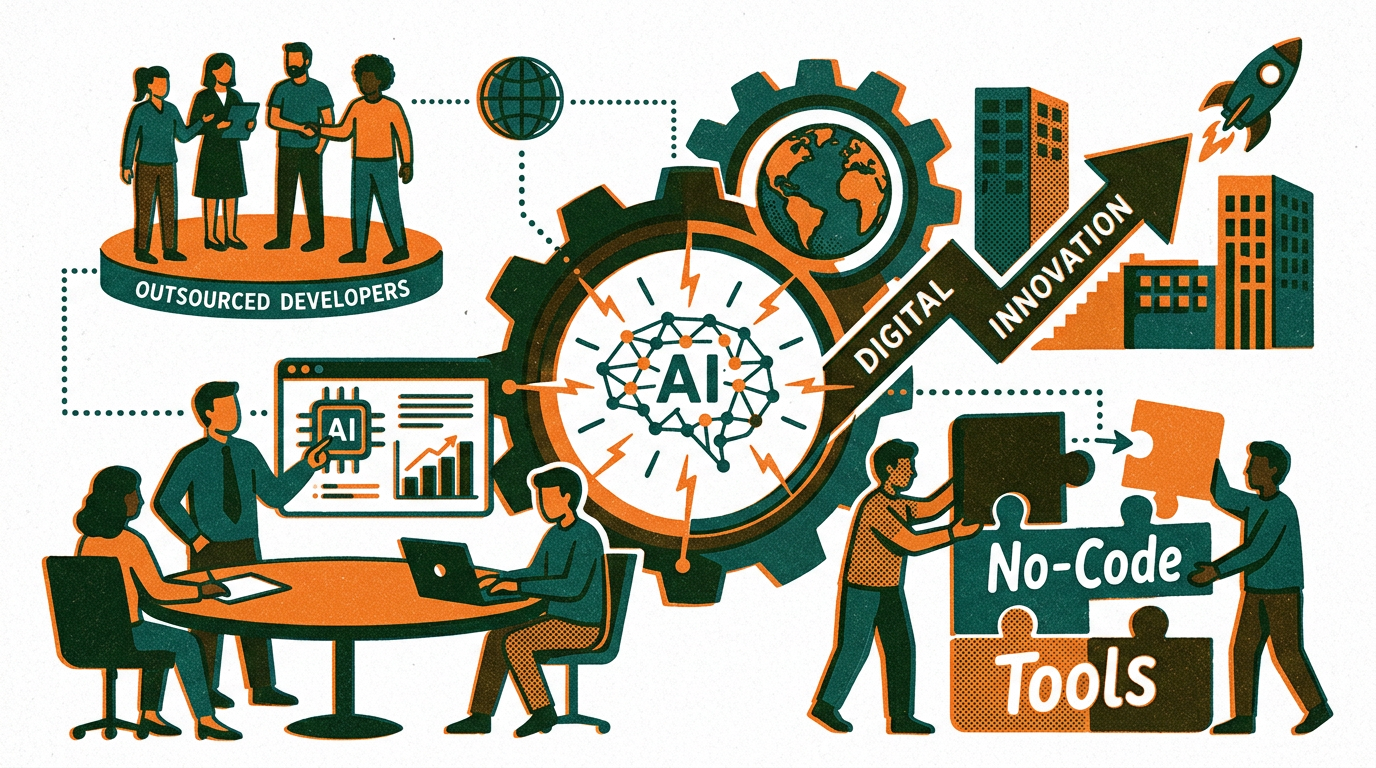
The most effective approach for many small and medium businesses is a blended, AI-augmented tech team. That means combining your in-house talent, carefully chosen outsourced developers, and practical no-code tools, with AI for Business and Business Automation sitting across the top.
This article explains how to design that blend, how Artificial Intelligence changes what you need from people and partners, and how to turn a scattered mix of tools into a focused Digital Strategy for consistent Digital Innovation.
What an AI-augmented tech team actually looks like
An AI-augmented tech team is not a big corporate IT department. It is a lean mix of people, partners, and tools that work together to plan, build, and improve your digital products, with AI Automation and Workflow Automation taking care of repetitive work.
Key components in plain language
- In-house product owner: Someone on your team who understands your customers, processes, and numbers, and can make decisions. They own outcomes, not code.
- Business-aware outsourced developers: A Software Development partner that handles Custom Software Development, Web Development, Mobile App Development, or integrations, and can translate business goals into technical plans.
- No-code and low-code builders: Non-technical staff who use simple tools to create forms, internal dashboards, and light automation for everyday tasks.
- AI assistants: Practical AI for Business tools for drafting content, summarising conversations, analysing basic Data Analytics, and supporting Business Automation.
The power comes from how these pieces fit together, not from any single role or subscription.
Why this blended model matters for small businesses
A blended, AI-augmented approach addresses some very real constraints small businesses face with Business Technology and Digital Transformation.
Budget is limited
Building a full in-house team of developers, designers, data specialists, and product managers is simply not realistic for most small organisations. Outsourcing everything, on the other hand, can get expensive if you do not control scope and priorities.
By mixing in-house ownership, no-code tools, and targeted Custom Software Development, you can reserve your development budget for the pieces that truly need professional Software Development.
Speed matters more than perfection
Markets change quickly. You often need to test a new offer, pilot a subscription model, or stand up an internal tool in weeks, not months. No-code tools and AI Automation can give you that speed, while your development partner focuses on more durable foundations.
AI is changing what people need to do
Artificial Intelligence is already doing solid work in drafting emails, summarising calls, classifying data, and handling routine support. That means your team can spend less time on low-value tasks and more time on design, strategy, and Business Innovation. Your tech model should reflect that shift.
Three pillars of an AI-augmented tech stack
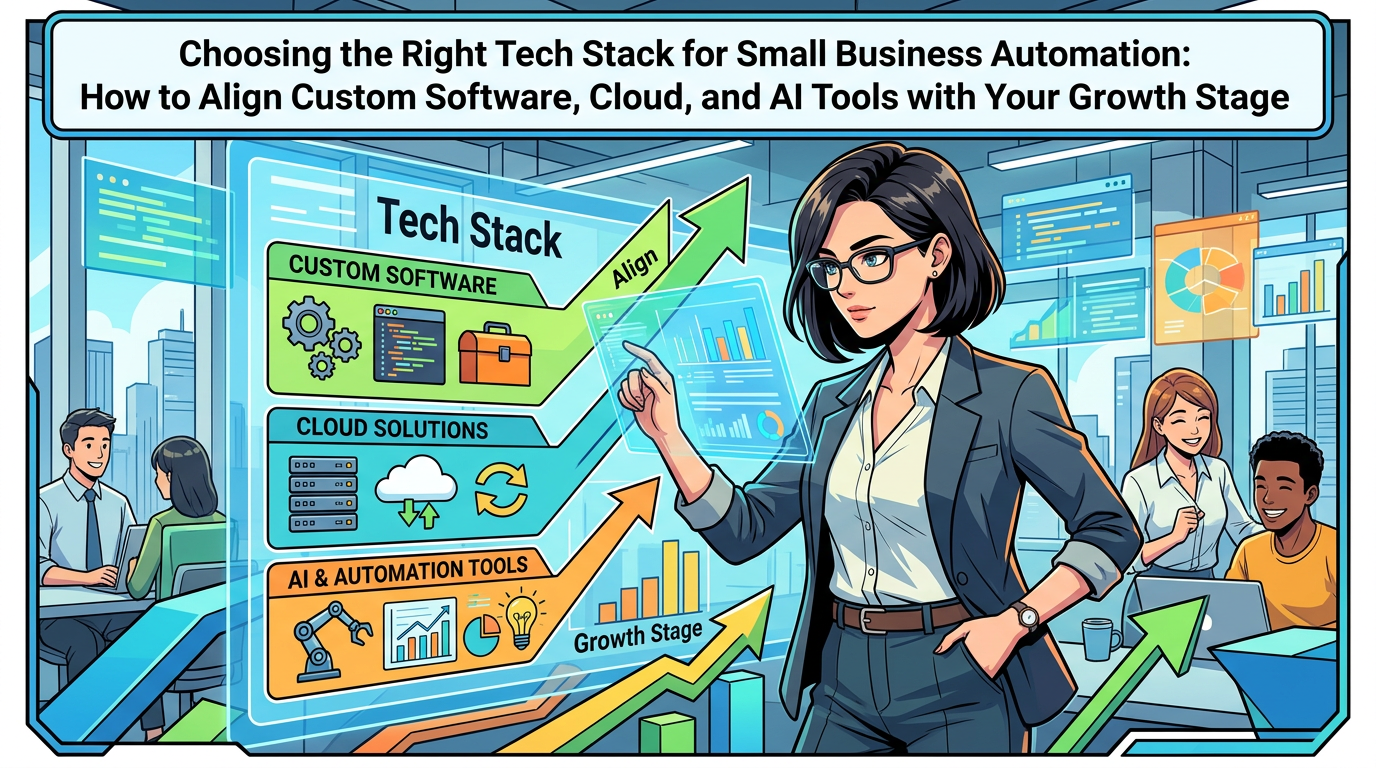
Before designing the team, it helps to think about the stack you are asking them to manage. A practical small business stack for Digital Innovation usually has three layers.
1. Foundation: core business systems
These are your non-negotiable systems of record:
- CRM or sales system for leads and customers
- Accounting or finance platform
- Operational or project management tools
- Core E-commerce Solutions if you sell online
They should be Cloud Solutions, reasonably modern, and open to integrations. You rarely want to rebuild these from scratch unless your business is very specialised.
2. Differentiators: custom products and workflows
This is where Custom Software Development and Web Development, sometimes Mobile App Development, earn their keep. Think about:
- A customer or partner portal that gives visibility into orders, projects, or assets
- An internal workflow tool that reflects how you deliver services end to end
- SaaS Solutions you plan to sell to your own customers
These are specific to your business processes and are prime candidates for deeper Business Process Optimization over time.
3. Glue: no-code, AI, and Workflow Automation
This layer connects your systems and reduces repetitive work. It includes:
- No-code automation tools that move data between systems and trigger actions
- AI Automation for drafting, summarising, classifying, and prioritising work
- Lightweight internal micro-apps for forms, approvals, and status dashboards
This is also where non-technical staff can contribute meaningfully to Digital Transformation without writing code.
Deciding what stays in-house vs outsourced vs no-code
The main decision is not which tools to buy. It is what work belongs where. A simple decision matrix can keep you honest.
Use in-house staff for business ownership and iteration
Your own team is best placed to:
- Define the business problem and success metrics
- Prioritise features and trade-offs
- Own the customer journey and Customer Experience
- Run experiments and interpret Data Analytics results
You do not need these people to write code. You need them to understand workflows, money, and customers, and to work closely with your Technology Consulting or development partner.
Use no-code tools for low-risk, internal workflows
No-code and low-code platforms are suitable when:
- The workflow is internal and low regulatory risk, for example intake forms, checklists, simple approvals
- Requirements are likely to change often as you learn
- You want to validate an idea before investing in full Software Development
Examples:
- A sales requests form that creates tasks and notifications for account managers
- An internal content calendar that syncs with your CRM or marketing platform
- A simple E-commerce-style ordering portal for existing B2B customers that feeds into your existing systems
These are perfect candidates for no-code plus AI for Business features like auto-tagging or suggestions.
Call outsourced developers for complex, high-impact projects
Bring in a Software Development partner when work is:
- Central to revenue or operations, like your main customer portal or booking platform
- Complex, for example advanced pricing rules, multi-step workflows, or integrations with Enterprise Software
- Subject to compliance, performance, or security requirements you cannot afford to get wrong
Here you want professional Software Development, Web Development, or Mobile App Development that is maintainable, testable, and fits into your long-term Digital Strategy.
How AI changes your build vs buy decisions
Artificial Intelligence, used sensibly, shifts what needs to be custom-built and what can live comfortably in standard SaaS Solutions.
AI inside everyday SaaS Solutions
Many SaaS Solutions already include AI for Business features such as:
- Email and proposal drafting
- Automatic lead or ticket scoring
- Document summarisation and data extraction
- Smart search across your content and conversations
If a standard tool offers AI that solves 80 percent of a problem, it often makes more sense to configure that than to build something custom from scratch.
Where custom AI work is usually not needed yet
Most small businesses do not need custom machine learning models early on. Use ready-made AI Automation features for:
- Summarising calls and meetings and pulling out action items
- Assisting support teams with suggested replies
- Drafting marketing content and internal documentation
- Classifying tickets, documents, or leads into simple categories
These tools fit neatly into your existing Cloud Computing stack without major projects.
Where AI depends on your data foundation
More advanced AI for Business use cases, such as churn prediction, complex recommendations, or optimisation of routing and capacity, depend on the quality of your data. That is where your development partner helps design Software Solutions that capture the right events and outcomes so you can use more advanced Data Analytics later.
Defining roles inside an AI-augmented tech team
You do not have to copy corporate job titles, but you do need clear responsibilities so work does not fall through gaps.
Minimal internal roles that make a big difference
- Product owner or digital lead
This person sits on your side, not in the agency. They own the backlog, sign off on priorities, and connect tech work to revenue, margins, and Customer Experience. - Process owners
For each key workflow (sales, delivery, support, finance), nominate someone who understands the real-world process and can work with the product owner to define requirements and test changes. - No-code builder
Often a curious operations or marketing person who enjoys tools. They maintain basic Workflow Automation and internal dashboards under some simple guardrails.
Typical responsibilities for your outsourced partner
- Translate business goals into technical roadmaps and Digital Strategy detail
- Design and build Custom Software Development projects where needed
- Perform integrations between core Cloud Solutions and Enterprise Software
- Advise on Future Technology Trends and realistic AI Automation options
- Support security, performance, and maintainability of your custom systems
Think of them less as a coding factory and more as an extension of your team focused on the complex parts of Business Automation and Digital Innovation.
Practical operating model: how everyone works together
Even a good mix of roles fails without a simple way of working. A light-weight operating model keeps projects moving and protects Business Productivity.
Step 1: Prioritise problems, not projects
Every quarter, your leadership and product owner identify a short list of business problems worth solving, for example:
- Too much manual work in onboarding new clients
- Poor visibility of order status for customers
- Slow quote turnaround from sales to finance
Each problem gets a clear target, such as response time, error rate, or manual hours saved. This frames all tech work in measurable Business Efficiency terms.
Step 2: Decide the delivery mode
For each problem, ask three questions:
- Can a simple configuration or no-code flow in an existing tool solve most of this?
- Do we need an integration or light Web Development to connect systems?
- Is this core enough to require a structured Custom Software Development project?
This decision shapes whether the work sits mainly with your no-code builder, your outsourced developers, or a mix.
Step 3: Work in short build and review cycles
Agree with your partner on 2 to 6 week cycles:
- Cycle planning with your product owner and process owners
- Build and configure by developers and no-code builders
- Mid-cycle check-in and demo
- End-of-cycle release, testing, and quick metrics review
AI tools help here as well: summarising meetings, drafting release notes, and pulling basic Data Analytics for the review.
Where no-code and AI usually work best, with examples
To make this concrete, here are common small-business use cases and how the blend typically looks in practice.
Customer onboarding
In-house and no-code can handle:
- Online onboarding forms that feed into your CRM
- Automated welcome emails, next-step guides, and reminders
- Internal task lists for account managers
AI Automation can:
- Draft tailored onboarding emails from templates
- Summarise discovery calls and extract key details into your CRM
- Flag risky or incomplete onboarding cases for human review
Custom development makes sense when you need a dedicated onboarding portal with progress tracking, document uploads, and integrations into several back-office systems.
Internal reporting and Data Analytics
No-code can connect data from your CRM, finance, and support tools into basic dashboards.
AI for Business can:
- Highlight unusual patterns, for example a spike in refunds
- Translate dashboard data into plain-language weekly summaries
- Answer simple questions like "Which service line grew fastest last month?"
Custom Software Development might be needed when you have complex data models across multiple entities, or when you want to embed analytics directly into your SaaS Solutions or customer portals.
Field operations and Mobile App Development
No-code apps work well for light field use, like checklists or photo uploads on a mobile-friendly web page.
AI Automation can:
- Turn free-text notes into structured fields
- Summarise site visits for supervisors
- Suggest next steps based on previous cases
Full Mobile App Development makes more sense once field volume is high, offline capability is needed, or hardware integration and more advanced Business Process Optimization are required.
Common pitfalls in blended tech teams (and how to avoid them)
A blended, AI-augmented model is powerful, but it also introduces new failure modes. Being aware of them early keeps your Digital Strategy on track.
Mistake 1: Letting no-code sprawl take over
Uncontrolled no-code tools can become the new spreadsheets: lots of hidden logic in different places, no standards, and no single source of truth.
Fix: define guardrails. For example:
- Only use approved platforms that your tech partner has reviewed
- Maintain a simple inventory of active automations and mini-apps
- Involve your development partner when a no-code flow touches critical data or money
Mistake 2: Treating outsourced developers like short-term vendors
If you bring in different freelancers for every project, you lose context and repeat the same conversations. That slows Digital Transformation and increases risk.
Fix: build a relationship with one main partner that invests in understanding your business. Expect them to provide Technology Consulting, not just coding. Give them access to your product owner and let them participate in planning, not only in execution.
Mistake 3: No clear owner for data and security
As you add more SaaS Solutions, Cloud Solutions, and AI tools, it becomes unclear who is responsible for data quality, permissions, and security.
Fix: assign someone, often the product owner or operations lead, as the practical data and access owner. Your development partner can help define policies around user roles, backups, and secure integrations as part of broader Business Technology governance.
Mistake 4: Jumping to advanced AI before foundations
Trying to implement predictive AI or very advanced AI Automation on top of messy, inconsistent data usually creates frustration.
Fix: follow a sequence:
- Clean and connect your core systems
- Introduce simple Workflow Automation
- Add AI helpers for drafting, summarising, and classification
- Only then explore predictive and optimisation use cases
Planning a 12‑month roadmap for your blended tech team
You do not need a five-year Digital Strategy. A focused 12-month roadmap is enough to change how your team builds and ships digital projects.
Quarter 1: Clarify structure and quick wins
- Nominate your product owner and process owners
- Pick an external Software Development partner if you do not have one
- Audit your existing stack of SaaS Solutions and no-code tools
- Identify 2 or 3 manual workflows ripe for Workflow Automation and AI helpers
Quarter 2: Build shared foundations
- Standardise data fields and stages in your CRM and key tools
- Introduce simple automation flows for leads, onboarding, and invoicing
- Agree on how in-house, no-code, and outsourced work will be requested and approved
- Pilot AI Automation in one area, such as support email drafting or call summarisation
Quarter 3: Tackle one substantial custom project
- Choose a differentiating project, such as a customer portal or internal operations tool
- Run a structured Custom Software Development engagement in 1 or 2 build cycles
- Measure impact on Business Productivity, Customer Experience, or Business Efficiency
- Use AI for Business around the project, for example to analyse usage or feedback
Quarter 4: Consolidate and extend AI-augmented practices
- Retire redundant tools and overlapping solutions
- Expand AI helpers to more teams where foundations are strong
- Formalise a light governance process for new automations and apps
- Plan next-year priorities based on data and lessons learned
Future Technology Trends to watch as you evolve your team
Designing a blended, AI-augmented tech team is not a one-off project. As Technology Trends move, your model will evolve too.
AI copilots embedded in everyday Software Solutions
Expect more AI assistants living inside email clients, CRMs, accounting tools, and helpdesks. This will make AI Automation more accessible, but it also means your team will need guidance on which suggestions to trust and how to adapt processes.
Stronger low-code platforms for Enterprise Software
Many Enterprise Software and Cloud Computing vendors are investing in low-code builders on top of their platforms. For small businesses that integrate with larger ecosystems, this can provide a middle ground between full Custom Software Development and simple no-code tools.
Closer integration of E-commerce Solutions and operations
E-commerce is increasingly tied to inventory, fulfilment, customer support, and finance. Your blended tech team will need to think end to end, connecting Web Development on the front with Workflow Automation and Business Process Optimization in the back office.
Summary: build a tech capability, not just a tech stack
Small businesses do not need giant IT departments to gain serious value from Artificial Intelligence, Business Automation, and modern Software Solutions. They need a clear, blended model where in-house leaders, outsourced developers, and no-code tools each play to their strengths, and AI supports them across the board.
Start by defining ownership and outcomes, then decide where no-code is enough, where SaaS Solutions can be configured, and where Custom Software Development is a smarter long-term investment. Layer in AI Automation gradually, focusing first on drafting, summarising, and simple prioritisation that relieve your team of repetitive work.
If you would like support designing this kind of AI-augmented tech team, choosing the right mix of Web Development, Mobile App Development, Cloud Solutions, and Workflow Automation, or planning a practical Digital Transformation roadmap, consider speaking with a technology partner experienced in Business Technology and Digital Strategy. A focused conversation can help you decide what to keep in-house, what to outsource, where to use no-code, and how to turn that mix into a reliable engine for Digital Innovation.