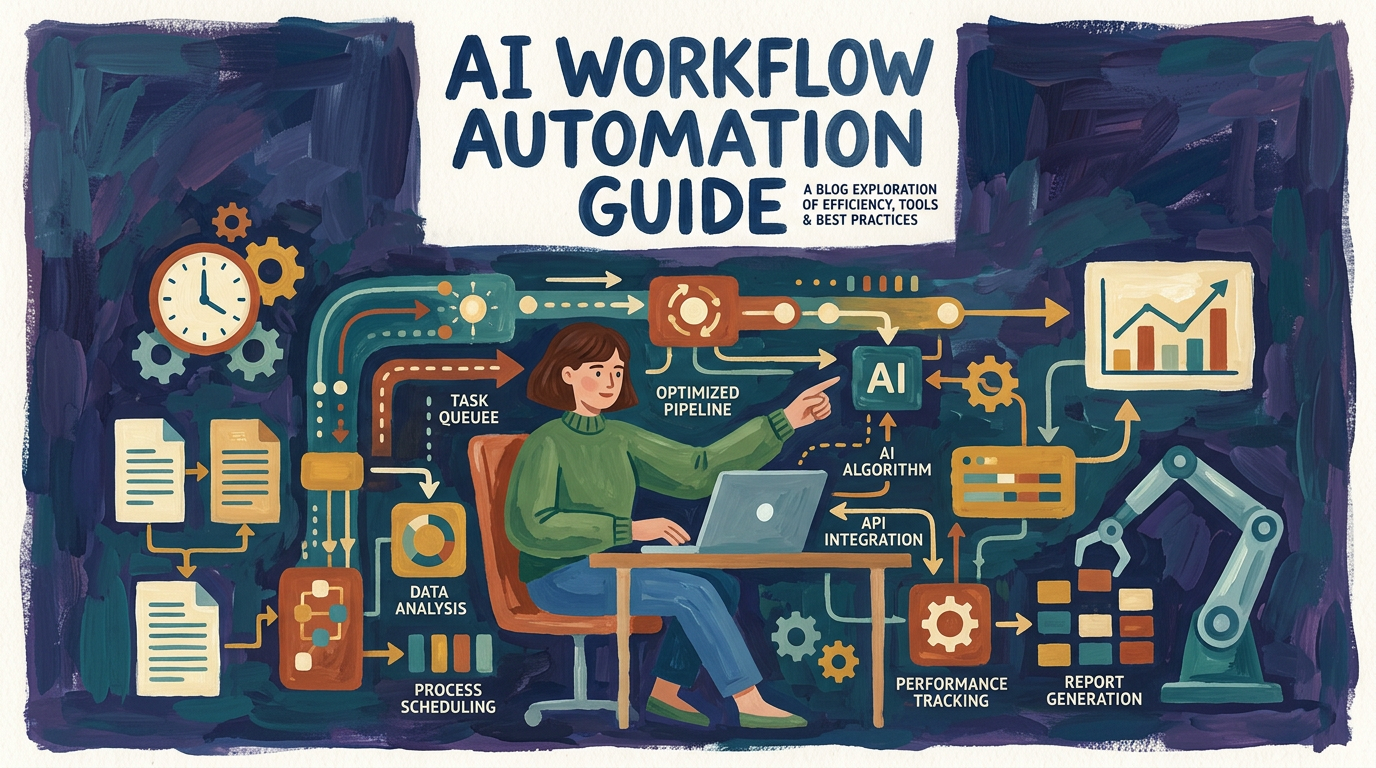
AI Workflow Automation Guide
A practical guide for small businesses on using AI-powered workflow orchestration to connect web, mobile, and SaaS tools into end-to-end automated processes.
Maira Koin
CEO, F Koin Tech
Published
15 July, 2026
Are Your Tools Busy, But Your Team Still Feels Stuck?
You have a website, a mobile app, and a stack of SaaS tools for marketing, sales, and operations. Yet your team is still copying data by hand, chasing updates in email, and fixing avoidable mistakes.
This is the core problem: your tools don’t talk to each other. Leads fall through the cracks, orders get delayed, and reports are never quite accurate. You spend more time managing workflows than serving customers.
AI-powered workflow orchestration fixes this by connecting your web, mobile, and SaaS tools into one smart, automated system.
What Is AI-Powered Workflow Orchestration?
Workflow orchestration is the process of connecting multiple tools into one end-to-end workflow. AI-powered orchestration takes this further by using artificial intelligence to decide what should happen next, based on real data and behavior.
Instead of just triggering simple automations, AI can route tasks, prioritize work, and personalize customer experiences with minimal manual input.
From Isolated Apps to Connected, Automated Processes
Think about how your business runs today:
- Leads come in from your website or mobile app.
- Customer data lives in your CRM, email platform, and billing system.
- Tasks are spread across project tools and shared spreadsheets.
With AI-powered orchestration, these pieces are connected so information and tasks move automatically between them — without your team acting as the middleman.
Why This Matters for Small Businesses
As a small business, you cannot afford wasted time or inconsistent customer experiences. AI-powered workflow orchestration helps you:
- Reduce manual data entry by syncing information between tools.
- Respond faster to leads, orders, and support requests.
- Standardize processes so everyone follows the same steps.
- Improve accuracy by cutting down on human error.
- Scale smoothly as volume grows, without immediately hiring more staff.
Common Workflows You Can Orchestrate with AI
1. Lead Capture to Customer Onboarding
Connect your website forms and mobile app sign-ups to your CRM, email platform, and scheduling tools. AI can:
- Score and prioritize leads based on behavior.
- Route sales-ready leads to the right team member.
- Trigger personalized email sequences and reminders.
- Start onboarding tasks automatically when a deal closes.
2. E-Commerce Orders to Fulfillment and Support
If you sell online, AI-powered orchestration can link your store, payment processor, inventory tool, and helpdesk. It can:
- Update stock levels across channels in real time.
- Send order and shipping updates by email or SMS.
- Create support tickets if delivery issues are detected.
- Flag high-value customers for special follow-up.
3. Service Requests to Field or Remote Teams
For service-based businesses, you can connect your booking system, mobile app, dispatch tool, and billing software. AI can:
- Assign jobs to the best available team member.
- Optimize routes for in-person visits.
- Send automatic reminders to customers and staff.
- Create invoices as soon as a job is marked complete.
How AI Connects Web, Mobile, and SaaS Tools
You do not need to rebuild your tech stack. AI-powered orchestration works with the tools you already use. Popular platforms include:
- CRM: HubSpot, Salesforce, Pipedrive
- Email & SMS: Mailchimp, Klaviyo, ActiveCampaign, Twilio
- Project & Tasks: Asana, Trello, ClickUp
- Support: Zendesk, Freshdesk, Intercom
- E-commerce: Shopify, WooCommerce, BigCommerce
Using APIs and integration platforms, AI can monitor events in one system (like a form submission) and trigger smart actions in another (such as sending a quote, assigning a task, or updating a customer record).
Event-Driven, Not Just Rule-Driven
Traditional automation runs on simple if-this-then-that rules. AI orchestration adds context. It can:
- Look at past behavior to predict what a customer is likely to do.
- Adjust messaging based on engagement.
- Flag unusual patterns for human review.
Simple Steps to Get Started
1. Map Your Current Processes
Start by listing your most common workflows: lead handling, order processing, onboarding, support, renewals. Note:
- Where data comes from (web, mobile, SaaS tools).
- Who touches it (roles, not names).
- Where delays or errors usually happen.
2. Choose One High-Impact Workflow
Do not automate everything at once. Pick one workflow that:
- Happens frequently.
- Consumes a lot of time.
- Directly affects revenue or customer satisfaction.
3. Select Tools That Integrate Well
Use integration platforms and AI orchestration tools that support your existing apps. Check for:
- Ready-made connectors to your web, mobile, and SaaS tools.
- Low-code or no-code builders for non-technical users.
- Built-in AI features for routing, scoring, and personalization.
4. Start Small, Then Optimize
Launch a simple version of your workflow first. Monitor results, then add more AI-driven logic over time. As you collect data, your automations become smarter and more accurate.
What AI-Powered Orchestration Looks Like in Practice
Imagine this end-to-end flow for a small business:
- A visitor completes a form on your website or in your app.
- AI scores the lead and syncs details to your CRM and email tool.
- If the lead is high value, it assigns a sales rep and books a call slot.
- After the call, notes sync to your project tool, creating onboarding tasks.
- Once onboarding is complete, AI triggers a review request and referral campaign.
All of this happens without your team manually copying data or remembering each next step.
Turn Your Tools into a Single, Smart System
When your web, mobile, and SaaS tools are orchestrated by AI, your business runs with less friction and more focus. Your team spends time on strategy and service, instead of repetitive admin.
Start with one workflow, connect your core tools, and let AI handle the busywork — so you can focus on growing your small business with confidence.