Future-Proofing Your Startup Tech Stack
Preparing Web, Mobile, and Cloud Applications for Emerging AI and Automation Trends
Maira Koin
CEO, F Koin Tech
Published
18 August, 2026
Most startup tech stacks are built in survival mode. You pick tools that help you ship fast, win early customers, and keep costs under control. That urgency is normal. The risk is waking up 18 months later with web, mobile, and cloud applications that are hard to change, expensive to run, and not ready for Artificial Intelligence or serious Business Automation.
This guide explains how to future-proof your startup tech stack across Web Development, Mobile App Development, and Cloud Solutions so you can plug in AI for Business and Workflow Automation without rebuilding everything. The aim is not a perfect architecture. It is a practical, business-focused approach that supports Startup Growth, protects cash, and keeps your options open as Technology Trends evolve.
Why future-proofing your tech stack matters for startups
Founders often hear they should “move fast and break things.” In practice, breaking critical systems, customer trust, or your burn rate is not an option. Future-proofing is about making smart bets today so you are not boxed in tomorrow.
The cost of ignoring future-proofing
Startups that treat every tech decision as a short-term hack often hit the same wall:
- Rebuild tax: You have to rewrite your web app or Mobile App Development project just to support basic AI Automation or new pricing models.
- Integration headaches: Your E-commerce Solutions, CRM, and product data do not talk to each other, so automation projects stall.
- Slow product cycles: Simple changes, like updating onboarding or adding a new subscription tier, take weeks of risky Software Development.
- Data chaos: You cannot use Data Analytics or AI for Business effectively because customer and transaction data is scattered across SaaS Solutions with no clear structure.
In the early stages these issues are annoying. As you grow, they quietly crush Business Productivity and expansion plans.
What “future-proof” realistically means for a startup
Future-proof does not mean predicting every Technology Trend or buying expensive Enterprise Software. For a startup, it means your tech stack:
- Can adapt to new channels, offers, and markets without full rewrites.
- Makes it easy to plug in AI Automation for support, sales, and operations when you are ready.
- Gives you clean, reliable data for Digital Strategy, fundraising, and strategic decisions.
- Stays within a realistic budget, with a clear path to scale as revenue grows.
Think of this as designing a flexible spine for your Business Technology, not a rigid cage.
Step 1: Anchor your stack around clear business outcomes
Many tech stacks feel outdated in 18 months not because tools are old, but because they were never aligned to clear business outcomes. Before you think about Cloud Computing, frameworks, or AI, define what your stack is supposed to achieve.
Start with 4 to 6 critical outcomes
Write these in plain language, for example:
- “Acquire and onboard customers online with minimal manual effort.”
- “Support recurring revenue with flexible pricing experiments.”
- “Give leadership a live view of key metrics like MRR, churn, and activation.”
- “Automate 50 percent of routine support questions using AI for Business.”
These outcomes become the filter for every Web Development, Mobile App Development, and Software Development decision. If a tool or feature does not help, it is probably a distraction.
Translate outcomes into simple tech requirements
For each outcome, list a few non-technical requirements. For example, for “automate 50 percent of routine support questions” you might need:
- Customer conversations stored in one or two systems, not dozens.
- Clear tags or categories on support tickets.
- A help center or knowledge base your AI assistant can safely use.
This kind of thinking keeps you grounded in reality and prepares your data for future AI Automation and Business Process Optimization.
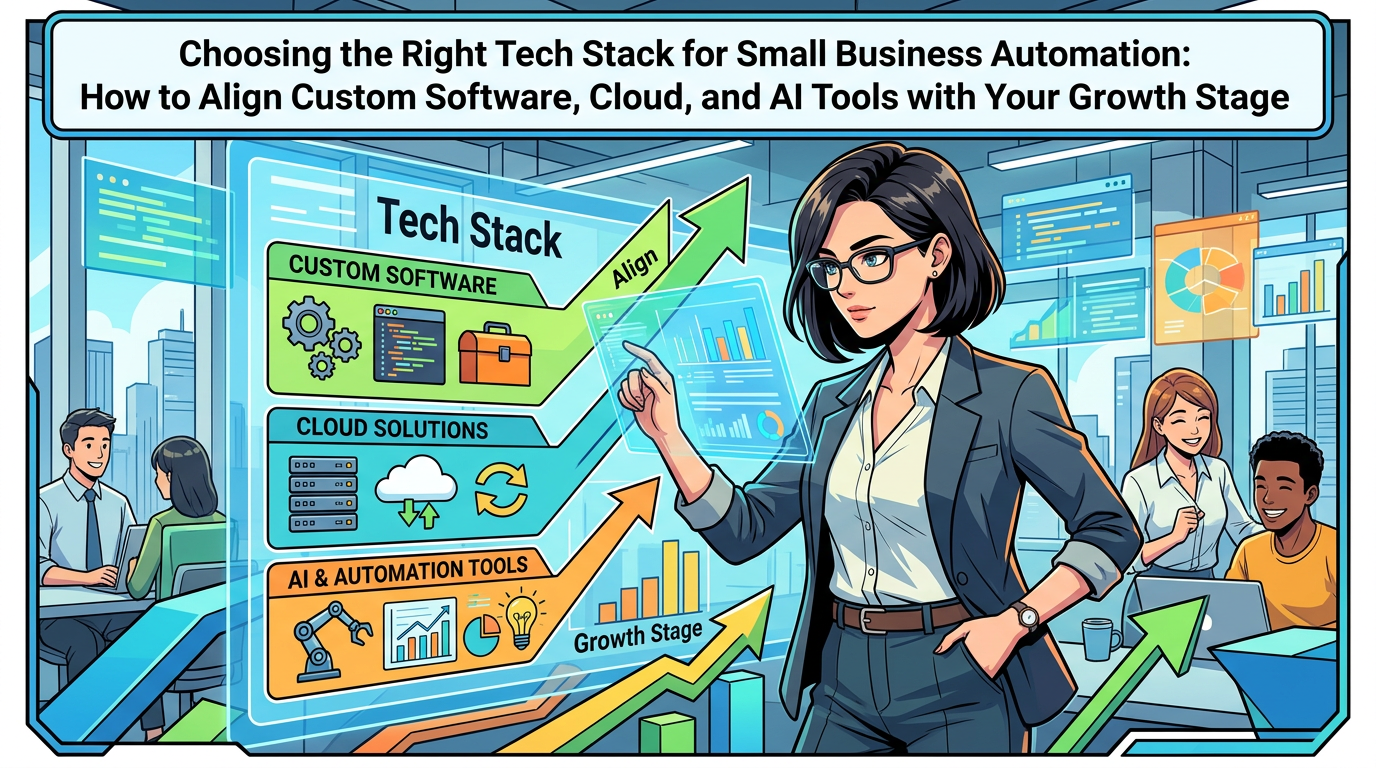
Step 2: Design a three-layer stack for web, mobile, and cloud
You do not need to master technical diagrams. A simple three-layer model helps you future-proof without overcomplicating things.
Layer 1: Core systems of record (your “truth layer”)
This is where your most important data lives. For most startups, it includes:
- Customer and lead data in a CRM or marketing SaaS Solution.
- Product, order, and subscription data in your E-commerce Solutions or main application.
- Financial data in your accounting or billing system.
Future-proofing here means:
- Choosing Cloud Solutions that are widely used and support clean data exports.
- Avoiding overlapping tools, for example two different CRMs in parallel.
- Agreeing, as a team, what each system is the “source of truth” for.
If you get this layer wrong, AI for Business and analytics projects will always feel harder than they should.
Layer 2: Experience layer (web, mobile, portals)
This is what your customers and team actually see.
- Your marketing site and landing pages.
- Your main web app or customer portal.
- Your mobile apps, if you have them.
Future-proof decisions in this layer include:
- Keeping core business logic (how you calculate pricing, eligibility, etc.) close to the truth layer, not hard-coded in multiple front-ends.
- Building web and mobile experiences that can consume features like AI chat or automation from shared services, rather than one-off experiments in each interface.
- Planning early for content and performance so SEO, paid traffic, and Customer Experience are not blocked later. For example, aligning your content approach with guidance similar to What is SEO? How it can help to grow?.
When the experience layer is flexible, adding a new onboarding flow, a self-service upgrade path, or an AI assistant becomes much easier.
Layer 3: Intelligence and automation layer
This layer sits on top of your core and experience layers and is often missing in early-stage stacks:
- Data Analytics tools that pull from your systems of record.
- Workflow Automation tools that move data and trigger actions.
- AI Automation that drafts messages, classifies tickets, and provides recommendations.
Future-proofing here is about:
- Making sure your data structure is simple enough for AI tools to understand.
- Starting small with AI for Business use cases, then expanding as your data and traffic grow.
- Keeping automations documented so they can be improved or replaced, not forgotten.
Step 3: Make smart tool choices for web, mobile, and cloud
Founders often feel overwhelmed by the number of Software Solutions on the market. You do not need the “best” tools on paper. You need a sensible mix that fits your stage, team, and Digital Strategy.
Questions to ask before adopting any new tool
Before you commit to a new SaaS Solution or Cloud Computing service, ask:
- What exact problem does this solve today, and who will use it weekly?
- What will we stop using if we add this?
- Where will the data it creates need to show up?
- Can we export our data easily if we need to change tools later?
These questions protect you from tool sprawl and reduce the chance of building “Frankenstein tech” that is hard to automate.
Choosing web technologies with AI and automation in mind
For your main website and web app, future-proofing decisions look like:
- Content flexibility: Your marketing site should make it easy to add or update pages, experiment with messaging, and support good SEO. If ranking matters to your growth, you may later benefit from more targeted optimization, as outlined in How F-Koin Tech Can Help You Achieve a Higher Rank.
- Shared components: Common elements like login, dashboards, and messaging should be reusable across web and mobile, so future AI enhancements are implemented once, not multiple times.
- Analytics hooks: Decide early which events matter, such as signups, activations, or upgrades, and ensure they can be tracked consistently for Data Analytics and AI for Business later.
Deciding when you really need a mobile app
Many startups feel pressure to invest in Mobile App Development early. Sometimes that is right. Often, a well-designed mobile-friendly web app is enough for the first phase.
Consider a native mobile app when:
- Your product genuinely needs phone-native features like geo-location, camera-heavy workflows, or offline use.
- Frequent, short interactions are central to your value proposition, for example quick orders or approvals.
- Customers have clearly asked for an app and you are hitting clear limits with mobile web.
By delaying full Mobile App Development until there is proven demand, you keep your burn lower and can direct more resources toward Business Automation and Customer Experience improvements across all channels.
Using cloud wisely instead of expensively
Cloud Solutions are ideal for startups, but it is easy to overspend or overcomplicate things.
Future-proof, budget-conscious cloud decisions include:
- Starting with managed services that handle backups, scaling, and security, instead of building everything in-house.
- Keeping separate environments for testing and production to reduce launch risks.
- Setting very simple cost alerts so infrastructure spending never surprises you.
You do not need a complex Cloud Computing setup to be AI-ready. You need a clear, tidy one.
Step 4: Make your data AI-ready from day one
Artificial Intelligence and Business Automation rely on one thing above everything else: usable data. You can future-proof your AI options long before you add any actual AI tools.
Decide which data matters most
Most startups do not need to track everything. Focus first on:
- Customer identity: Who is this person or company, and how do we identify them across systems?
- Engagement: What have they done, for example signups, logins, orders, feature use?
- Value and cost: How much revenue and margin do they represent over time?
- Support history: What problems have they experienced, and how did we respond?
These data points fuel AI for Business use cases like churn prediction, upsell suggestions, and customer health scores later on.
Create simple data habits, not heavy governance
You do not need a data department. You need rules that fit on one page, such as:
- Every new form or feature that collects data must store it in a defined system of record.
- Key fields like customer ID and email must be consistent across tools.
- New metrics get a short written definition that everyone can access.
These light habits do more for Business Efficiency and AI readiness than many expensive tools.
Examples of AI-friendly data patterns
Here are patterns that make later automation easier:
- Marking lifecycle events like “trial started,” “trial converted,” “subscription cancelled,” each with a timestamp.
- Tagging support tickets with simple categories such as billing, product issue, or onboarding.
- Capturing reasons for churn in a structured way, not just free text.
These patterns turn raw activity into inputs for AI Automation and more advanced Business Process Optimization later.
Step 5: Introduce AI and automation in low-risk, high-value areas
Future-proofing does not mean implementing every AI feature you can find. It means introducing AI where it clearly improves Business Productivity without putting your reputation at risk.
Start with AI-assisted workflows, not full automation
Early on, focus on AI for Business that helps your team work faster, for example:
- Drafting support replies for agents to review and send.
- Summarising customer calls or demos into bullet points and next steps.
- Suggesting tags or categories for tickets, leads, or feedback.
- Generating first drafts of marketing copy that humans refine.
These use cases reduce manual effort and help your team feel the benefit of AI Automation while keeping a human in the loop.
Then move to structured Workflow Automation
Once your data is in better shape, you can automate predictable steps such as:
- Creating onboarding tasks when a new customer signs up.
- Notifying account managers when high-value customers show risky behavior.
- Triggering renewal reminders based on contract dates.
Keep these workflows simple at first. The goal is to reduce repetitive, low-value work, not to automate your entire business in one go.
Reserve advanced AI for later stages
Complex AI that makes decisions on pricing, risk, or credit usually requires:
- Clean historical data.
- Strong monitoring to catch mistakes.
- Clear risk and compliance guidelines.
If you are still iterating on product-market fit, it is usually smarter to invest in clearer reporting and small AI helpers than in heavy custom AI initiatives.
Step 6: Align your stack with your growth stages
Your tech stack should not look the same at 10 customers and at 10,000. Future-proofing is about planning how complexity increases as you scale.
Stage 1: Pre-product-market fit (build and learn fast)
Focus on:
- A simple, flexible web app that you can change weekly.
- Selective use of off-the-shelf SaaS Solutions for CRM, payments, and analytics.
- Manual processes behind the scenes where automation would slow you down.
AI use cases at this stage are mostly internal, such as drafting content or summarising customer interviews.
Stage 2: Early traction (stabilise and reduce chaos)
As you hit steady revenue and see repeatable patterns:
- Rationalise your toolset so each system has a clear purpose.
- Standardise customer journeys like onboarding, renewal, and support.
- Introduce Workflow Automation for the most painful manual steps.
- Invest in Data Analytics that gives a single view of your pipeline, revenue, and churn.
Here, AI Automation can start to touch customers directly in support, marketing, and in-product guidance, but with humans still verifying sensitive actions.
Stage 3: Scale-up (optimise and specialise)
Once the business model is proven and growth accelerates:
- Refine or replace temporary tools with more scalable Software Solutions.
- Split your systems by function, for example separate analytics from transaction processing.
- Build targeted Custom Software Development projects that create real Business Innovation or defensibility.
- Add predictive AI for churn, upsell, and capacity planning where data quality allows.
At this point, future-proofing is about keeping technical debt under control so you can continue your Digital Transformation without constant rewrites.
Practical examples of future-proof tech decisions
Example 1: B2B SaaS startup preparing for AI-based onboarding
A B2B SaaS founder wants to eventually offer AI-guided onboarding inside the product. Instead of building a complex AI assistant from day one, they:
- Ensure all onboarding steps are tracked as events with timestamps.
- Tag customers by segment, for example industry and company size.
- Introduce simple in-app guides and emails based on user behavior.
- Use AI internally to summarise onboarding calls and capture common questions.
Six months later, when they decide to add AI for Business inside the app, the data needed to train and tune helpful suggestions is already in place.
Example 2: E-commerce startup planning for automation and SEO
An online retailer wants to automate repetitive order-handling tasks and grow organic traffic. Instead of buying a highly customised platform, they:
- Choose an E-commerce Solution that integrates cleanly with shipping and accounting SaaS Solutions.
- Structure product data with clear categories, attributes, and tags.
- Set up basic automation for order confirmations, shipping updates, and back-in-stock alerts.
- Invest early in search-friendly Web Development and content so SEO improvements can compound over time.
This foundation allows them to later introduce AI Automation to suggest cross-sells, respond to common customer questions, and extend content production, while keeping reporting clear for finance and investors.
Common mistakes that make stacks hard to future-proof
Mistake 1: Choosing tools based on hype, not fit
New Software Solutions appear every week. Picking tools because a competitor or influencer uses them often leads to a cluttered stack.
Better: Choose tools that match your current stage, use case, and team. Revisit decisions annually as you grow.
Mistake 2: Spreading customer data across too many systems
If support, sales, operations, and billing each maintain their own partial view of the customer, AI and automation projects become fragile.
Better: Decide where customer data lives, then integrate other tools around that center.
Mistake 3: Over-automating before the process is stable
Automating a broken or frequently changing process locks in problems and frustrates staff.
Better: Stabilise the process manually first. Then automate the boring, predictable parts.
Mistake 4: Ignoring non-functional needs like security and performance
Founders often focus only on features. If performance, security, or uptime expectations are unclear, you can run into scaling and compliance issues later.
Better: Define simple expectations such as response times, basic security controls, and availability. These guide Cloud Computing and Software Development choices that will stand up under growth.
Lightweight governance that keeps your stack healthy
Future-proofing is less about one-off decisions and more about ongoing habits that protect Business Efficiency.
Assign a practical tech owner
Even if you do not have a CTO, someone should own your tech stack from the business side. Their responsibilities might include:
- Approving new tools and checking for overlap.
- Maintaining a simple map of systems, what they do, and who owns them.
- Coordinating with any Technology Consulting or development partners.
Run quarterly “stack health” reviews
Every quarter, spend an hour reviewing:
- Which tools are not being used or cause constant issues.
- Where manual work still dominates important journeys.
- Which AI for Business or automation ideas have surfaced from the team.
- Data or reporting gaps that slow decisions.
Decide one or two improvements to tackle in the next quarter. Over time this becomes a natural part of your Digital Strategy.
Summary: build a stack that can grow with your startup, not against it
Future-proofing your startup tech stack is not about guessing every Future Technology Trend. It is about making grounded choices in Web Development, Mobile App Development, and Cloud Solutions so you can adapt faster than competitors, not slower.
Anchor your stack around clear business outcomes. Keep a clean truth layer for your most important data. Treat AI for Business as an assistant at first, then automate more as your processes and data mature. Align your level of complexity to your growth stage and maintain simple governance habits so your stack stays an asset instead of a drag.
If you are planning a new product, rethinking your current Software Solutions, or exploring AI Automation and Business Process Optimization, it can help to review your options with an experienced partner. A straightforward conversation about your goals, constraints, and stack can highlight the quickest, lowest-risk changes that prepare your startup for the next wave of Digital Innovation.