Avoiding “Frankenstein Tech”
How to Audit, Consolidate, and Modernize Disconnected Business Software into a Cohesive, AI‑Ready System
Maira Koin
CEO, F Koin Tech
Published
22 August, 2026
Most companies did not design their current tech stack. It grew by accident.
A CRM here, a quoting tool there, a custom spreadsheet that became critical, a few SaaS Solutions for marketing, maybe an internal app from years ago. Then someone adds an AI chatbot or a new automation tool on top.
The result is what many leaders quietly call Frankenstein tech: a stitched‑together mix of Software Solutions, manual workarounds, and one or two people who are the only ones who really know how things work.
This article is a practical guide to auditing, consolidating, and modernising that mess into a cohesive, AI‑ready system. The focus is on business outcomes, not code. You will see how to simplify your stack, improve Business Productivity, and make realistic use of Artificial Intelligence, Business Automation, and Digital Transformation without starting from scratch.
What “Frankenstein tech” looks like in real businesses
Frankenstein tech is not just old systems. It is the way disconnected tools, Custom Software Development, and ad‑hoc automation pile up over time.
Common symptoms:
- Staff enter the same data into multiple systems.
- Reports never quite match, because each tool shows different numbers.
- Key processes live in spreadsheets and email threads.
- Adding a new product or service requires manual work in three or four places.
- AI Automation pilots sit in isolation, not connected to core workflows.
This drains Business Efficiency and makes any new Software Development or Digital Strategy harder and riskier than it should be.
Why cleaning up your tech stack matters before AI and automation
Many leaders want to jump straight into AI for Business. The challenge is that Artificial Intelligence, Workflow Automation, and advanced Data Analytics depend on clean, connected data and reasonably stable processes.
If your tools are fragmented and your data is inconsistent, AI will mostly highlight that chaos, not fix it.
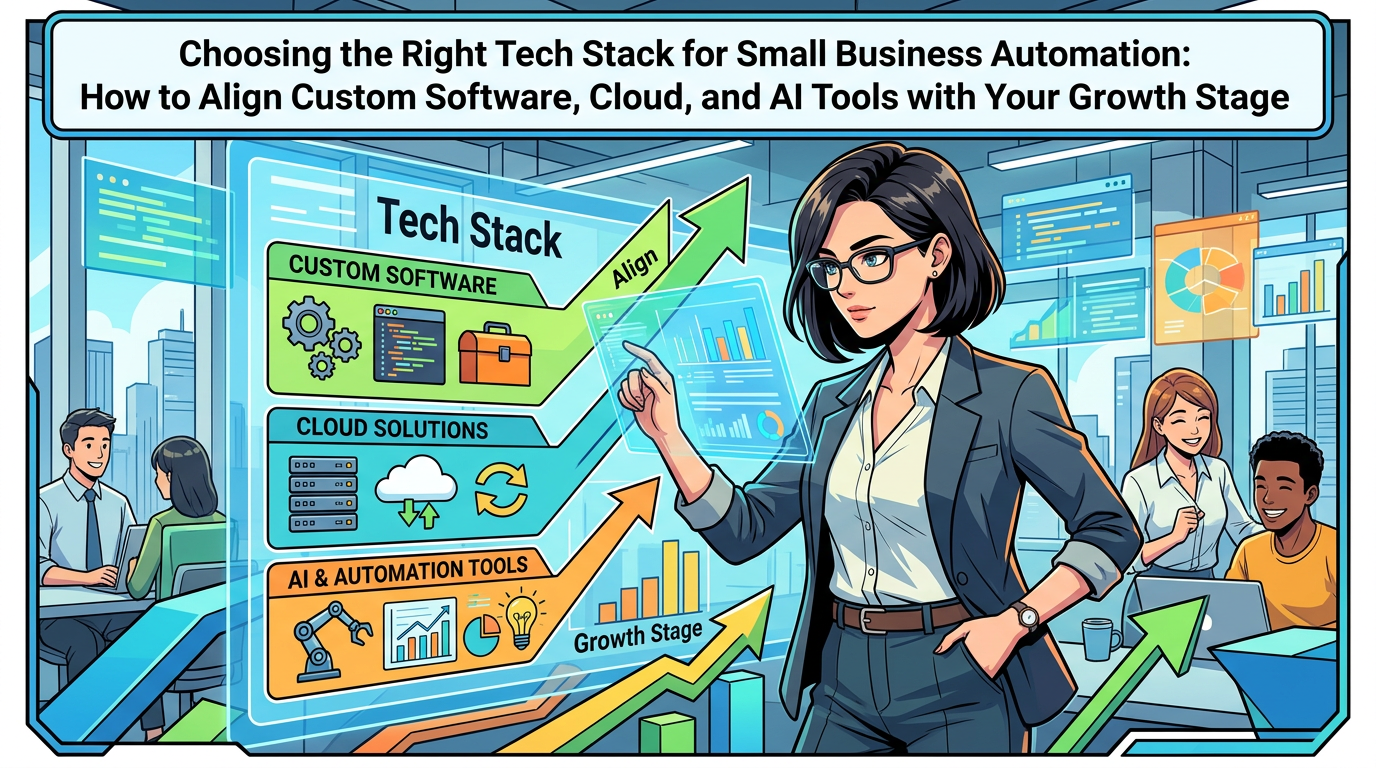
Modernising your stack into a cohesive system helps you:
- Reduce rework and manual admin, so teams spend more time on customers and growth.
- Make decisions faster, because Data Analytics draws from a single source of truth.
- Add AI incrementally, with clear places where AI Automation actually helps.
- Control costs, by retiring overlapping SaaS Solutions and outdated Enterprise Software.
Think of stack consolidation as the “plumbing and wiring” work that makes Digital Innovation possible.
Step 1: Map your current stack with a simple, non‑technical audit
You do not need fancy tools or a consultant to start. You need a clear, honest picture of what you already have.
Build a one‑page inventory of your Business Technology
Create a simple table or list. For each tool or system, capture:
- Name of the system (for example, CRM, accounting, email marketing, quoting spreadsheet).
- Owner (person or department).
- Main purpose (what job it actually does).
- Who uses it and roughly how often.
- What data it stores (customers, orders, contracts, products, etc.).
- Key integrations (what it connects to, if anything).
- Approximate annual cost (including hidden costs like manual work).
Include:
- Cloud Solutions and on‑premise tools.
- Any Custom Software Development you have commissioned.
- Homegrown spreadsheets or Access databases that run important processes.
- Automation or no‑code tools people quietly set up on their own.
This inventory becomes the foundation for any Technology Consulting, Digital Strategy, or consolidation effort.
Tag systems by business criticality
Mark each system with a simple label:
- Core: If this goes down, you cannot operate (for example, accounting, order processing, core E‑commerce Solutions).
- Important: Work would be painful without it, but you can manage for a short time (for example, CRM, helpdesk, key reporting tools).
- Nice‑to‑have: Useful, but not essential.
This helps you focus on what truly matters as you modernise.
Step 2: Identify where fragmentation is hurting the business
With your inventory in place, the next step is to find where disconnected systems actually cost you money, time, or customers.
Follow the customer and the cash
Pick 2 or 3 high‑value journeys and trace them step by step. For example:
- Lead comes in, becomes a customer, receives first invoice.
- Customer places an online order, receives product, contacts support.
- Existing client requests an upgrade, change order, or renewal.
For each journey, ask:
- How many systems are involved end to end?
- Where do we re‑enter data manually?
- Where do delays or errors commonly happen?
- Where do teams copy and paste between tools?
These “handoff points” are prime candidates for Workflow Automation, integration, or consolidation.
Listen for workaround stories
Talk to people who live in the systems daily. Ask:
- What feels harder than it should be?
- Which tools do you keep open all day?
- What do you need to export into Excel to get your job done?
- Where did we recently upset a customer because the tech did not line up?
Real stories reveal where Frankenstein tech is damaging Customer Experience, Business Productivity, and morale.
Step 3: Decide what to keep, consolidate, retire, or replace
Once you can see the mess, the temptation is to “rip and replace” everything. That is usually too costly and disruptive.
A more practical approach is to sort systems into four buckets.
Bucket 1: Keep and invest
These are systems that:
- Support critical processes well.
- Have room to grow through configuration, add‑ons, or APIs (even if you do not care about the technical details).
- Are widely adopted by staff.
Examples: a good CRM with strong adoption, your main accounting platform, a reliable E‑commerce platform.
Plan to deepen usage of these tools, integrate them more tightly, and, where helpful, use built‑in AI for Business and Business Automation features.
Bucket 2: Consolidate and simplify
These are tools where you have:
- Multiple systems doing similar jobs (for example, several survey tools, two marketing platforms, overlapping task managers).
- Separate SaaS Solutions in different departments that could be replaced by one shared tool.
Here you aim to:
- Standardise on one main solution that fits most needs.
- Gradually retire duplicates.
- Reduce integration points and reporting complexity.
This cuts costs and makes future Digital Transformation easier.
Bucket 3: Contain and migrate
This category covers:
- Legacy Enterprise Software or Custom Software Development that is hard to change but still needed.
- Critical spreadsheets with fragile macros or one‑person knowledge.
The aim is to:
- Stabilise these tools (document them, add minimal monitoring).
- Stop building new dependencies on them.
- Plan a controlled migration into modern Software Solutions or Cloud Solutions over time.
Think of this as planning an escape route from your riskiest pieces of Frankenstein tech.
Bucket 4: Retire quickly
Some tools can simply go away:
- Unused trials or old SaaS accounts.
- Legacy tools kept “just in case” but rarely used.
- Shadow IT where a better official solution already exists.
Shutting these down reduces noise, spend, and security exposure.
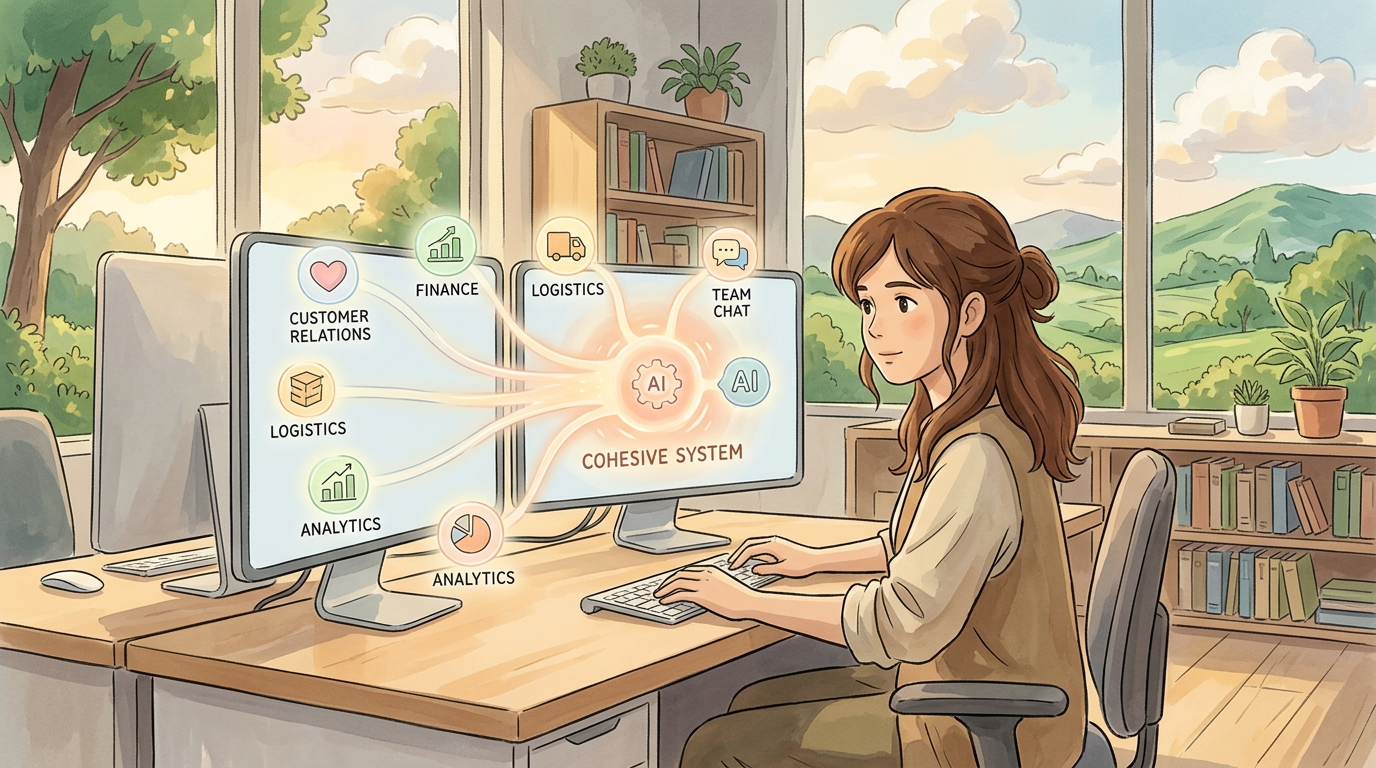
Step 4: Design a cohesive, AI‑ready architecture in business terms
You do not need a technical blueprint. You need a simple mental model of how your future Business Technology should fit together.
Think in layers, not products
A practical structure for most small and medium businesses looks like this:
- System of record layer
Core Cloud Solutions that hold your master data, such as CRM, ERP or accounting, HR, and core E‑commerce Solutions. - Process and experience layer
Workflow tools, internal portals, customer portals, and light Mobile App Development that reflect how you sell, deliver, and support. - Intelligence and automation layer
AI for Business, Workflow Automation, notification tools, and Data Analytics that sit over the top and improve decision making, speed, and quality.
The goal is to position each system clearly in one of these layers, avoid duplication, and ensure data flows in predictable ways.
Prioritise standards and integration friendliness
As you modernise, favour tools that:
- Offer standard export and import options for data.
- Are widely used in your region or industry (so skills and support are easier to find).
- Fit naturally with your other Cloud Computing choices.
This is not about chasing every Technology Trend. It is about picking Software Solutions that future developers, Technology Consulting partners, or internal hires can work with easily.
Step 5: Plan your consolidation roadmap in manageable waves
Modernisation fails when you try to fix everything at once. A better approach is to plan 3 to 4 practical waves over 12 to 24 months.
Wave 1: Quick wins and obvious clean‑up
Timeline: 4 to 8 weeks.
Focus on:
- Retiring unused or duplicate tools.
- Consolidating low‑risk SaaS Solutions (for example, picking one survey or scheduling tool).
- Creating basic shared standards for data fields (for example, how you define “customer”, “lead”, “opportunity”).
These steps deliver visible wins and build confidence without heavy Custom Software Development.
Wave 2: Core process consolidation and light automation
Timeline: 3 to 6 months.
Pick one or two key processes, for example:
- Lead to cash (from enquiry to paid invoice).
- Order to delivery.
- Onboarding for new clients.
For each process, you aim to:
- Standardise the workflow in business language.
- Decide the primary systems of record.
- Implement simple Workflow Automation where you currently re‑enter data.
- Add basic AI Automation where it obviously helps, such as email drafting, document summarisation, or classification.
This is where targeted Software Development, Web Development, or small portals can make a big difference without becoming massive projects.
Wave 3: Replace or rebuild high‑risk legacy pieces
Timeline: 6 to 18 months, depending on complexity.
Here you tackle your “contain and migrate” items:
- Old Enterprise Software that blocks integration.
- Critical spreadsheets that should be proper applications.
- Homegrown tools that cannot scale or meet security needs.
This stage often involves more substantial Custom Software Development or structured migration to modern SaaS Solutions and Cloud Solutions. The earlier waves make this easier because your data standards and processes are already clearer.
Where AI for Business actually fits in a clean stack
AI is most effective once your base systems are connected and your key data is in reasonable shape. Then you can add AI step by step in ways that directly support Business Productivity and Customer Experience.
Practical AI use cases in a consolidated stack
- AI‑assisted communication
Help staff reply to emails, support tickets, and chat messages faster, using templates enriched by customer data from your CRM. - Classification and routing
Automatically tag leads, tickets, or orders by type, urgency, or product line so they go to the right person. - Summaries and briefings
Summarise long call notes or project histories into quick briefs for account managers or executives. - Data Analytics helpers
Convert dashboard data into plain‑language weekly updates, highlight unusual changes, and answer basic questions about performance.
These AI Automation use cases are easier and safer once you are not fighting duplicated data or disconnected systems.
Designing data with future AI in mind
As you modernise, make sure your systems capture:
- Key events (for example, lead created, quote sent, order shipped, ticket resolved).
- Time stamps for important steps.
- Simple outcome flags (won, lost, cancelled, renewed).
This relatively light Data Analytics foundation supports smarter AI for Business later, such as predictions about churn, deal probability, or operational bottlenecks.
Realistic examples of stack consolidation in action
Example 1: Service company with scattered sales and delivery tools
A 40‑person B2B services firm used:
- A CRM for sales.
- Spreadsheets for quoting.
- Email and shared folders for onboarding.
- A project tool for delivery.
- Accounting software for invoices.
Problems included inconsistent pricing, slow onboarding, and no single view of customer health.
The consolidation plan:
- Standardised products and pricing inside the CRM.
- Replaced quoting spreadsheets with a configured quoting module.
- Introduced a simple onboarding workflow tied to signed deals.
- Connected the project tool and accounting system so projects auto‑generated invoices on completion.
- Added AI‑assisted proposal drafting to speed up sales responses.
Within months, they retired five complex spreadsheets, reduced time from signed deal to project start by about 30 percent, and created a foundation for more reliable AI Automation later.
Example 2: E‑commerce retailer with fragmented marketing tools
An online retailer had:
- An E‑commerce platform.
- Three separate email tools used by different teams.
- A social media scheduling app.
- A manual export process for reporting.
Marketing struggled to coordinate campaigns and measure impact.
The modernisation approach:
- Consolidated to one marketing automation platform integrated with the E‑commerce platform.
- Standardised customer and segment definitions.
- Set up automated post‑purchase flows and re‑engagement campaigns.
- Introduced AI for Business features to write subject lines and product descriptions faster.
- Implemented centralised reporting to compare channels week by week.
This reduced software spend, cut campaign setup time, and improved reporting accuracy, which in turn supported better Digital Strategy and SEO efforts. For broader search visibility improvements, they also invested in SEO‑friendly Web Development as outlined in How F-Koin Tech Can Help You Achieve a Higher Rank.
Common mistakes in consolidation and modernisation projects
Mistake 1: Treating it as a pure IT exercise
If the project lives only with IT, it often focuses on tools instead of outcomes. You might end up with technically tidy systems that staff quietly avoid.
Better: Appoint a business owner for each key process, for example sales, operations, or finance. Let them define success metrics and work side by side with technical partners.
Mistake 2: Over‑customising everything
Custom Software Development has its place, but many stacks become fragile because every system is heavily customised, making upgrades risky and slow.
Better: Configure standard SaaS Solutions where possible. Use Custom Software Development only for genuine differentiation, such as a unique workflow, portal, or algorithm that underpins your Business Innovation.
Mistake 3: Ignoring data ownership and quality
Consolidation that only replaces tools without fixing data issues will not help AI, reporting, or Business Process Optimization.
Better: Define who owns each major data set (customers, products, pricing, contracts). Agree simple data standards and clean up as part of each migration.
Mistake 4: Big‑bang migrations
Trying to switch everything on one weekend often leads to surprises, long nights, and rushed rollbacks.
Better: Phase changes by segment, region, or product line. Run new and old in parallel for a short time where practical, and keep a clear cut‑over plan.
Mistake 5: Adding AI before fixing the basics
It is tempting to launch chatbots, predictive scores, and recommendation engines on top of messy systems.
Better: Start with AI for Business that supports staff, not fully automated decisions. Use early AI projects to expose data and process issues, then fix those as part of your broader Digital Transformation.
Governance: light structures that keep your stack healthy
Consolidation is not a one‑time event. You need simple habits that stop Frankenstein tech from growing back.
Introduce a basic “new tool” checklist
Before any team signs up for another SaaS Solution, ask:
- Which problem does this solve, and for whom?
- Do we already have a tool that can do this with configuration?
- Where will data live, and how will it sync with existing systems?
- Who will own this tool and its budget?
This small gatekeeping step protects your consolidated stack from drifting back into chaos.
Run quarterly stack and automation reviews
Every quarter, review:
- New tools added and why.
- Automations in place and whether they still match real processes.
- Key Data Analytics dashboards and any gaps or inconsistencies.
- Ideas for where AI Automation or Custom Software Development could now add value.
Keep the meeting short, focused, and business‑led, with IT or your technology partner as enablers.
How to work with a technology partner on stack consolidation
Many businesses choose to work with a Software Development or Technology Consulting partner for audit and consolidation efforts. Used well, that partnership can save considerable time and risk.
What to expect from a good partner
- Clear explanations in business language, not just technical diagrams.
- Help prioritising projects based on ROI, not just technical elegance.
- Balanced recommendations across Custom Software Development, standard SaaS Solutions, Web Development, and Mobile App Development.
- Support designing an AI‑ready data model and Digital Strategy that you can grow into.
You remain the expert on your customers, pricing, and operations. They bring structure, patterns, and experience from other companies.
12‑month roadmap template for moving beyond Frankenstein tech
Quarter 1: Audit and quick clean‑up
- Inventory all systems and classify them by criticality.
- Identify duplicate and unused tools and plan retirements.
- Document 2 or 3 core customer or cash journeys from end to end.
- Agree data definitions for customers, products, and key transactions.
Quarter 2: Consolidate key tools and standardise processes
- Pick one journey (for example, lead to cash) and standardise the process.
- Consolidate overlapping SaaS Solutions that support that process.
- Implement light Workflow Automation to remove obvious double data entry.
- Introduce basic Data Analytics dashboards that span multiple systems.
Quarter 3: Introduce targeted AI and deeper automation
- Add AI‑assisted features in sales, support, or operations where data is now reliable.
- Automate routine handoffs between systems, such as from CRM to projects to invoices.
- Clean up critical legacy spreadsheets or tools that sit in the centre of key workflows.
- Measure improvements in time, error rates, and Customer Experience.
Quarter 4: Replace remaining bottlenecks and plan the next phase
- Design replacement plans for the worst remaining legacy systems.
- Decide where Custom Software Development or a dedicated portal would now add strategic value.
- Formalise a light governance model for new tools, AI Automation, and Workflow Automation.
- Set priorities for the next 12 months based on data and realistic capacity.
Summary: build a coherent system that can actually use AI
Frankenstein tech slows growth, frustrates staff, and makes AI for Business harder than it needs to be. You do not have to rebuild everything to fix it, but you do need a conscious plan.
Start by auditing your current stack in plain language, then focus on the customer and cash journeys where fragmentation hurts most. Consolidate overlapping tools, stabilise or replace fragile legacy pieces, and design a simple, layered architecture that keeps core data in a few reliable systems.
Only then add Artificial Intelligence and Business Automation where they clearly move the needle, such as communication assistance, routing, summaries, and practical Data Analytics. Keep the work in manageable waves, and use light governance so your stack stays cohesive instead of drifting back into patchwork.
If you would like experienced support auditing your current technology, planning a consolidation roadmap, or designing AI‑ready Software Solutions across Web Development, Mobile App Development, and Cloud Solutions, consider speaking with a technology partner who lives in Business Technology and Digital Strategy every day. A focused conversation can turn your Frankenstein tech into a cleaner, calmer foundation for Digital Innovation and Startup Growth.