A Step‑by‑Step Guide to Automating Internal Workflows with Custom Web Portals and Mobile Apps for Small Businesses
A practical guide for small business leaders to map, design, and roll out automated internal workflows using custom web portals and mobile apps.
Maira Koin
CEO, F Koin Tech
Published
12 August, 2026
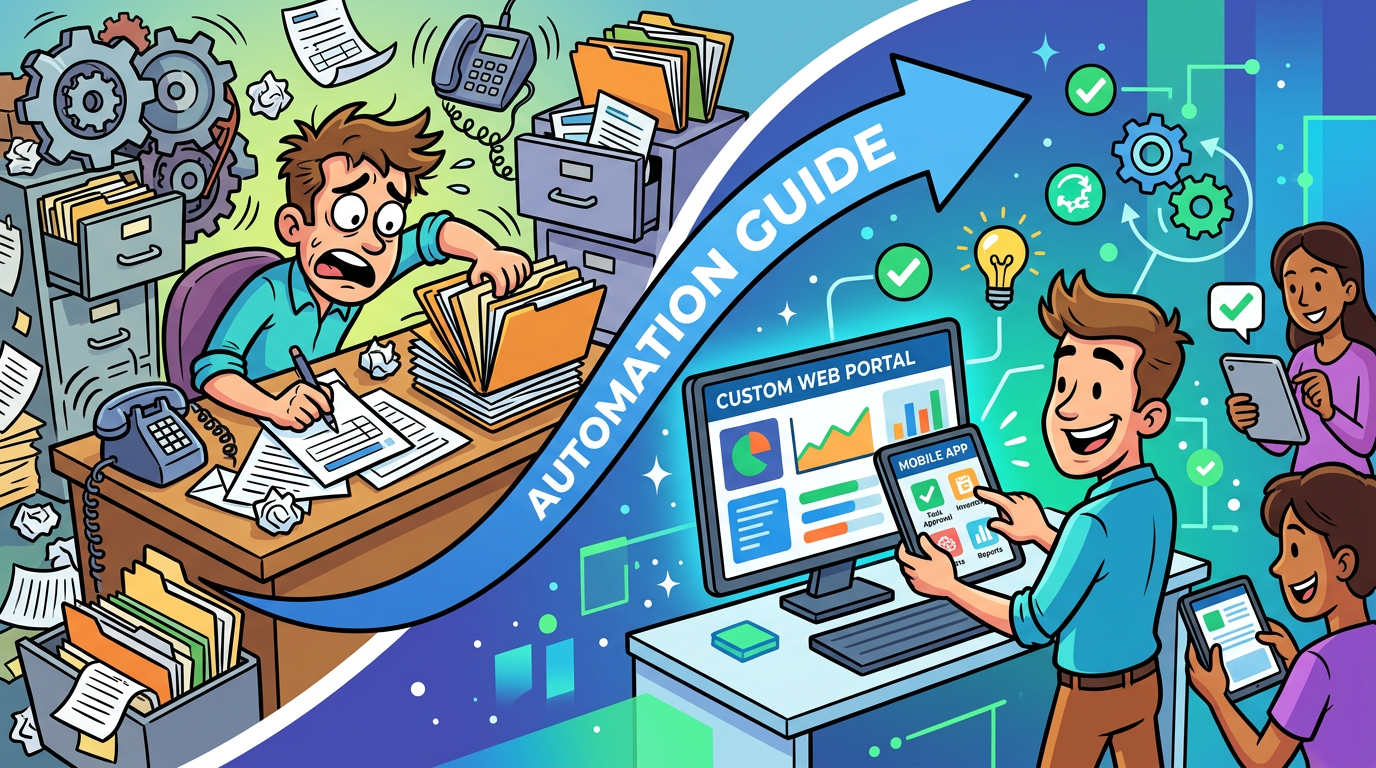
Most small businesses rely on people to remember what should really be handled by systems. Staff chase approvals on WhatsApp, customers phone to ask for basic updates, managers keep key data in their own spreadsheets. Work still gets done, but slowly and with more errors than anyone admits.
Custom web portals and mobile apps give you a way to turn those manual routines into consistent, trackable, automated workflows. Combined with modern Cloud Solutions and AI for Business, they can transform how your company operates without trying to behave like a giant enterprise.
This guide walks through a step by step approach to automating internal workflows with portals and apps. It is written for business leaders, not developers, and focuses on Business Automation, Business Productivity, Customer Experience, and practical Digital Transformation.
Why internal workflow automation matters for small businesses
Most owners focus first on customer‑facing technology like websites and E-commerce Solutions. Internal processes get attention only when something breaks. That is a missed opportunity.
Automated internal workflows can give you:
- More productive teams. Routine steps move into Software Solutions and AI Automation, so people spend more time on sales, service, and problem solving.
- Fewer errors and delays. Clear digital steps and validation rules mean less chasing, less rework, and fewer surprises near deadlines.
- Better Customer Experience. Faster approvals, cleaner data, and reliable updates flow through to what customers feel.
- Actionable Data Analytics. Every step in a digital workflow becomes a data point that supports Business Process Optimization and smarter decisions.
The question is not whether internal automation helps. It is how to approach it in a way that fits a small business budget and capacity.
Step 1: Identify the right workflows to automate first
Trying to automate everything in one go usually fails. You get more value by picking a handful of high-impact workflows and doing them properly with the right Software Development, Web Development, and Mobile App Development support.
Map your current workflows in simple terms
You do not need complicated diagrams. For each candidate process, answer three questions on a page or whiteboard:
- What starts it? For example a new customer enquiry, a signed quote, a stock alert, a support request.
- Which steps happen? List the main tasks and approvals in order.
- How does it end? What counts as “done”, for example invoice sent, project completed, ticket closed.
Then mark where people currently rely on email, messaging apps, or spreadsheets to move things forward. Those are your best targets for Workflow Automation and Custom Software Development.
Use a simple scorecard
Give each workflow a simple score from 1 to 5 on three dimensions:
- Volume: How often does this happen each week or month?
- Pain: How much time, stress, or cost does it create today?
- Predictability: Are the steps mostly consistent, with clear rules and limited exceptions?
Focus your first automation projects on workflows that score high on all three. Typical examples include:
- Customer onboarding and document collection.
- Internal approvals for quotes, discounts, or purchases.
- Field service job scheduling and reporting.
- Leave requests, timesheets, and expense claims.
Step 2: Choose where portals and mobile apps really add value
“Portal” and “app” are broad terms, so it helps to define what you actually need them to do for your business.
What a custom web portal can do for your workflows
A web portal is a secure website where staff, customers, or partners can log in to see information and complete tasks. For internal workflows, a portal can:
- Collect structured data using guided forms instead of email chains.
- Show each user their current tasks and what is waiting for them.
- Trigger notifications, approvals, and status changes automatically.
- Provide simple self‑service for customers or partners that reduces admin load.
Portals shine in areas where many people need to interact with the same process, for example onboarding suppliers, managing project documentation, or handling support tickets.
Where mobile apps make sense
Mobile App Development often pays off when work happens away from desks. For example:
- Field engineers capturing photos, notes, and signatures on site.
- Sales staff updating opportunities after meetings.
- Delivery teams logging drop‑offs and issues in real time.
- Managers approving urgent requests while travelling.
A mobile app can simplify data capture, use phone features like the camera and GPS, and work even with patchy connectivity. Combined with a portal and Cloud Computing back end, it can replace stacks of paper and manual updates.
Questions to decide between portal, app, or both
- Do users mainly sit at desks or are they in the field most of the day?
- How often do they need access? Daily, hourly, or only occasionally?
- Do you need phone features like camera, location, or offline mode?
- Is speed of adoption more important than deep customisation?
Often, a phased approach works best. Start with a web portal that runs on desktop and mobile browsers. Once you see stable usage patterns, consider a dedicated mobile app for heavy on‑the‑go users.
Step 3: Design your ideal workflow in business language first
Before anyone starts talking about features or integrations, get clear on how the workflow should work from a business perspective.
Write a one-page “future state” for each workflow
Describe your target workflow in plain language:
- What triggers it and who is involved.
- What information is required at each step.
- Which decisions need human judgment and which can be rule based.
- What deadlines or service levels you expect.
For example, a purchase approval workflow might say:
- Requests created in the portal with supplier, item, cost, and justification.
- System checks budget and flags issues automatically.
- Manager approves or rejects from email or mobile app with one tap.
- Approved requests automatically sent to finance and purchasing.
This kind of description gives your Technology Consulting or Software Development partner a clear target for Custom Software Development or adapting SaaS Solutions.
Be explicit about business rules
Automation relies on clear, simple rules. Document things like:
- Approval thresholds by amount, department, or customer type.
- Conditions that should trigger exceptions or manual review.
- Which fields are mandatory and which are optional.
- Escalation rules when deadlines are missed.
These rules become the backbone of your Workflow Automation and reduce the risk of rework later.
Step 4: Decide build vs buy vs blend
Not every workflow needs a fully custom portal or app. You have three broad options, and the right answer may differ per process.
Option 1: Configure existing SaaS Solutions
Many CRM, HR, and project tools already include workflow features. For simpler processes, configuring an existing SaaS Solution can be faster and cheaper than custom development.
This fits when:
- The workflow is quite standard across your industry.
- Your current tools already hold most of the required data.
- You are comfortable adapting your process slightly to match the system.
Option 2: Custom web portal and mobile app
Custom Software Development is usually justified when:
- Your process is a genuine differentiator or competitive advantage.
- You have multiple systems that need to be orchestrated in a specific way.
- Staff currently maintain complex spreadsheets or side systems to bridge gaps.
A well-designed custom portal and app can sit on top of your existing Business Technology stack and drive Business Innovation without ripping out everything you already use.
Option 3: Blend standard tools with custom orchestration
For many small businesses, the sweet spot is a hybrid:
- Core records stay in SaaS Solutions like CRM, accounting, and HR.
- A custom portal and mobile app provide the workflow experience and business rules.
- Cloud Solutions connect everything, so data flows between tools.
This approach keeps costs reasonable, uses proven Enterprise Software for standard tasks, and still gives you a workflow that fits your business instead of the other way around.
Step 5: Sketch the user experience before talking technology
Automating a workflow is not only about moving data. It is about making the work easier for people who use the portal or app every day.
Identify key user roles
For each workflow, list the roles involved. For example:
- Customer or supplier.
- Frontline staff.
- Manager or approver.
- Operations or back‑office team.
Then write one or two sentences for what each role should be able to do easily. For instance, “A manager should see all pending approvals in one view and be able to approve from phone or desktop in under 30 seconds.”
Plan simple, consistent screens
Ask your design or Technology Consulting partner to mock up:
- Dashboards showing current tasks and statuses.
- Forms for capturing data at each step.
- Approval and review screens.
- Mobile layouts for on‑the‑go users.
Keep the first version as simple as possible. Every extra field or step you add will be something people have to fill out or click through later.
Step 6: Connect your portal or app to existing systems
Workflow Automation only delivers full value if your portal or mobile app is connected to your core systems. Otherwise you simply move manual work into a new interface.
Clarify which system is the “source of truth”
For each data type, decide where the master record should live:
- Customer and contact data in CRM or an E-commerce Solution.
- Financial data in accounting or ERP.
- HR data in your HR system.
- Operational records in your new workflow portal.
Your portal or app then reads from and writes to those systems instead of maintaining its own separate copy of everything. This is where thoughtful Cloud Computing choices and Business Technology planning make future automation easier.
Plan data flows in both directions
For each step in the workflow, ask:
- What data does the portal or app need to show or capture?
- Which system should receive updates after this step?
- Which status changes should be visible to other teams or systems?
Designing these flows early helps avoid “integration surprises” later, where staff still have to duplicate data entry because systems were not properly aligned.
Step 7: Build a realistic pilot and measure it properly
Automation projects often stall because they aim for a perfect end state. A better path is to run a focused pilot with clear boundaries and metrics.
Pick one workflow, one team, one channel
Start small, for example:
- Automate expense claims for one department.
- Digitise job sheets for a single field service team.
- Introduce a customer portal for one product line.
This keeps the impact manageable and allows you to iterate quickly based on feedback.
Define what success looks like
Agree a small set of metrics before you start:
- Time from start to finish for the workflow.
- Number of handoffs or back‑and‑forth messages.
- Error or rework rates.
- User satisfaction for staff and, if relevant, customers.
Track these for a few weeks before and after the pilot. This gives you a concrete story about Business Efficiency and Customer Experience improvements, not just anecdotal comments.
Iterate based on real usage
Expect to adjust:
- Form fields that people find confusing or unnecessary.
- Notification rules that create noise or miss important events.
- Approval paths that do not reflect how work really happens.
The pilot phase is the best time to fine‑tune your Digital Strategy for internal operations.
Step 8: Use AI for Business in controlled, helpful ways
Artificial Intelligence is increasingly practical for small businesses, especially inside portals and apps that already structure your data. You do not need advanced models to see value.
Low‑risk AI Automation inside workflows
Good early use cases include:
- Smart suggestions. Propose categories, tags, or next steps on forms based on previous entries.
- Summaries. Generate short summaries of long comments, calls, or case histories so managers can review faster.
- Routing. Direct tasks or tickets to the right team based on content and priority.
- Data quality checks. Flag missing or inconsistent information before a task moves to the next stage.
In each case, humans remain in control. AI for Business gives them a head start rather than making irreversible decisions alone.
Where to be more cautious
Use more care with AI in areas such as:
- Automated decisions that affect pay, credit, or compliance.
- Customer communications that could damage trust if incorrect.
- Any workflow with strict regulatory requirements.
For these, keep AI in an advisory or draft role and maintain clear human approval steps.
Step 9: Turn workflow data into a continuous improvement engine
Once your portal or mobile app is in place, you gain a new asset: detailed Data Analytics on how work really flows through your business.
Metrics worth watching
Some useful indicators include:
- Cycle time: How long each workflow takes from start to finish.
- Bottleneck points: Which steps or roles are often delayed.
- Rework rate: How often items are sent back due to missing or incorrect information.
- Adoption rate: How consistently staff or customers use the portal or app instead of manual workarounds.
Over time, this data supports Business Process Optimization and targeted Business Innovation, such as redesigning approval rules or changing staffing patterns.
Combine workflow analytics with marketing and sales data
Operational improvements often intersect with growth initiatives. For example:
- Better onboarding workflows can improve conversion and customer retention.
- Faster support resolution can improve online reviews and organic visibility.
If you are actively working on search visibility and content, resources like What is SEO? How it can help to grow? can sit alongside your operational analytics to inform a holistic Digital Strategy.
Step 10: Plan a 12‑month roadmap, not a one‑off project
Workflow automation with portals and apps is less a single project and more a series of incremental upgrades to your Small Business Technology.
Quarter 1: Discovery and first pilot
- Identify and score priority workflows.
- Choose build vs buy vs blend for the first candidate.
- Design future state and user experience in plain language.
- Build and launch a pilot portal or app for one workflow.
Quarter 2: Stabilise and expand
- Refine the pilot based on real feedback and metrics.
- Integrate more cleanly with CRM, accounting, and other core systems.
- Add simple AI Automation helpers such as suggestions and summaries.
- Document the workflow and train additional staff.
Quarter 3: Add a second workflow and improve reporting
- Apply lessons learned to a second high‑value workflow.
- Standardise dashboards and reports across both processes.
- Introduce basic Workflow Automation between workflows, for example linking onboarding to billing or support.
- Review security and access control as usage grows.
Quarter 4: Optimise, standardise, and plan next steps
- Consolidate best practices across teams.
- Retire redundant spreadsheets, forms, and manual checklists.
- Identify where Mobile App Development could further reduce friction.
- Set priorities for new workflows and AI for Business initiatives based on clear ROI.
Common mistakes small businesses make with workflow automation
Mistake 1: Automating a bad process as is
If your current workflow is confusing or full of exceptions, a portal or app will simply make the confusion move faster.
Better: First simplify and clarify the process in business terms. Remove unnecessary steps, tighten approval rules, then automate the cleaner version.
Mistake 2: Ignoring frontline staff during design
Workflows designed only by managers often look neat on paper but clash with daily realities. Staff respond by creating workarounds outside the system.
Better: Involve people who do the work in workshops and testing. Ask them where automation will help and where flexibility is critical.
Mistake 3: Trying to replicate every existing exception
Some rare scenarios are better handled manually than encoded into automation rules, especially early on.
Better: Design the workflow for the 80 to 90 percent of cases that happen frequently. For rare edge cases, keep a clear manual path and review over time.
Mistake 4: Underestimating change management
Even a helpful portal or app can feel like extra work if people are not given time and training to adapt.
Better: Communicate why the change is happening, provide short training sessions, and appoint champions in each team who can help colleagues adopt the new tools.
Mistake 5: Forgetting about reporting and SEO impact
Some internal workflows, such as customer onboarding or support, have a direct impact on reputation and search performance through reviews and referrals.
Better: Include reporting on response times, satisfaction, and outcomes as part of your portal design. This data will also help your marketing team refine campaigns and content. Guides like How F-Koin Tech Can Help You Achieve a Higher Rank can support that conversation about broader Digital Strategy.
FAQs about automating internal workflows with portals and apps
Do small businesses really need custom portals or mobile apps?
Not every small business needs fully custom Software Solutions, but many reach a point where generic tools and email threads hold them back. If you have workflows that directly affect revenue, risk, or Customer Experience, and those workflows involve multiple people and systems, a purpose-built portal or app can pay for itself quickly through saved time, fewer errors, and better data.
How do I choose which workflow to automate first?
Start with a process that is frequent, painful, and predictable. For example, recurring approvals, onboarding steps, or field service reporting. Avoid rare or highly variable workflows in the first phase. The goal is a visible win within a few months that proves the value of Business Automation to your team and builds confidence for further Digital Transformation.
Will automation and AI replace my staff?
For small and medium businesses, automation and AI for Business are usually most effective as support tools, not replacements. Portals and apps remove repetitive data entry, chasing, and status updates, which frees staff to handle exceptions, build relationships, and solve problems. In practice, businesses that automate well often grow headcount in higher value roles rather than cutting jobs.
How much technical knowledge do I need to manage automated workflows?
You do not need to be a developer to own your workflows, but someone in the business should be responsible for process definitions, priorities, and changes. A technology partner can handle Software Development, Cloud Solutions, and integration details. Your role is to be clear about how the business should run, which outcomes matter, and how success will be measured.
How long does it take to see results from workflow automation?
For a focused workflow with a clear scope, many small businesses see measurable improvements in 8 to 12 weeks from project start. That includes mapping the process, designing the portal or app, connecting core systems, and running a pilot. More complex cross‑department workflows take longer, but a staged approach means you can still deliver value in phases rather than waiting for a big bang launch.
Summary: Build internal workflows that scale with you
Automating internal workflows with custom web portals and mobile apps is not about copying big‑company complexity. It is about giving your team clear digital paths for the work that matters most, so customers get faster, more consistent experiences and your data finally tells a reliable story.
If you are juggling email approvals, scattered spreadsheets, and manual handoffs, this is a good moment to pause and design something better. Start with one or two high‑value workflows, describe the ideal future state, then work with a Technology Consulting and Software Development partner to create a portal or app that fits your business, your tools, and your growth plans.
If you would like practical help mapping your workflows, prioritising what to automate, or planning a portal or mobile app that connects cleanly to your existing Business Technology stack, it may be worth arranging a short consultation. A focused conversation can reveal a realistic roadmap that improves Business Efficiency today and prepares you for future AI and automation opportunities.