A Practical Playbook for E‑Commerce Automation
Using AI, Cloud Tools, and Custom Integrations to Streamline Orders, Inventory, and Customer Support
Maira Koin
CEO, F Koin Tech
Published
16 August, 2026
E‑commerce teams rarely suffer from a lack of tools. You probably have an online store, a shipping app, maybe a helpdesk system, perhaps some marketing automation, and reports scattered across different dashboards. Yet orders still get handled manually, inventory surprises you, and the support inbox fills up faster than your team can respond.
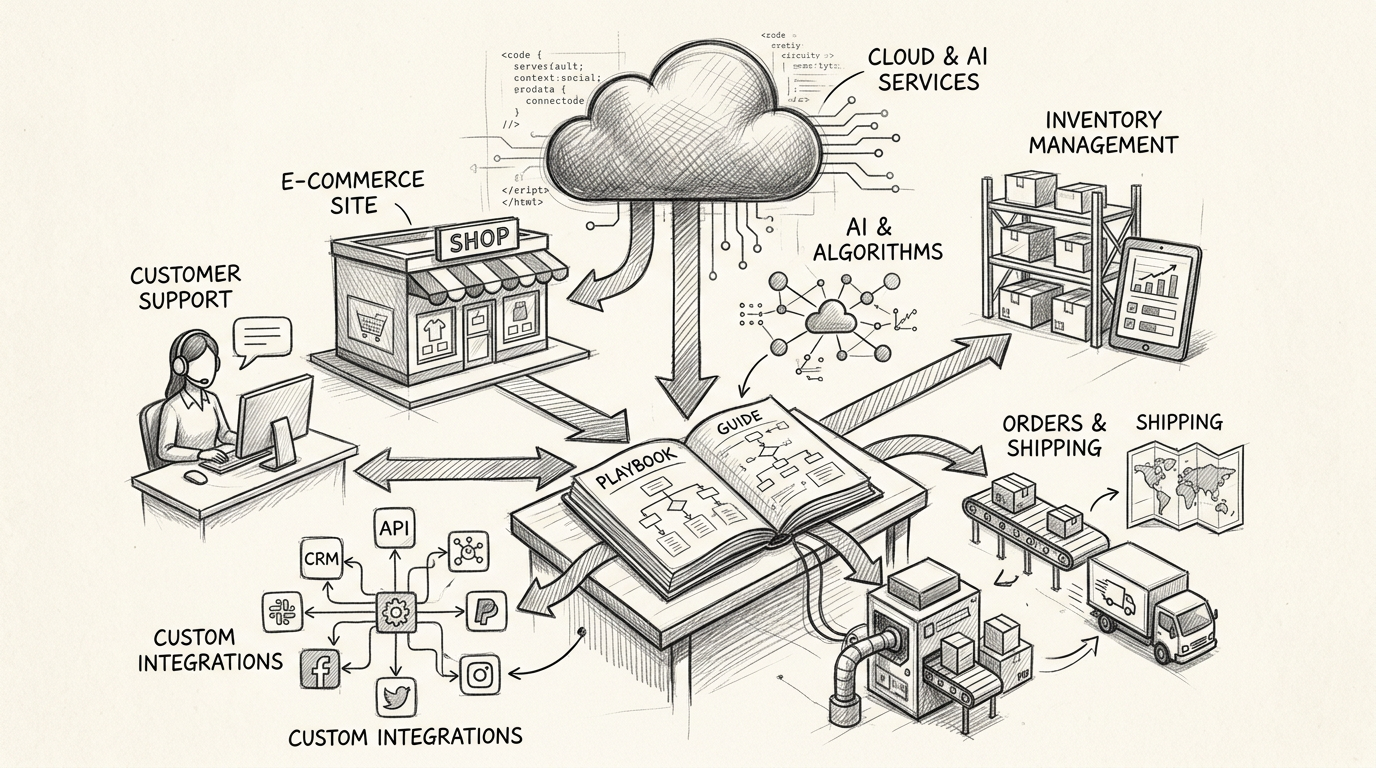
This guide is a practical playbook for using Artificial Intelligence, Cloud Solutions, and smart integrations to create real Business Automation in your e‑commerce operations. The focus is on three high-impact areas: orders, inventory, and customer support.
You will see how to cut manual work, reduce errors, and improve Customer Experience using tools you already own plus targeted Custom Software Development where it actually pays off. No coding talk, just clear, business-friendly steps.
Why e‑commerce automation matters now
Margins in online retail are tight. Customer expectations are high. Competitors can copy your products and pricing quickly. What they cannot copy as easily is a smart, efficient operation that runs like clockwork.
Thoughtful automation across orders, stock, and support gives you:
- More capacity without constant hiring. Routine tasks move to AI Automation and Workflow Automation, so your team can focus on growth work.
- Fewer costly mistakes. Integrated E‑commerce Solutions reduce manual re‑typing, missed orders, and shipping errors.
- Better Customer Experience. Customers get faster answers, clearer updates, and fewer stock issues.
- Cleaner data for smarter decisions. Consistent order and inventory data feeds better Data Analytics and future AI for Business projects.
In short, automation is not just a cost-saving move. It is a practical way to support Startup Growth and ongoing Digital Transformation without burning out your team.
Step 1: Map your current e‑commerce workflow in plain language
Before touching tools or AI, you need a simple picture of how work actually flows in your business today. Not the process in your head, the process people follow on a Monday afternoon when things are busy.
Sketch three key journeys
Grab a whiteboard or a spreadsheet and map three journeys:
- Order journey: From customer placing an order to payment, picking, packing, shipping, and delivery confirmation.
- Inventory journey: From purchase order to supplier, goods arriving, stock receiving, storage, stock counts, and stock adjustments.
- Support journey: From customer question or complaint arriving, to triage, investigation, reply, and closure.
For each step, note:
- Which system you touch (e‑commerce platform, shipping portal, spreadsheet, accounting, helpdesk).
- Who is responsible (role, not name).
- Where copy‑and‑paste or re‑typing happens.
- Where delays or errors are common.
This exercise usually reveals more manual effort and system hopping than leadership expects. That is where automation and Business Process Optimization will give the best return.
Step 2: Decide what to automate first using simple criteria
Not every step deserves automation on day one. Trying to automate everything often leads to half-finished workflows and frustrated staff. Start where you get clear value.
Use a simple 2x2: pain vs predictability
Look at each step in your three journeys and score it on:
- Pain: How much time, stress, or cost does this step create when done manually?
- Predictability: How repeatable is the step, with clear rules and low judgment?
Your ideal early automation targets are the steps that are both high-pain and highly predictable. Examples:
- Creating shipping labels after payment is captured.
- Sending order confirmation, shipping, and delivery notifications.
- Marking orders as paid or shipped across different systems.
- Answering common support questions about order status, returns, and basic product info.
Keep a separate list of low-pain or low-predictability steps for later, such as exceptions, VIP handling, or complex returns that need human judgment.
Step 3: Pick the right mix of tools: platforms, SaaS, and custom pieces
A strong e‑commerce automation stack is usually a combination of:
- Your primary E‑commerce Solution or marketplace accounts.
- Specialised SaaS Solutions for shipping, inventory, and support.
- A central automation or integration layer.
- Light Custom Software Development for the gaps.
Clarify the “system of record” for key data
To avoid data chaos, you need to know which system is the master for each type of information:
- Products and pricing: Typically your e‑commerce platform or product information tool.
- Orders and customers: Usually your e‑commerce platform or CRM.
- Inventory levels: Either the e‑commerce platform, inventory tool, or your warehouse system, but pick one.
- Financials: Your accounting or ERP tool.
Once you agree on this, automation becomes simpler. You know which direction data should flow instead of syncing everything with everything.
Use cloud-based, integration-friendly tools
For fast-moving retailers, modern Cloud Solutions usually beat older on-premise Enterprise Software. Cloud-based tools offer:
- Easier connections between systems using pre-built connectors.
- Built-in Workflow Automation features.
- Regular updates that follow new Technology Trends, like embedded AI.
You do not need best-in-class tools for every function. You need tools that play nicely together and support your Digital Strategy over the next few years.
Reserve custom development for what makes you different
Custom Software Development is powerful, but expensive if used for generic tasks. Save it for areas like:
- A unique order routing rule that standard tools cannot handle.
- A combined B2B and B2C portal that reflects your specific pricing logic.
- Special bundling, subscription, or return rules that drive your Business Innovation.
For everything else, configure existing software first. Then integrate it cleanly so the experience feels unified to staff and customers.
Step 4: Automate the order lifecycle with clear triggers
The order lifecycle is the backbone of your e‑commerce operation. Small improvements here compound quickly as volumes grow.
Key automation opportunities across the order lifecycle
- Order received
- Trigger confirmation emails and SMS from your e‑commerce or marketing tool.
- Add tags or labels for priority, channel, or campaign source.
- Create tasks in internal systems for special handling (for example fragile, gift wrap, corporate orders).
- Payment processed
- Sync paid orders to your accounting system without manual re-entry.
- Notify the warehouse or fulfillment partner that the order is ready to pick.
- Flag orders that failed payment for follow-up, not silent abandonment.
- Picking and packing
- Generate pick lists automatically from new orders.
- Reserve inventory in your stock system as soon as orders are confirmed.
- Surface special instructions on pick lists so they are not missed.
- Shipping and tracking
- Create shipping labels automatically based on rules such as destination, weight, and service level.
- Update tracking numbers in your e‑commerce platform and notify customers in real time.
- Record shipping costs against orders for accurate margin reporting.
- Delivery and post‑purchase
- Trigger review requests or satisfaction surveys a set number of days after delivery.
- Start post‑purchase email flows with care tips, related products, or how‑to content.
- Log delivery issues, returns, or complaints back to the customer record for future Data Analytics.
In many cases, you can achieve these flows by combining your e‑commerce platform's automation, a workflow tool, and your marketing or CRM system, without writing any code. A technology partner can help you choose where bespoke integration is worth it.
Step 5: Tighten inventory accuracy with connected systems
Stock problems are expensive. Overselling creates angry customers and refunds. Overbuying ties up cash and storage space. Automation keeps stock data flowing instead of stuck in someone's spreadsheet.
Set one clear source of truth for inventory
Pick a single system to be your inventory authority. Then configure other tools to sync with it rather than keep their own separate numbers.
For example:
- If your warehouse system is best at tracking real stock, feed that into your e‑commerce platform to control availability.
- If your store platform is central, make sure purchasing and warehouse staff update stock there, not in private files.
This avoids the classic problem where the website shows stock available while the warehouse is empty.
Automate common inventory events
Useful automations around stock include:
- Low stock alerts: Notify purchasing or category managers when items fall below thresholds.
- Auto stock updates: Adjust stock in your online store as orders are placed, cancelled, or refunded.
- SKU mapping: For multi-channel sellers, automatically map different marketplace SKUs to a unified internal product ID.
- Stock status by channel: Show different availability rules by region or channel based on stock and strategy.
This level of automation supports Business Efficiency and prevents staff from spending hours reconciling differences between tools.
Use analytics and AI to spot stock patterns
Once your stock data is in better shape, you can gradually introduce AI for Business and analytics to guide buying and merchandising decisions.
Typical use cases:
- Highlight items at risk of running out based on sales velocity, not just static thresholds.
- Flag slow movers by category so you can plan promotions or delist them.
- Suggest reorder quantities or timing based on past seasons or campaigns.
You do not need advanced predictive models from day one. Start with simple rules and trend reports, then expand as data quality improves.
Step 6: Apply AI to customer support without putting your brand at risk
Support is where automation can feel risky. You want speed, but you cannot afford robotic or incorrect answers. The solution is to start with AI as an assistant for humans, not a replacement.
Organise your support data for automation
Before adding any AI assistant, put a basic structure in place:
- Centralise support conversations in one main tool rather than scattered inboxes.
- Tag tickets with simple categories such as order status, returns, product info, payment issue.
- Build or update a help center or FAQ area with clear answers your AI can refer to.
This improves Business Productivity even before automation and sets the stage for safe AI usage.
Start with AI-assisted workflows
Early, low-risk AI Automation ideas for support:
- Draft replies that agents can review and send, especially for repetitive questions.
- Summarise long threads so agents coming in part-way can get context fast.
- Suggest tags and priorities based on message content.
- Surface order details and previous interactions automatically when a customer writes in.
In each case, humans stay in control. AI speeds them up but does not speak for your brand without oversight.
Then add controlled self‑service
Once your team trusts the quality of AI-assisted replies, you can introduce self‑service, for example:
- A support widget that can answer common questions about orders, shipping, and simple policies.
- A guided returns flow that checks order eligibility and walks customers through next steps.
- Smart suggestions of help articles in your contact form to deflect simple tickets.
Design these flows with clear options for customers to reach a human quickly when needed. That keeps Customer Experience healthy while reducing repetitive tickets.
Step 7: Make your e‑commerce data AI-ready, one habit at a time
Many retailers want advanced AI but have messy data. You can start preparing long before you invest in complex models or heavy analytics.
Choose a small set of must-have data points
For most online sellers, the highest-value data includes:
- Customer identity: Email, phone, and any persistent ID across systems.
- Engagement: Orders, site visits, email interactions, support contacts.
- Value: Lifetime revenue, margin bands, return rate.
- Product performance: Sales, returns, reviews by SKU and category.
Make sure each of these can be reported in a consistent way, even if the data is not perfect yet.
Create light data governance that people can follow
Instead of complex rules, adopt a one-page set of habits, such as:
- Use one standard way of writing customer names and emails in all systems.
- Always link support tickets to orders if an order exists.
- Record reasons for returns and cancellations using standard options, not only free text.
These habits support better Data Analytics, Business Automation, and future AI projects without adding heavy process overhead.
Plan content and SEO alongside automation
While you improve operations, do not forget how customers find you. Automation around product content, customer reviews, and on‑site search supports your marketing and SEO work. If you want a deeper dive into how search optimisation fits into your growth plans, you may find What is SEO? How it can help to grow? a useful companion resource.
Step 8: Align automation investments with your growth stage
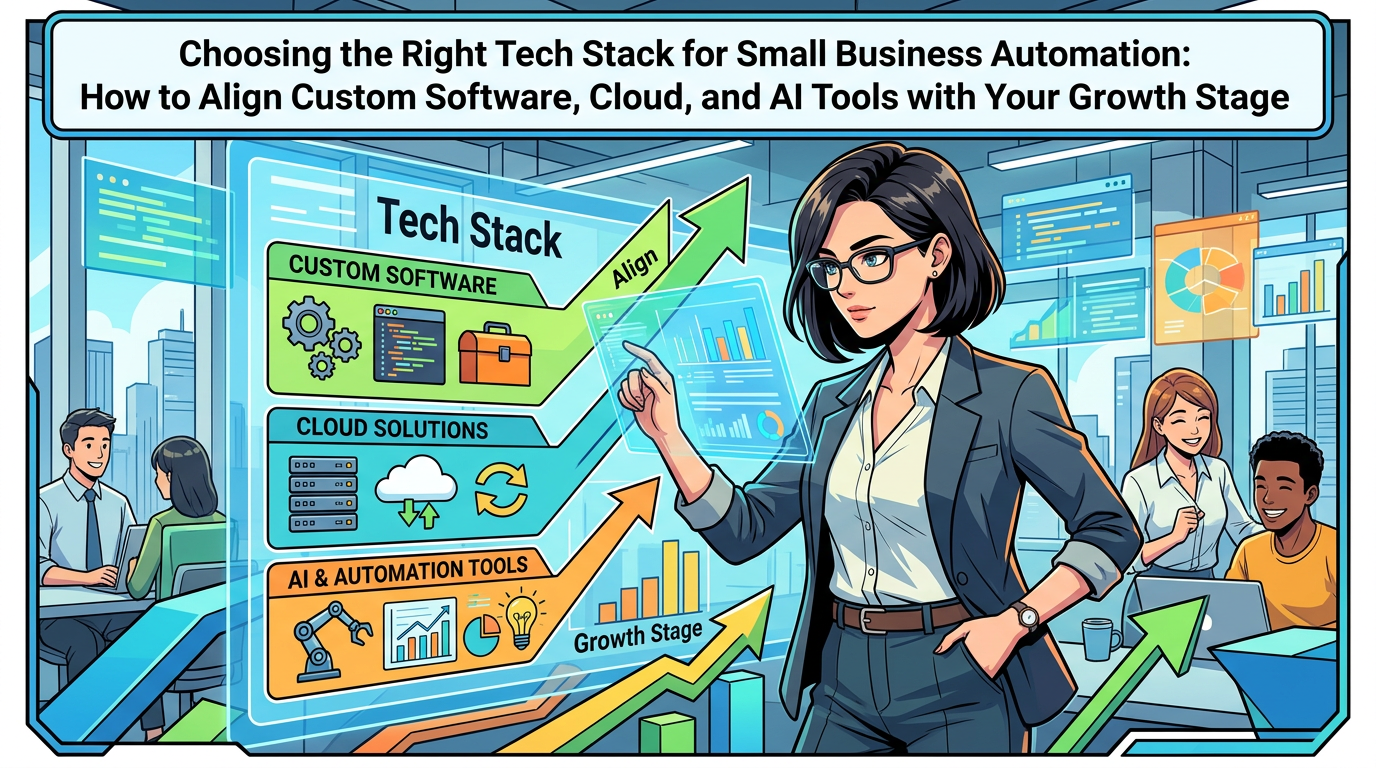
The right amount of automation depends heavily on your size, complexity, and ambition. A small niche store needs a different approach from a multi-brand retailer shipping thousands of orders a day.
Stage 1: Early growth, under strain but still scrappy
Focus on:
- Basic order notifications and stock updates between store, shipping, and accounting.
- Simple macros or workflows to handle repetitive support replies.
- Centralising data in a few core systems rather than many disconnected apps.
AI usage here is mostly internal: drafting emails, summarising reviews, helping with product descriptions.
Stage 2: Established business, rising complexity
As order volumes and channels expand, shift focus to:
- Formalising your end‑to‑end processes for orders, inventory, and support.
- Replacing spreadsheets with connected SaaS Solutions where they are clearly holding you back.
- Introducing structured Workflow Automation for handoffs between teams and systems.
- Launching safe, customer-facing AI helpers for common support scenarios.
This is also the stage to invest more seriously in Digital Strategy across paid, email, and SEO. A clean data foundation means you can actually trust your reports.
Stage 3: Scale-up and multi-channel
Larger e‑commerce companies typically need to:
- Integrate multiple sales channels into a unified operations and reporting layer.
- Use stronger Cloud Computing infrastructure and possibly more advanced Enterprise Software.
- Introduce predictive AI for Business for demand forecasting, assortment, and pricing tests.
- Consider targeted Mobile App Development for loyalty and repeat purchases if customers value it.
At this point, automation decisions should involve technology and business leaders together, often with specialist Technology Consulting support.
Common mistakes in e‑commerce automation projects
Mistake 1: Automating a broken process
If your returns policy is confusing or your stock receiving process is chaotic, automation will just help you do the wrong thing faster.
Better: Simplify the process first. Remove unnecessary steps. Then automate the stable version.
Mistake 2: Ignoring staff input
Automation tools chosen without involving the people who actually handle orders and support often fail quietly. Staff build workarounds and your investment sits underused.
Better: Involve team leads in selecting and testing tools. Let them tell you which steps genuinely need automation.
Mistake 3: Building everything custom
Reinventing commodity functions like label printing or basic reporting eats budget and adds maintenance risk.
Better: Use standard Software Solutions where they fit, and reserve custom work for your unique customer proposition or operational edge.
Mistake 4: Over-promising AI to customers
Overly confident AI chatbots that give wrong answers damage trust quickly.
Better: Be transparent. Use AI in support as a helper. Offer quick routes to a human. Monitor AI interactions and adjust based on real transcripts.
Mistake 5: Leaving reporting until the end
Without reporting, you cannot tell if automation actually helped.
Better: Decide up front which metrics matter: handling time per order, first response time, stockouts, refund rate. Then ensure your automation setup can report on those.
Working with a technology partner on e‑commerce automation
Many e‑commerce teams benefit from a partner who lives in Business Technology and Software Development every day. Used well, that partner can shorten the learning curve and avoid dead ends.
What a good partner should help you with
- Clarifying which automation projects will actually improve Business Productivity and margin.
- Auditing your current tools and integrations to spot quick wins and hidden risks.
- Designing an automation roadmap across Web Development, Cloud Solutions, and support systems.
- Implementing integrations and light Custom Software Development where standard connectors are not enough.
- Introducing appropriate AI Automation while keeping Customer Experience safe.
You remain the expert on your products, pricing, and customers. They bring patterns from other businesses and practical experience with Digital Innovation.
12‑month roadmap: from manual chaos to a coordinated, automated operation
Quarter 1: Clarity and quick wins
- Map your order, inventory, and support journeys end to end.
- Identify high-pain, high-predictability steps as first automation candidates.
- Turn on or tidy up basic automations you already have in your e‑commerce and shipping tools.
- Standardise a small set of key data definitions such as customer, order status, and return reason.
Quarter 2: Connect core systems and tidy data
- Ensure your e‑commerce, shipping, inventory, and accounting tools talk to each other.
- Centralise support conversations into a single helpdesk or CRM.
- Replace the worst manual spreadsheets with system-based workflows.
- Launch simple dashboards for orders, stock levels, and support volumes.
Quarter 3: Add AI helpers and deeper workflows
- Introduce AI-assisted replies for common support questions.
- Automate more of the order lifecycle, including stock reservations and shipping label creation.
- Set up low stock alerts and basic stock analytics.
- Measure improvements in handling time, stockouts, and support response times.
Quarter 4: Optimise, document, and plan the next wave
- Refine automations that cause noise or exceptions.
- Document key workflows and how tools connect, so you are not dependent on one person.
- Explore more advanced AI for forecasting or personalisation if data quality allows.
- Set priorities for the next year based on clear ROI and your growth goals.
Summary: build an e‑commerce operation that can scale calmly
E‑commerce automation is not about replacing people with software. It is about letting people focus on the parts of the business that need human judgment, empathy, and creativity, while systems quietly handle the repeatable work.
Start by mapping your actual processes for orders, inventory, and support. Use that picture to choose what to automate first and which tools to keep, connect, or replace. Introduce AI as an assistant, not an autopilot, and build good data habits so more advanced AI for Business stays open as an option.
If you are planning to upgrade your store, rationalise your tools, or explore automation and AI across your e‑commerce operation, it can help to talk through your options with an experienced technology partner. A short, focused conversation about your goals, constraints, and current stack often reveals a handful of practical steps that reduce chaos quickly and prepare your business for calmer, more profitable growth.