A Practical Blueprint for AI-Driven Business Process Optimization
Mapping, Prioritizing, and Automating High-Impact Workflows for Small Businesses
Maira Koin
CEO, F Koin Tech
Published
08 August, 2026
Most small businesses already have more Software Solutions than they realise. There is a CRM, accounting system, email tool, maybe a helpdesk, perhaps even an E-commerce platform. Yet staff still pass spreadsheets around, chase people for approvals, and retype the same data into several systems. Owners hear about Artificial Intelligence and AI Automation, but it is not obvious how to apply AI for Business to this messy reality in a way that actually improves Business Productivity.
This article gives you a practical blueprint for Business Process Optimization using AI, not theory. You will see how to map your workflows in plain language, score which ones deserve attention first, and design AI-powered Business Automation that fits a small business budget and capacity. The focus is on Digital Transformation that feels realistic: better use of your existing Business Technology, targeted Custom Software Development only where it pays off, and simple Data Analytics that informs smarter decisions.
Why AI-driven process optimization matters for small businesses
AI for Business is no longer reserved for large enterprises with big innovation budgets. Modern SaaS Solutions and Cloud Solutions quietly include AI features, and custom AI components have become more affordable. For small and medium businesses, the opportunity is straightforward: use AI to reduce repetitive work, make decisions faster, and give customers quicker, more consistent service.
Business benefits you can expect
Handled well, AI-driven Business Process Optimization can help you:
- Cut manual admin by moving predictable tasks into Workflow Automation and AI-assisted tools.
- Improve Business Efficiency by standardising processes and removing double data entry.
- Raise Customer Experience with faster responses, fewer errors, and clearer communication.
- Support Startup Growth without hiring at the same rate as revenue increases.
- Build better Data Analytics as every step in a digital process becomes a data point you can analyse.
AI is not a magic fix. It works best when combined with clean processes, sensible Software Development choices, and a clear Digital Strategy.
Step 1: Map what actually happens today, not what is in your process manual
Before you talk about AI Automation, you need a clear view of the work your people actually do. Most issues start because leaders imagine one process and staff follow another.
Pick 3 to 5 core workflows
Start with the processes that clearly affect revenue, risk, or customer satisfaction. Common examples include:
- New customer enquiries and sales follow up.
- Order handling and fulfilment.
- Project delivery and status reporting.
- Support requests and complaints.
- Invoicing, payment collection, and credit control.
Do not try to capture everything. Depth beats breadth at this stage.
Run short “walkthrough” sessions
For each chosen workflow, gather 2 or 3 people who actually do the work and ask them to walk you through a recent example, step by step. Capture on a whiteboard or shared document:
- Trigger: What starts this workflow?
- Steps: What happens next, in order? Which tools are used?
- People: Which roles are involved?
- Waiting points: Where do items sit in inboxes or chats?
- Workarounds: Where do staff use spreadsheets, messaging apps, or personal notes instead of systems?
Do not worry about perfect diagrams. You want a simple, honest story of how work flows today. This forms the base for practical Business Innovation and Workflow Automation.
Step 2: Score and prioritise processes for AI-driven improvement
Not every workflow deserves AI attention right now. To get real value, you need a simple way to rank where AI and Business Automation will pay off first.
Use a 4-factor scorecard
Give each workflow a score from 1 to 5 on these dimensions:
- Volume: How often does it happen, per week or month?
- Pain: How much time, stress, or cost does it create today?
- Predictability: Are the steps mostly consistent, with clear rules?
- Data readiness: Is most of the information already in digital systems, even if messy?
Workflows with high scores on all four are your best initial targets. For example:
- Answering repetitive customer questions about orders and policies.
- Preparing standard quotes or proposals from a familiar template.
- Chasing overdue invoices with fairly standard messages.
- Logging site visits or jobs where format is similar each time.
Low volume, highly variable processes can wait. You gain more from standard, repetitive work where AI can help immediately.
Step 3: Break “AI” down into specific roles inside a process
Many projects fail because the team sets vague goals like “use AI here.” A better approach is to give AI very specific jobs inside each workflow.
Four practical AI roles in business processes
For each step in a workflow, consider if AI could:
- Capture: Turn unstructured information into structured data. Example: extract key fields from incoming emails or forms and create records in your CRM or ticketing tool.
- Enrich: Add context and suggestions. Example: summarise a customer’s history before a call, or suggest categories and priority for new tickets.
- Assist: Draft or propose content. Example: generate a first version of an email, proposal, or visit report that staff then review and edit.
- Decide on low-risk actions: Automatically handle simple, well-defined actions. Example: send reminder emails, route tickets to a team, or approve tiny expenses under a threshold.
Label each potential AI role with a level of human involvement:
- Assist: AI prepares, humans approve or send.
- Recommend: AI proposes an action with clear controls.
- Automate: AI or rules complete the step automatically for low-risk items.
For most small businesses it is wise to keep AI in “assist” and “recommend” modes at first. As you gather real Data Analytics on accuracy and impact, you can expand automation safely.
Step 4: Design your “future process” in plain business language
Once you know which workflows to improve and where AI might help, sketch a future version that feels realistic for your business.
Write a one-page future-state for each priority workflow
Describe your ideal process in simple sentences, for example:
- “All new enquiries from website forms, email, and social media feed into one view.”
- “AI groups enquiries by topic and urgency so sales can prioritise their day.”
- “Standard quotes are drafted automatically using known pricing rules and templates.”
- “Managers see a daily summary of open opportunities, stuck deals, and tasks that need attention.”
Include three parts for each workflow:
- Trigger: What starts the process and which system records that first?
- Digital steps: What should users see and do in your portal, CRM, or app?
- AI helpers: Where AI should suggest, summarise, or automate.
This is not a technical document. It is something a manager or owner should be able to read and recognise as a better version of how work gets done.
Clarify simple business rules
Automation and Custom Software Development both rely on clear rules. Document items such as:
- Approval limits by role, amount, or risk.
- Which items should always be handled by a person, never AI.
- Escalation rules for late responses or stuck tasks.
- Any compliance steps that must be tracked explicitly.
These rules can be configured in SaaS Solutions, embedded into new Software Development, or handled by Workflow Automation tools that connect multiple systems.
Step 5: Choose the right technology path for each process
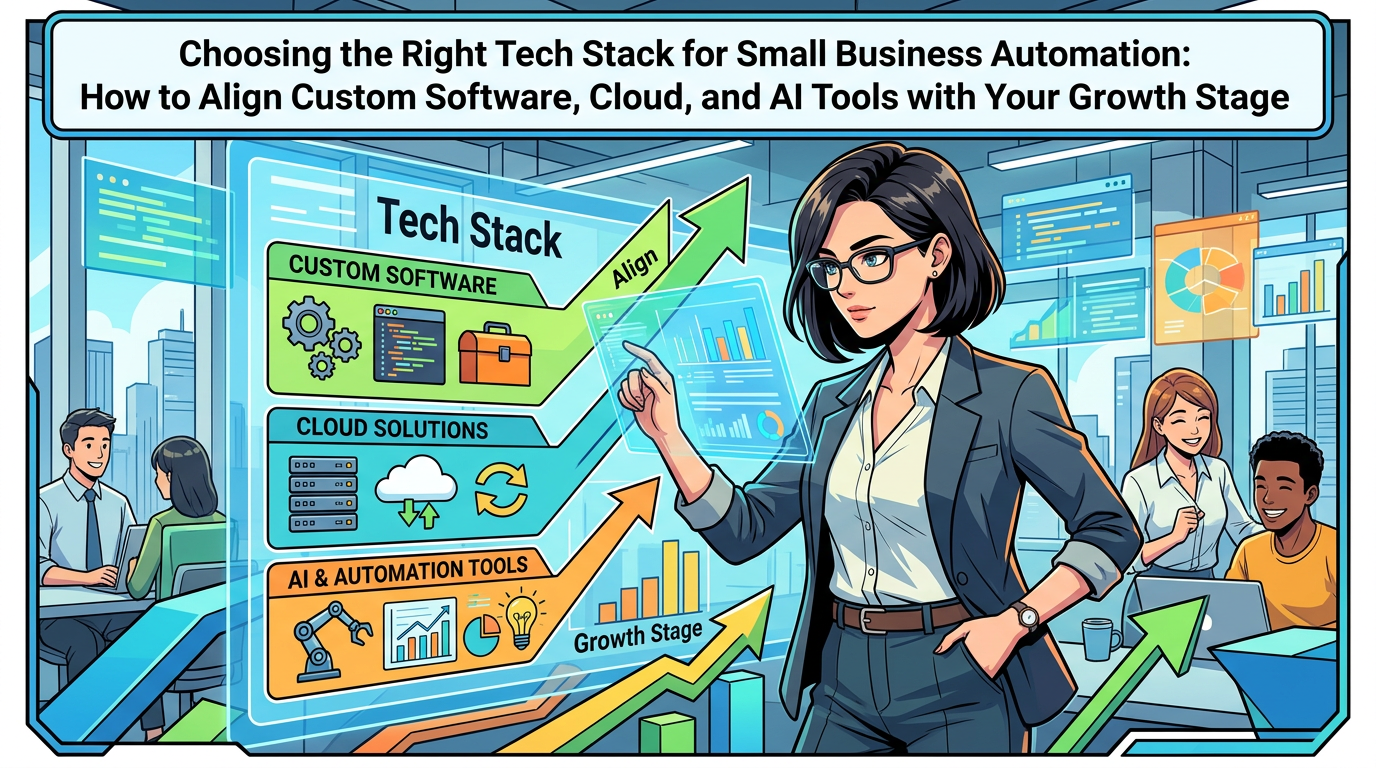
Once you know what “better” looks like, you can pick a sensible mix of Business Technology to support it. You do not have to choose one stack for everything.
Option 1: Configure features inside tools you already own
Many CRM, helpdesk, E-commerce Solutions, and finance tools now include:
- Basic Workflow Automation for simple approvals and reminders.
- AI assistants for email drafting and summarising records.
- Rules to route items based on content or value.
This is often the fastest and least expensive path for early wins. For example, you might configure your existing CRM to:
- Auto-create leads from contact forms.
- Use AI for Business to draft follow-up messages.
- Trigger tasks when deals move stages.
Ask yourself, “Can we get 60 to 80 percent of the improvement by configuring what we already pay for?” If yes, start there.
Option 2: Add a light orchestration layer
For processes that cross several tools, it is often helpful to add a dedicated Workflow Automation or integration tool. This sits between your CRM, helpdesk, accounting, and other SaaS Solutions, and handles tasks like:
- Creating tickets when invoices go overdue.
- Syncing customer details between systems.
- Triggering AI summarisation, categorisation, or notifications when data changes.
This approach can support significant Digital Innovation without immediately moving to full Custom Software Development.
Option 3: Build or extend a custom portal or app
Custom Software Development makes sense when:
- Your process is a genuine differentiator and does not fit standard tools.
- Staff jump between 4 or 5 systems to complete a single workflow.
- You want a single experience for customers or partners that sits on top of multiple back-end systems.
Typical examples include:
- A customer portal that shows orders, documents, and support in one place, with AI answering common questions from your policies.
- A mobile job app where field staff capture photos, notes, and signatures, then AI drafts visit reports and flags issues.
- An internal approval hub for spending, discounts, or exceptions, with AI summarising context for managers.
You can still use Cloud Computing and SaaS Solutions as the foundation. The portal or app becomes the skin that matches your process, while AI handles summaries, suggestions, and routing.
Step 6: Make your data AI-ready without a huge data project
AI and Business Process Optimization both rely on usable data. That does not mean you need a giant data warehouse project, but you do need a few basics.
Decide where core data should live
For each data type, choose a “source of truth” system:
- Customers and contacts in CRM.
- Orders and invoices in finance or E-commerce Solutions.
- Support cases in helpdesk.
- Operational tasks in your workflow or project tool.
Then connect these using simple integrations or Workflow Automation so updates in one place reflect accurately in others. This prevents AI models from running on conflicting numbers.
Improve data quality through process, not after-the-fact cleaning
Rather than asking someone to “fix the data” later, build better habits into daily work:
- Use required fields for essentials such as contact details or order IDs.
- Offer short, standard lists for categories and reasons instead of only free text.
- Ask AI helpers to flag missing or inconsistent information before tasks move forward.
AI can help here as well. For instance, it can suggest tags for support tickets or detect if a note is missing important details. This improves both Business Efficiency and future Data Analytics.
Step 7: Introduce AI to staff in ways that build trust
Technology is only half the challenge. The other half is people. If staff feel AI is spying on them or trying to replace them, adoption will stall fast.
Explain the “why” in human terms
Before switching anything on, have direct conversations with the teams affected. Focus on:
- Which frustrating tasks you want to reduce, for example retyping, manual chasing, or long reports.
- What success looks like for them, such as less evening admin or clearer priorities each morning.
- Which decisions will always stay with humans, especially anything sensitive.
Be clear that AI is there to assist and improve Business Productivity, not to micromanage every step.
Start with visible, helpful AI features
Early features should be easy for people to understand and control, like:
- AI-drafted email replies staff can edit.
- Summaries of long threads at the top of a ticket or opportunity.
- Suggested next steps for tasks based on past patterns.
Label AI involvement clearly. For example, “Suggested summary” or “Draft based on similar cases.” Make it easy to correct suggestions. This builds trust faster than hidden automation.
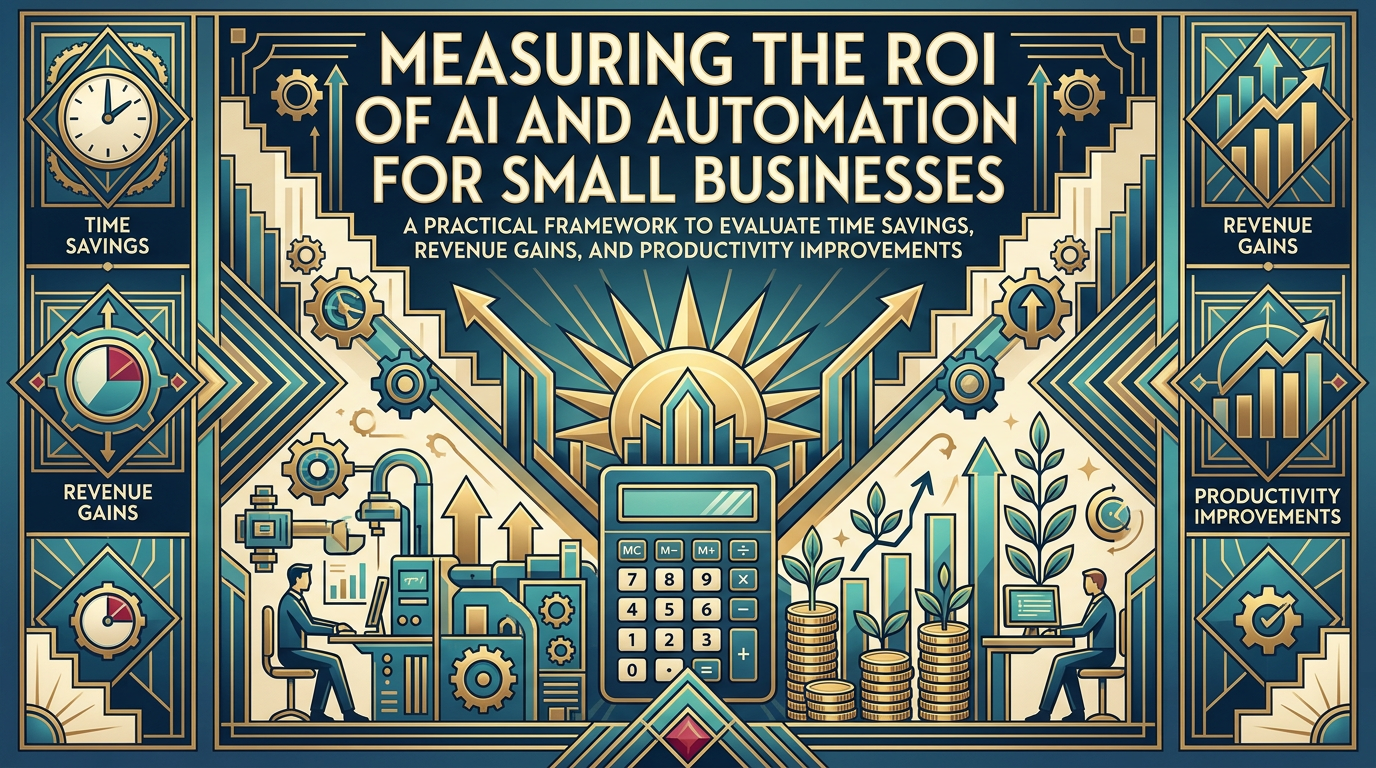
Step 8: Measure what actually improves and cut what does not
AI projects can feel exciting at first, then gradually drift if nobody tracks results. You do not need complex dashboards, but you do need a small set of concrete metrics per workflow.
Pick simple before-and-after metrics
For each priority process, choose 3 to 5 measures, such as:
- Average time from start to finish.
- Number of handoffs or back-and-forth messages.
- Error or rework rate.
- Volume handled per person per week.
- Customer or staff satisfaction where relevant.
Capture rough baseline numbers before you launch AI-based changes. After 6 to 12 weeks, compare. This evidence helps you decide where to invest more and where to scale back.
Review qualitative feedback too
Numbers do not tell the whole story. Ask frontline staff:
- Which AI features they now rely on daily.
- Which ones they avoid and why.
- Where AI causes confusion or extra steps.
This feedback often leads to simple tweaks in workflow, prompts, or user interface that make a big difference to Digital Transformation outcomes.
Step 9: Plan a 12‑month roadmap for AI-driven process optimization
You do not need a multi-year masterplan. For most small businesses, a clear 12‑month roadmap is enough to make real progress without overwhelming the team.
Quarter 1: Discovery and quick wins
- Map 3 to 5 core workflows using real examples.
- Score and prioritise them using volume, pain, predictability, and data readiness.
- Identify AI “assist” roles inside 1 or 2 workflows, such as drafting replies or summarising activity.
- Turn on or configure simple AI and Workflow Automation features in tools you already own.
Quarter 2: Connect systems and stabilise data
- Define systems of record for customers, orders, support, and finance.
- Connect key SaaS Solutions so data flows with minimal manual re-entry.
- Use automation to enforce basic data quality rules, like required fields and standard categories.
- Launch small pilots with clearly defined metrics for success.
Quarter 3: Extend AI support into higher-value work
- Expand successful pilots to more users or regions.
- Add AI helpers for more complex tasks, such as preparing proposals, summarising site visits, or prioritising backlogs.
- Consider a light orchestration layer or targeted Custom Software Development where multiple systems must behave as one.
- Begin to use Data Analytics from these workflows to inform decisions about staffing, pricing, or service levels.
Quarter 4: Standardise, document, and tune
- Document “new normal” processes and responsibilities, including AI’s role.
- Retire redundant spreadsheets and side systems the new workflows replace.
- Refine AI prompts, rules, and thresholds based on real usage and feedback.
- Plan the next wave of Business Process Optimization based on proven ROI and capacity.
How AI-driven processes support marketing and growth
AI and Business Automation are not just about back-office efficiency. They also improve your ability to attract and keep customers.
Faster, more consistent experience boosts reputation
When inquiries are answered quickly, orders flow smoothly, and problems are resolved without drama, customers notice. Those experiences feed online reviews, referrals, and repeat purchases. That in turn feeds your digital marketing and SEO efforts.
If you are actively working on search visibility, it is worth pairing process improvements with a clear approach to content and ranking. Resources like What is SEO? How it can help to grow? and How F-Koin Tech Can Help You Achieve a Higher Rank can help your marketing team connect better operations with stronger organic traffic.
Cleaner data enables smarter Digital Strategy
Standardised workflows mean better data on:
- Conversion rates by lead source or campaign.
- Typical time and cost to deliver a service.
- Which issues drive support contacts or cancellations.
This information supports more confident decisions about pricing, offers, and growth plans. It also opens doors for more advanced AI for Business in future, such as forecasting demand or recommending next best actions.
Common mistakes small businesses make with AI-driven process work
Mistake 1: Leading with technology, not with a process problem
Some teams start with a tool demo and then hunt for things it might do. That usually leads to half-used features and confused staff.
Stronger approach: Start with 1 or 2 painful, predictable workflows. Map them, design a better version, then look for AI and Software Solutions that support that picture.
Mistake 2: Trying to automate exceptions first
Leaders sometimes fixate on unusual edge cases that annoy them personally. Automating these is expensive and rarely pays back.
Stronger approach: Optimise the 80 to 90 percent of routine cases first. Keep rare exceptions manual, then revisit once you see real gains.
Mistake 3: Ignoring people who actually use the systems
Plans made only in management meetings miss practical realities like weak connectivity on job sites or customers who prefer phone calls during certain hours.
Stronger approach: Involve frontline staff early and often. Ask them to show current workarounds and judge early AI features. Treat them as partners, not subjects.
Mistake 4: Over-complicating measurement
Some projects stall while teams debate perfect KPIs and fancy dashboards.
Stronger approach: Pick a few clear metrics per workflow, even if estimates. Track them in a simple sheet or basic dashboard. Refine later if needed.
Mistake 5: Treating AI as a one-off project
AI and Future Technology Trends will keep evolving. If nobody owns ongoing improvement, your new workflows will age quickly.
Stronger approach: Assign a clear internal owner for AI and process optimization. Give them time to review metrics, gather feedback, and coordinate small improvements every quarter.
FAQs about AI-driven business process optimization for small businesses
Do small businesses really have enough data to benefit from AI?
Yes, as long as your processes are digital and reasonably consistent. AI for Business does not always need huge datasets. Many useful applications, like drafting emails, summarising records, or suggesting categories, work well with modest amounts of data when combined with clear business rules.
How expensive is it to start using AI in our workflows?
Costs vary, but many small businesses can start with features already built into existing SaaS Solutions or low-cost automation tools. The main investment is time for mapping processes, configuring tools, and training staff. Custom Software Development for AI-driven portals or apps costs more, so it makes sense once you have identified stable, high-value workflows that standard tools cannot handle.
Will AI-driven automation replace my staff?
In most small businesses, AI Automation changes the shape of work instead of removing people. Routine tasks like copying data, writing similar responses, or compiling reports can move to systems. Your team then spends more time on judgment, relationship building, and problem solving. Companies that manage this transition well often use AI to support growth, not cut headcount.
How long does it take to see results from AI process optimization?
For a focused workflow, many organisations see measurable improvements within 8 to 12 weeks, including discovery, configuration, and a pilot. Larger cross-team changes take longer, but a phased roadmap means you can deliver benefits in stages instead of waiting for a big go-live.
Do we need a dedicated data or AI team to get started?
No. You need a process owner who understands how work flows today, can gather feedback, and will take responsibility for decisions. A Technology Consulting or development partner can help with Software Development, Cloud Computing choices, and AI configuration. Together, you can start small, learn from real use, and expand as confidence and impact grow.
Summary: Treat AI as a practical process partner, not a silver bullet
AI-driven Business Process Optimization is not about chasing buzzwords. It is about giving your team clearer workflows, taking repetitive tasks off their plate, and using Business Technology to create a calmer, more predictable operation that customers can rely on.
If your business feels weighed down by manual steps, scattered tools, and slow decisions, this is a good time to map a handful of key workflows, identify where AI can assist, and design a straightforward 12‑month roadmap. You do not have to do it alone. An experienced partner in Software Development, Mobile App Development, Web Development, and AI for Business can help you turn scattered ideas into a focused plan, then deliver the mix of SaaS Solutions, Cloud Solutions, and custom work that fits your goals, budget, and growth ambitions.
If you would like to explore how AI could simplify your processes, improve Customer Experience, or support your next phase of Digital Transformation, consider arranging a short consultation. A focused conversation about your workflows and constraints often reveals a clear, practical blueprint that makes better use of the tools you already have and points to the few targeted upgrades that will really move the needle.