A Non‑Technical Founder’s Handbook to Custom Software Development
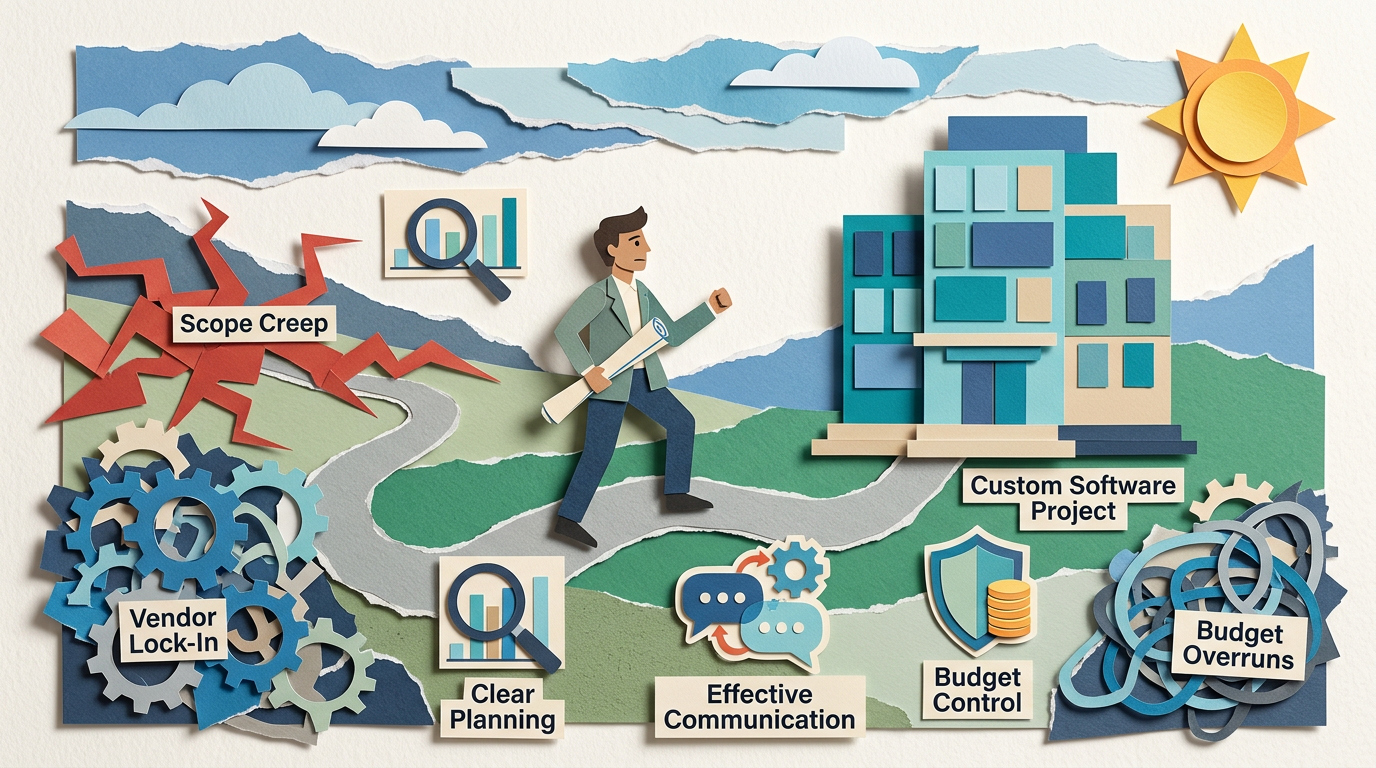
Avoiding Scope Creep, Vendor Lock‑In, and Budget Overruns
Maira Koin
CEO, F Koin Tech
Published
24 August, 2026
Commissioning Custom Software Development can feel exciting and terrifying at the same time, especially if you do not have a technical background. You see the potential for Artificial Intelligence, Business Automation, Web Development, maybe Mobile App Development. You also hear horror stories about projects that drag on for months, double in cost, and leave the business tied to a single vendor.
This handbook is written for non‑technical founders, CEOs, and business owners who want the benefits of Digital Transformation without losing control. You will see how to structure a project so you avoid scope creep, vendor lock‑in, and budget overruns, and how to talk to Software Development partners in clear business language.
Why non‑technical founders struggle with software projects
Most troubled projects do not fail because the developers are bad. They fail because the business side and the technical side are playing different games.
Common patterns:
- You describe a vision, not a clear scope. The team fills in the gaps, and the scope quietly grows.
- You feel forced to trust a single vendor for everything, which creates dependency and risk.
- You get a ballpark quote before requirements are clear, then feel surprised when real costs appear.
The good news is that you do not need to become a developer to fix this. You need a better way to frame the work, make decisions, and govern the relationship.
Foundation: decide what you are actually building
Before you talk to any agency or freelancer, clarify the business side. That is your job, not theirs.
Start with one core outcome
Instead of “We need an app” or “We want AI for Business”, define a concrete outcome, for example:
- “Reduce manual onboarding time for new clients from 3 hours to 45 minutes.”
- “Give customers a portal where they can see order status without calling support.”
- “Replace our spreadsheet‑based quoting process with a trackable workflow that sales cannot skip.”
This outcome will guide trade‑offs throughout the project. When a new idea appears, you can ask, “Does this help that outcome now, or can it wait?”
Define the type of product in simple terms
Clarify what you are really building so you talk to partners on the same page:
- Internal tool: Improves Business Productivity or Business Efficiency for your team.
- Customer‑facing portal: Improves Customer Experience and reduces support work.
- SaaS Solution or product: You plan to sell this externally as part of Startup Growth.
- E‑commerce Solution: Focused on selling products or services, with payments and fulfillment.
Each of these has different expectations for UX, security, Mobile App Development needs, and Data Analytics. Being explicit helps your partner price and plan accurately.
Scope creep: what it really is and why it happens
Scope creep is not just “adding a few features.” It is a slow shift from a focused project to an open‑ended wish list, without updating the timeline or budget.
It often happens because:
- Stakeholders see early designs and realize they forgot critical scenarios.
- Competitors launch new features, and you feel pressure to match them.
- AI Automation or Business Automation ideas pop up mid‑build, and nobody wants to say no.
You cannot remove change from a project, but you can manage it.
How to protect your project from scope creep
1. Write a simple, business‑friendly scope document
You do not need a 100‑page specification. You do need 3 to 6 pages that describe:
- Business goals: The outcomes you want, with basic success metrics.
- Main users: Who will use the system, by role.
- Core journeys: 3 to 5 step‑by‑step flows the first release must support, for example “customer signs up and completes onboarding,” “staff creates and approves an order,” “manager reviews key Data Analytics.”
- Must / should / later: A priority list of features, not just a flat backlog.
Share this with any potential Software Development partner as the basis for discussion and pricing.
2. Use “must, should, later” ruthlessly
For each idea or feature, ask your team to label it:
- Must: Without this, the solution fails its core job.
- Should: Very useful, but the business can live without it for a few months.
- Later: Nice to have, experimental, or relevant only to some users.
Keep the “must” list small enough that your partner believes it can be built in 8 to 12 weeks of focused Software Development. This cap forces prioritization and cuts hidden scope.
3. Make change a formal decision, not a casual chat
New ideas will appear, especially once you see designs and demos. The danger is saying “just add it,” again and again.
Set a simple rule with your partner:
- Any new item that touches data, integrations, or AI for Business goes into a change log with a rough impact on cost and time.
- Every 2 weeks, you review the change log and decide which items to add now, which to move to “later,” and which to drop.
- If you add something, you either extend the deadline or remove something of similar size.
Change becomes visible and intentional instead of hidden and silent.
4. Work in short, reviewable cycles
Agree with your partner on 2 to 4 week build cycles with:
- A small set of goals tied to your core journeys.
- A mid‑cycle check‑in to catch misunderstandings early.
- A demo at the end where you and real users click through the work.
Regular demos reduce unpleasant surprises and often surface scope problems while they are still cheap to fix.
Vendor lock‑in: why it is dangerous for founders
Vendor lock‑in is more than “we really like our agency.” It is a situation where you cannot move away from a supplier without serious disruption, cost, or technical barriers.
Signs you are drifting into lock‑in:
- You do not have access to the source code or deployment accounts for your own product.
- All documentation, designs, and architecture knowledge live only in the vendor’s heads.
- The solution runs only on the vendor’s proprietary platform, with no export option.
- Access to data is limited or requires manual exports.
If that vendor changes priorities, raises prices sharply, or simply goes out of business, you are exposed.
How to avoid vendor lock‑in without becoming “DIY IT”
1. Own your accounts and data from day one
Make sure that company‑owned accounts are used for critical services, not personal or agency accounts. For example:
- Cloud Computing provider accounts in your name.
- Source control or code repository accounts with your admin access.
- Production databases and main Cloud Solutions controlled by your organization.
Your Software Development partner should have access, but you must be able to add or remove vendors without being blocked.
2. Insist on clear IP and licensing terms
Your contract should clarify:
- Who owns the code, designs, and documentation on completion and payment.
- Which components are open‑source or third‑party libraries, and what their licenses allow.
- Any proprietary modules the vendor retains rights to, and how that affects you.
Ask for this in plain English. A good Technology Consulting partner can explain what it means in practice.
3. Require basic documentation and handover materials
You do not need a technical manual for every line of code, but you do need:
- An overview of the system, including main components and how they talk to each other.
- Administrator logins and instructions for key Software Solutions.
- Set‑up steps for new environments, such as staging and production.
- Notes on integrations with other systems, such as CRM, accounting, or E‑commerce Solutions.
Include these items as explicit deliverables in your statement of work.
4. Avoid unnecessary proprietary platforms for core workflows
Many vendors like to build on their own platforms or niche Enterprise Software that only they understand. Sometimes that is fine. Often it is not.
As a simple rule:
- Try to build core business systems on established Cloud Solutions, standard databases, and common languages, so other teams can maintain them.
- Use proprietary low‑code builders for edge cases or internal dashboards, not for your core revenue engine, unless you fully understand the trade‑offs.
This reduces your risk and increases your future options, including AI Automation or more advanced Business Process Optimization later.
Budget overruns: where they come from
Software budgets rarely explode because of a single huge mistake. They creep upward in dozens of small ways.
Typical drivers:
- Underestimating discovery and design. The “thinking work” looks small, then grows.
- Ambiguous requirements that generate rework in later cycles.
- Hidden complexity in integrations with older tools or Enterprise Software.
- New AI for Business or Data Analytics ideas added late in the project.
You cannot predict everything, but you can structure your budget to absorb surprises without sinking the project.
How to control custom software budgets like a CFO
1. Split work into phases with separate decisions
A useful pattern for non‑technical founders is a 3‑phase approach:
- Discovery and design
Clarify goals, scope, user journeys, and high‑level architecture. Produce clickable prototypes. At the end, you get a realistic estimate for the build phase, not a guess.
- Build and launch
Develop the agreed “must” features, do testing, set up Cloud Computing, and go live with real users.
- Post‑launch improvement
Use early usage data and feedback to prioritize fixes, performance, and next features, including AI Automation or Workflow Automation where it matters.
Each phase gets its own budget and success criteria. If discovery reveals that the project is more complex than you can afford, you can adjust scope or pause before heavy spend.
2. Ask for a budget range, not a single magic number
Fixed prices can feel safe, but they are often based on optimistic assumptions. A more honest approach is a budget range that changes as uncertainty drops.
For example:
- Before discovery: “We expect the build to fall between 80,000 and 120,000, depending on integrations and AI features.”
- After discovery: “With the agreed scope, we now expect 95,000 to 105,000.”
Ask your partner to explain what would push cost toward the upper edge, such as complex data migrations, new regulations, or mid‑project scope changes.
3. Tie payments to milestones and demos
Structure payment schedules around outcomes you can see, not just dates:
- Completion of discovery and approval of prototypes.
- First demo of core user journey working end to end.
- Successful integration with priority systems.
- Production launch and agreed hypercare period.
Milestone‑based billing aligns incentives and gives you check‑points to review Business Technology decisions before paying for the next step.
4. Reserve a contingency fund
Plan for uncertainty instead of pretending it will not appear. A common pattern is to reserve 10 to 20 percent of your initial budget as contingency for:
- Uncovered complexity in integrations or data.
- Regulatory or compliance updates.
- Small scope changes that turn out to be non‑negotiable.
This fund avoids constant renegotiation and protects your runway.
Choosing the right delivery model: in‑house, agency, or hybrid
Non‑technical founders often feel pressured to “hire a CTO” or outsource everything. In reality, there are three broad models, and you can mix them.
1. Mostly in‑house team
Good for: Later‑stage companies with ongoing Software Development needs.
Pros:
- Full control over priorities and culture.
- Deep understanding of your business and data.
- Less vendor lock‑in over time.
Cons:
- Higher fixed cost and recruitment challenges.
- Harder to cover all skills, like AI for Business, UX, Mobile App Development, Data Analytics.
2. Fully outsourced to an agency or vendor
Good for: Early‑stage companies or one‑off Digital Innovation projects.
Pros:
- Access to a full team quickly.
- Predictable monthly cost for defined scopes.
- Agency brings experience from other industries and Technology Trends.
Cons:
- Risk of vendor lock‑in if not managed well.
- Less internal capability built inside your business.
3. Hybrid: small internal product team plus external specialists
Good for: Growing companies that want control plus flexibility.
Pros:
- Your internal product owner stays close to customers and metrics.
- External partners provide scalable capacity and niche skills, from AI Automation to Web Development or E‑commerce Solutions.
- You can change vendors without losing product knowledge.
Cons:
- Requires clear roles and communication.
- Founders must invest time in coordination or appoint a digital lead.
Whichever model you choose, the principles in this handbook, like scope control, documented ownership, and structured budgeting, still apply.
Designing an “escape hatch” from any vendor
Even with a great relationship, you should plan for the day you might change partners. An escape hatch makes that possible without chaos.
Technical and operational escape checklist
- Your company owns all key accounts for hosting, monitoring, and third‑party SaaS Solutions.
- There is a regularly updated list of environments, domains, and Cloud Solutions used by the product.
- Source code is stored in a repository where your company has admin rights.
- Deployment steps are documented clearly enough that a new team can follow them.
- Core business rules, such as pricing logic or workflow approvals, are written in plain language, not only buried in code.
Ask your partner to walk you through this checklist once per quarter. This also forces them to keep documentation and automation current as Business Innovation evolves.
Where AI, automation, and data fit without blowing up scope
Artificial Intelligence and Workflow Automation can save huge amounts of time and improve Customer Experience, but they are also magnets for scope creep.
Think “AI‑assisted”, not “fully automated” in version 1
For a first release, focus on modest AI for Business features that enhance existing workflows, for example:
- Drafting email responses for staff to approve.
- Summarising complex data into short explanations on dashboards.
- Classifying tickets, leads, or documents with simple labels.
Leave full AI Automation of complex processes, such as pricing or risk scoring, for later, when you have reliable data and proven workflows.
Design your data with future AI in mind
You do not need advanced Data Analytics on day one, but you should capture key events in a structured way, such as:
- Sign ups, logins, and completed core journeys.
- Time taken for important workflows, like quoting or onboarding.
- Customer actions that predict churn or upsell opportunities.
This data becomes the foundation for smarter AI Automation, Business Process Optimization, and even SEO and ranking improvements later. If search visibility is important, you can also plan content, structured data, and Web Development choices that support ranking goals, as outlined in resources like How F-Koin Tech Can Help You Achieve a Higher Rank.
Governance: simple structures that keep you in control
Good governance sounds heavy. In practice, for small and medium businesses it can be light but consistent.
1. Appoint a business product owner
This is a non‑technical leader who:
- Owns the backlog and feature priorities.
- Connects tech decisions to revenue, cost, and Customer Experience.
- Approves scope changes and manages trade‑offs.
It should be someone with enough authority to say “not now” to senior stakeholders, including you.
2. Run short, regular steering meetings
Once or twice per month, hold a 45 to 60 minute call with:
- Your product owner.
- Key process owners, like sales or operations.
- The delivery lead from your Software Development partner.
Agenda:
- Progress against the current cycle.
- Scope changes requested and decisions taken.
- Budget status versus plan.
- Risks or dependencies, including other Business Technology initiatives.
Keep notes and decisions in a shared document so there is a clear history.
3. Review metrics, not just features
Every few cycles, step back and look at outcomes, not just what was delivered:
- Have you reduced manual hours or response times as planned?
- Is Customer Experience actually better, measured by NPS, repeat usage, or fewer complaints?
- Are you capturing the right data for future AI for Business and Digital Strategy?
If the product is not moving the metrics you care about, adjust scope, not just add more features.
12‑month roadmap template for a controlled software initiative
You do not need a 5‑year Digital Strategy. A pragmatic 12‑month roadmap keeps you focused.
Quarter 1: Clarify and design
- Define business outcomes and must‑have journeys.
- Run a structured discovery and UX design phase.
- Decide which parts of the solution can use standard SaaS Solutions and which call for Custom Software Development.
- Confirm technical approach for Cloud Computing, security, and basic Data Analytics.
Quarter 2: Build core and launch pilot
- Develop the must‑have features along the main journeys.
- Integrate with essential systems like CRM, accounting, or existing Enterprise Software.
- Launch to a limited set of users or customers.
- Collect feedback and usage data, including pain points.
Quarter 3: Stabilise and add targeted automation
- Fix issues discovered in pilot and improve performance.
- Add light Workflow Automation where manual steps are clearly slowing the process.
- Introduce one or two AI for Business features that reduce repetitive work.
- Refine dashboards and reports that show real‑world impact.
Quarter 4: Optimise and de‑risk
- Retire redundant tools replaced by the new solution.
- Improve Business Process Optimization where data reveals bottlenecks.
- Strengthen documentation, access control, and your escape hatch from any single vendor.
- Plan next‑year priorities based on proven ROI and Future Technology Trends.
Common mistakes non‑technical founders make, and better options
Mistake 1: Starting with a feature wishlist instead of a problem statement
You hand over a list like “login, dashboard, AI chatbot, mobile app, admin panel” without clear business outcomes. The vendor will build something, but it might not solve the right problem.
Better: Start with “We want to reduce X by Y for this user group” and then let features follow.
Mistake 2: Treating the vendor as a black box
You hand over requirements, wait three months, then see a demo that does not match your expectations.
Better: Insist on short cycles, regular demos, and ongoing access to staging environments where your team can click around.
Mistake 3: Over‑optimising for lowest upfront cost
A cheap quote that ignores integration challenges or testing looks attractive. Later, hidden rework and bugs cost you more in support, Business Productivity loss, and customer frustration.
Better: Optimise for total cost of ownership over 2 to 3 years, including maintenance, data quality, and your ability to extend the system.
Mistake 4: Ignoring non‑functional requirements
Founders talk only about features and forget performance, security, access control, and compliance.
Better: Include simple expectations, for example “portal should load key screens in under 2 seconds,” “only managers can see margin data,” or “system must keep an audit trail of changes for 2 years.”
Mistake 5: Leaving SEO, analytics, and tracking for “later”
If your product relies on search or digital marketing, ignoring these in the first release creates expensive rework.
Better: Decide upfront how you will measure success, which events to track, and how Web Development choices will support search visibility. You can refine content and optimisation later, but the basics must be baked in from the start.
Future technology trends that influence your decisions today
You do not need to chase every Technology Trend, but some shifts affect how you design software that will last.
1. AI built into everyday business tools
Major SaaS Solutions now ship with AI Automation features for drafting, summarising, and predicting. This often means you can avoid custom AI models in early versions and rely on in‑tool AI for Business features instead.
2. Stronger low‑code platforms inside Enterprise Software
Many Enterprise Software vendors are adding low‑code builders. For some use cases, it will be smarter to configure those rather than build from scratch, especially for internal workflows and approvals.
3. Tighter integration between E‑commerce, operations, and finance
E‑commerce Solutions are no longer just storefronts. They connect to inventory, logistics, CRM, and accounting. When you plan a project that touches orders or subscriptions, think end‑to‑end from the beginning, not as an afterthought.
4. Growing expectations for data access and privacy
Customers, partners, and regulators care more about data usage. Build systems that can clearly answer “Who sees what, and why?” This will make audits easier and support future AI Automation that respects privacy constraints.
Summary: treat software as a strategic asset, not a side project
Custom Software Development can transform Business Productivity, Customer Experience, and Startup Growth, but only if you manage it with the same discipline you apply to finance or hiring.
For non‑technical founders, that means:
- Defining clear outcomes and core user journeys before you discuss technology.
- Using simple structures like “must / should / later,” change logs, and short cycles to contain scope creep.
- Owning your accounts, data, and documentation so you are never trapped with one supplier.
- Splitting projects into phases with transparent budgets, milestone‑based payments, and a realistic contingency.
- Adding AI for Business, Business Automation, and Data Analytics gradually, guided by real usage and ROI.
If you want a second pair of eyes on your current plans or need support designing a project that avoids scope creep, vendor lock‑in, and budget surprises, consider speaking with a technology partner experienced in Business Technology, Digital Strategy, and Software Solutions. A short, focused conversation can often save months of rework and help you move forward with more confidence.